What Is a Quick Start Guide?
A quick start guide (QSG) is a short, highly visual document that walks a new user through the minimum steps needed to set up a product and use it successfully for the first time — typically one or two pages, in contrast to a full user manual.
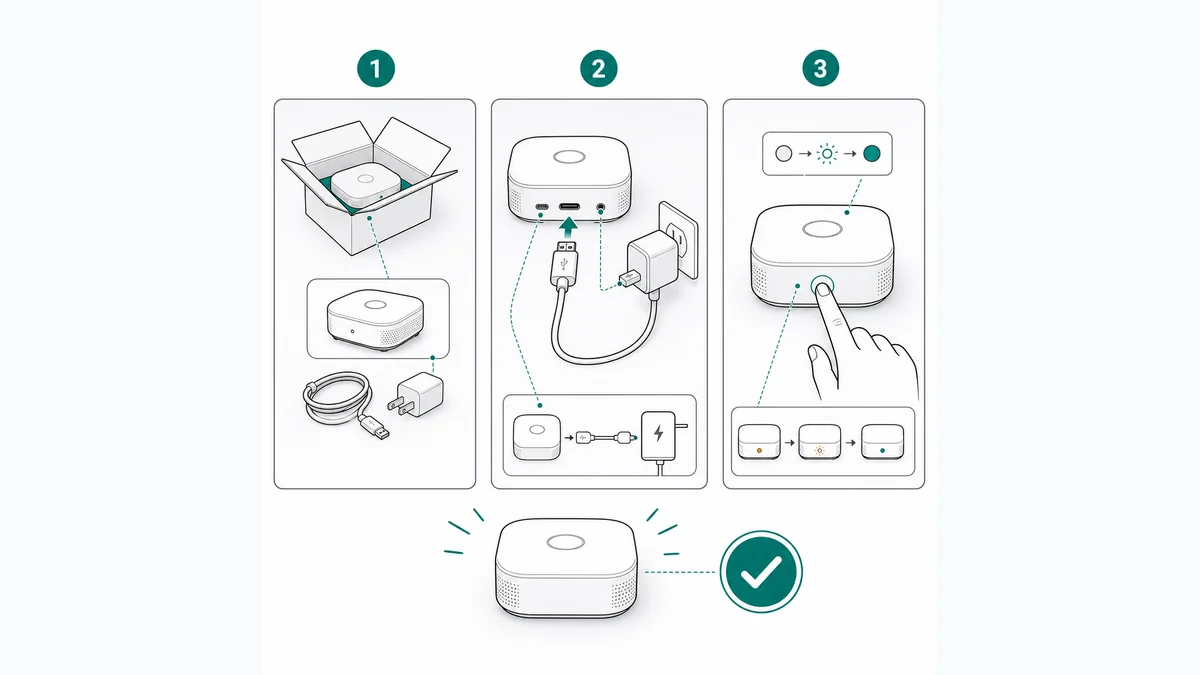
What belongs in a quick start guide
A quick start guide covers only the critical path: what is in the box, how to assemble or connect the product, how to power it on and complete initial setup, and how to perform the first core task. Everything else — troubleshooting, maintenance, full feature reference — belongs in the user manual or online help, which the QSG should point to.
The format is dominated by numbered, illustrated steps with minimal text. Many quick start guides are nearly wordless, relying on line drawings, arrows, and pictograms so a single printed sheet works across languages.
Quick start guide vs user manual
The two documents answer different questions. The QSG answers "how do I get this working right now?" and optimizes for speed and confidence in the first five minutes. The user manual answers "how does everything work?" and optimizes for completeness, including safety information, specifications, and edge cases.
Most products ship both: a printed QSG in the box for the unboxing moment, and a fuller manual printed, on-device, or online. Cutting the manual entirely and shipping only a QSG works only for genuinely simple products. A good handoff at the end of the QSG — a QR code or short URL pointing to the full manual — keeps the two documents working as a system rather than competing.
How quick start guides are produced
Because a QSG lives or dies on its figures, production centers on illustration: product outlines, connection diagrams, and step figures drawn in a consistent line style that survives small print sizes. Teams either commission technical illustrators or generate the line drawings from product photos with AI tools, then lay out the steps in a design tool alongside minimal localized text.
Two production details pay off repeatedly. First, design for the worst realistic print scenario — grayscale, small format, thin paper — so figures rely on line weight rather than color. Second, test the draft on someone who has never seen the product: every place they hesitate marks a step that needs a clearer figure, not more words.
Frequently asked questions
How long should a quick start guide be?
As short as the critical path allows — usually a single sheet or small folded leaflet with 4 to 10 illustrated steps. If the setup genuinely needs more, keep the QSG focused on getting to a working state and move the rest to the manual.
Does a quick start guide replace the user manual?
No. The QSG covers first-time setup only. Safety information, full operating instructions, maintenance, and troubleshooting still belong in a user manual or online documentation, and the QSG should tell readers where to find it.
Illustrate your quick start guide
ManualFig turns product photos into the clean setup and connection figures a quick start guide needs — consistent style, print-ready line art.
Try the quick start guide illustrator