SOLIDWORKS-Composer-Alternative für 2D-Dokumentation
Explosions- und Montagegrafiken auch ohne SOLIDWORKS-Modell
Composer nutzt CAD-Daten. ManualFig beginnt mit Produktfotos, Skizzen oder Teilelisten und liefert statische Anleitungsbilder.
Kein SOLIDWORKS-Sitz und keine native CAD-Datei erforderlich.
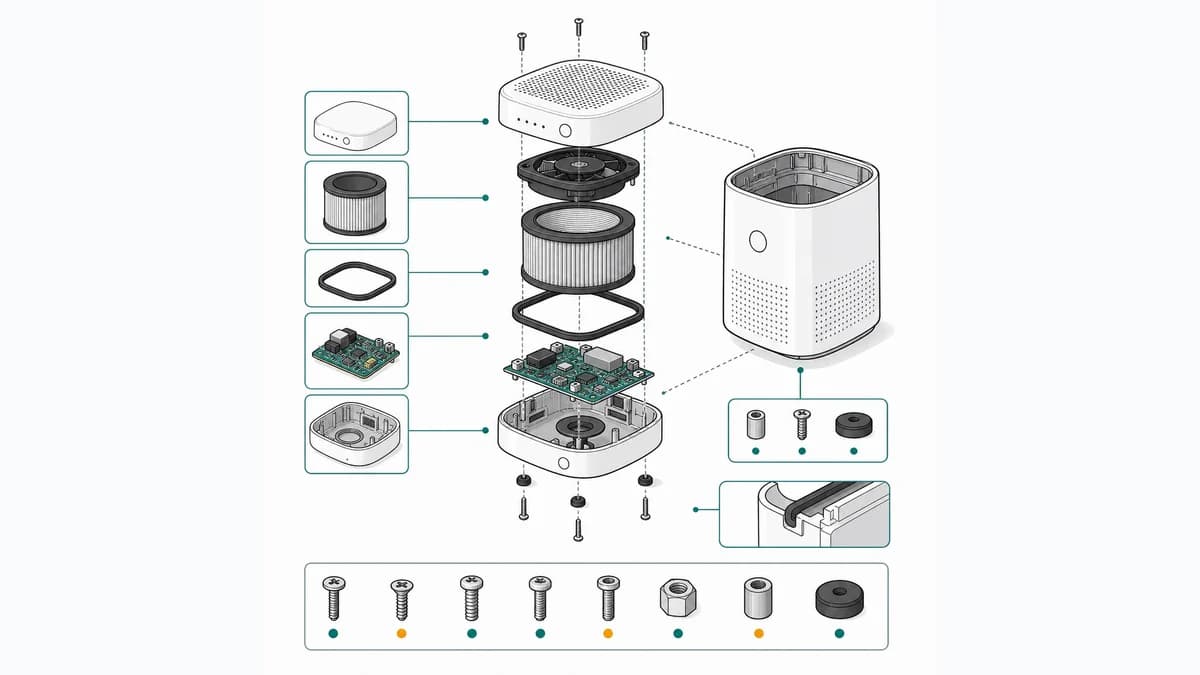
Teileabstand, Positionsnummern, Verbindungslinien und Montagepfeile.
Dokumentationsgrafik statt maßhaltiger Konstruktionszeichnung.
Wo ManualFig passt – und wo Composer stärker ist
Die entscheidende Frage ist, ob die Abbildung mit einem kontrollierten CAD-Modell verbunden bleiben muss.
Foto-basierter Einstieg
ManualFig kann aus einem montierten Produkt und einer Teileliste eine erklärende Trennung der Bauteile entwerfen.
Schnelle statische Ausgabe
Das Ergebnis ist für Handbuchseiten, Ersatzteilübersichten und Serviceartikel bestimmt.
Composer für Modelltreue und Aktualisierung
Wenn Ansichten automatisch aus wechselnden CAD-Ständen abgeleitet werden müssen, bleibt Composer der geeignetere Ansatz.
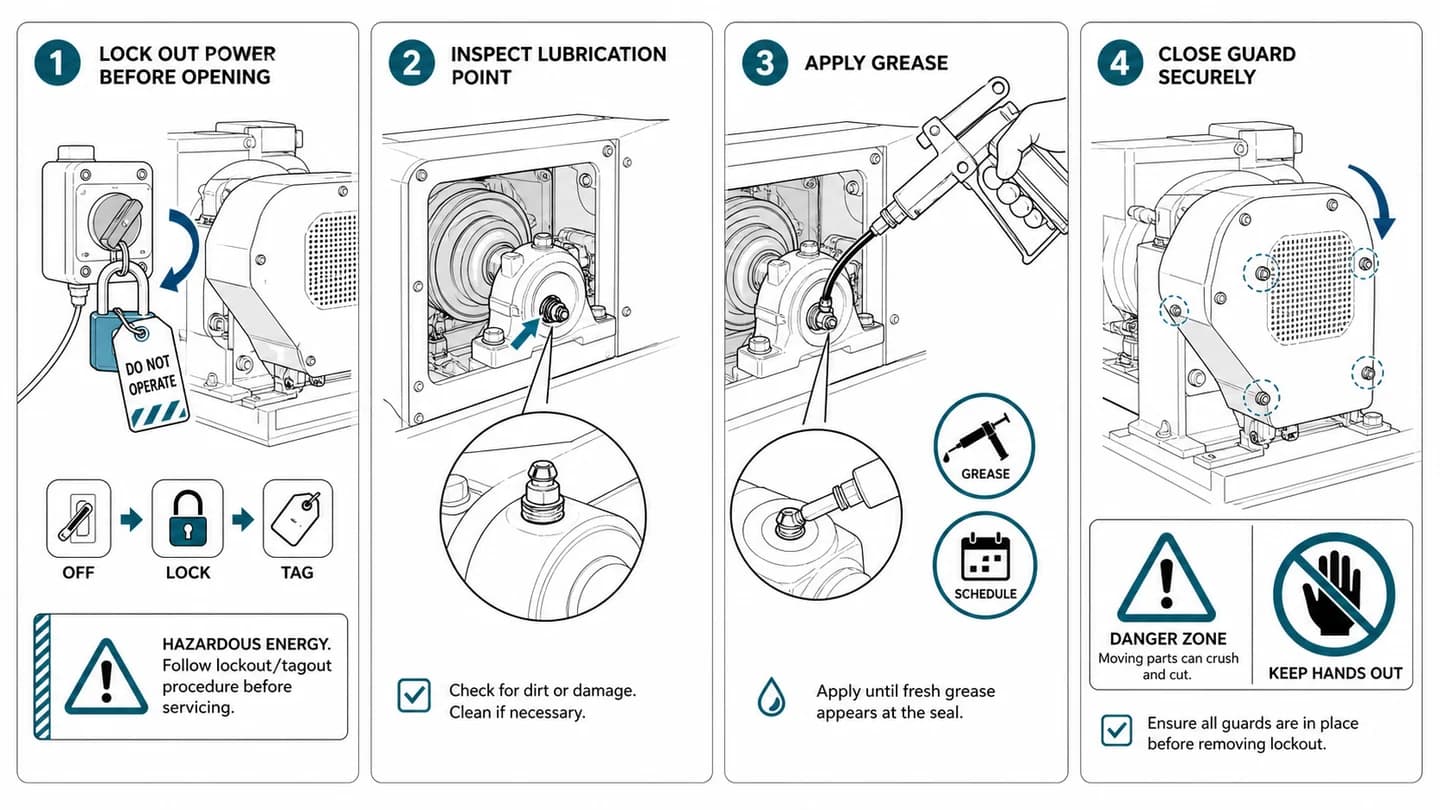
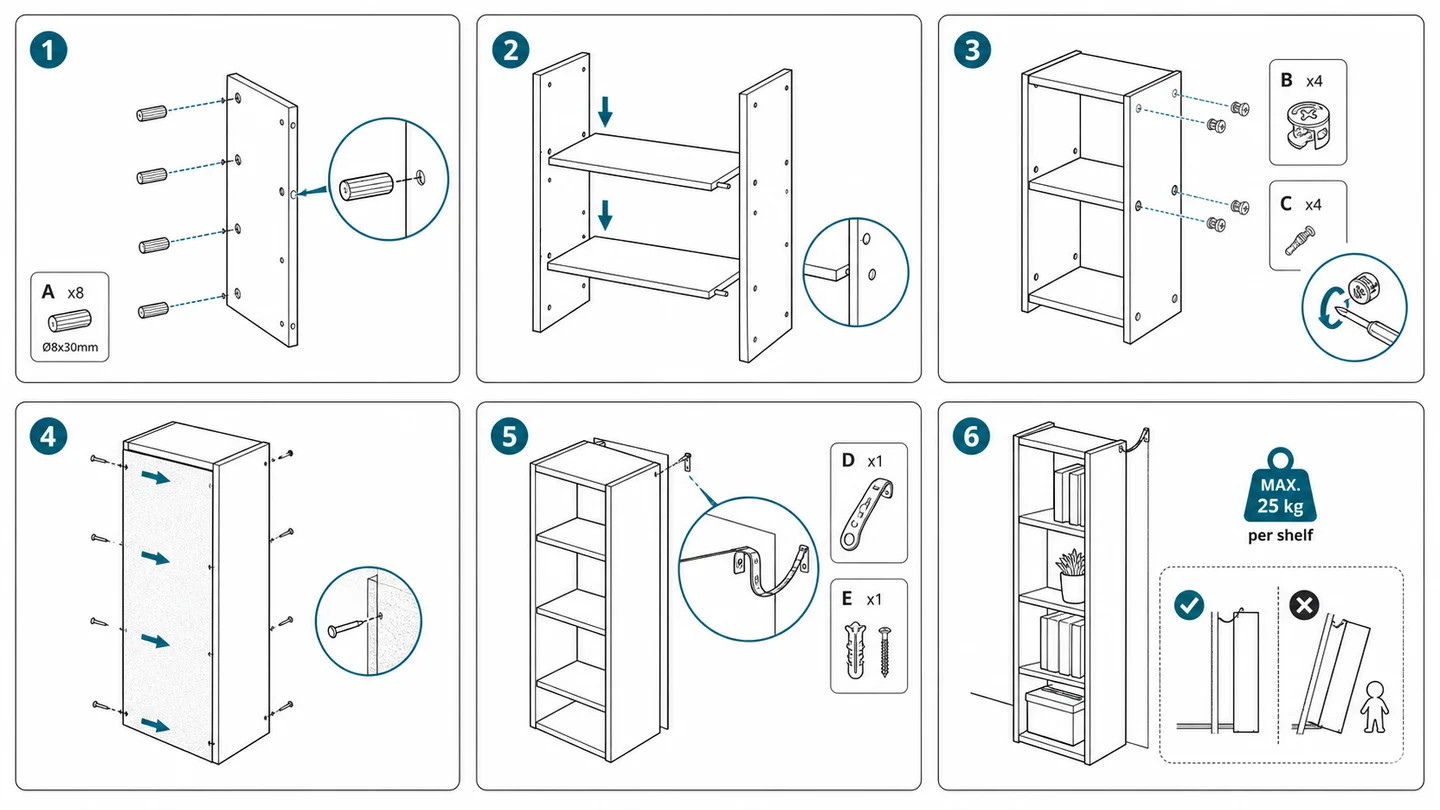
Vom vorhandenen Material zur druckfertigen Abbildung
ManualFig bündelt Referenzen, Anweisung, Varianten, Korrekturen und Export in einem Browser-Workflow.
Foto oder Ablauf bereitstellen
Beginnen Sie mit Produktfotos, Prototypen, Skizzen, CAD-Screenshots oder einer kurzen Schrittliste.
Die benötigte Ansicht beschreiben
Nennen Sie Handlung, Teile, Pfeile, Warnungen, Beschriftungen und das gewünschte Ausgabeformat.
Prüfen, korrigieren und exportieren
Gleichen Sie Geometrie und Schrittfolge mit den Quelldaten ab und exportieren Sie PNG oder SVG.
Verwandte ManualFig-Seiten
ManualFig ist für Dokumentationsteams gedacht, die eine erklärende Ansicht benötigen, aber keinen CAD-Arbeitsplatz, keine aktuelle Baugruppe oder kein 3D-Publishing-Projekt haben.
Häufige Fragen zur Composer-Alternative
Kann ManualFig Composer vollständig ersetzen?
Nicht bei CAD-Synchronisierung, interaktiven 3D-Inhalten oder maßhaltigen Ableitungen. Für statische, foto-basierte Handbuchgrafiken kann es den kürzeren Weg bieten.
Kann ich eine Explosionsansicht aus nur einem Foto erstellen?
Ja, als erklärenden Entwurf. Zusätzliche Ansichten und eine Teileliste verbessern die Zuordnung verdeckter Komponenten.
Wie wird technische Richtigkeit geprüft?
Vergleichen Sie Teilefolge, Beschriftungen und Befestiger mit freigegebenen Stücklisten und Arbeitsunterlagen, bevor die Grafik veröffentlicht wird.
Explosionsgrafik aus Foto und Teileliste entwerfen
Geben Sie Achse, Reihenfolge und Positionsnummern vor und exportieren Sie die geprüfte Abbildung als PNG oder SVG.