ManualFig para vendedores de Amazon
Instrucciones claras para los primeros minutos tras abrir la caja
Convierte las fotos del listing en guías visuales de configuración y uso para el embalaje, el PDF y la página de soporte.
Usa las fotos del listing como referencia del producto.
Mantén el mismo estilo en inicio rápido, inserto y soporte.
Prioriza uso y seguridad, no solicitudes de reseña condicionadas.
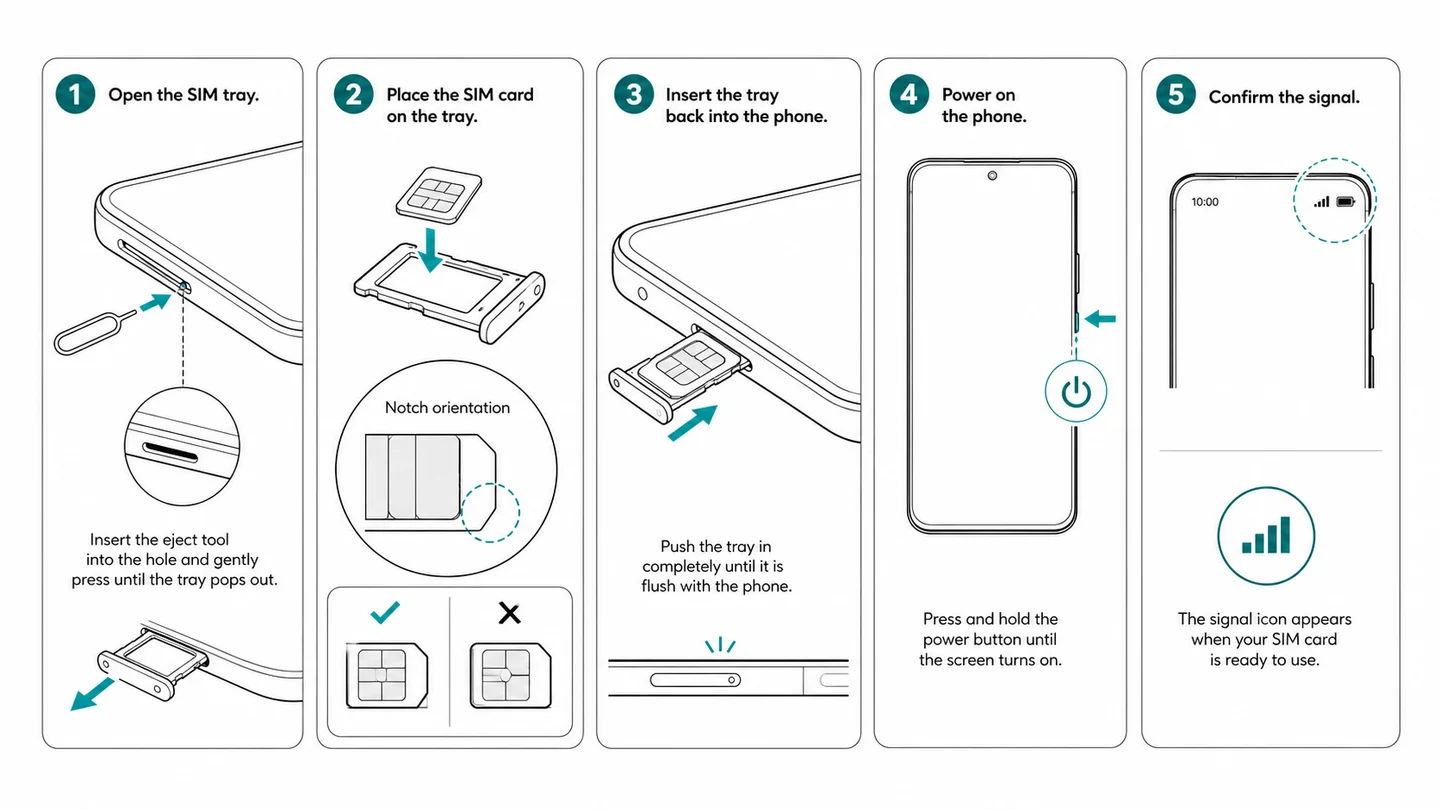
De la foto del listing a una instrucción útil
Esta página trata de documentación de uso, no de infografías promocionales para el listing.
Explica la primera puesta en marcha
Muestra carga, inserción, encendido, conexión y la comprobación final.
Diseña para formatos pequeños
Reduce texto, agranda la acción principal y prueba la legibilidad en el tamaño de impresión real.
Comprueba las reglas vigentes
Centra el inserto en uso, seguridad y soporte; revisa por separado las políticas de reseñas y ofertas externas antes de imprimir.
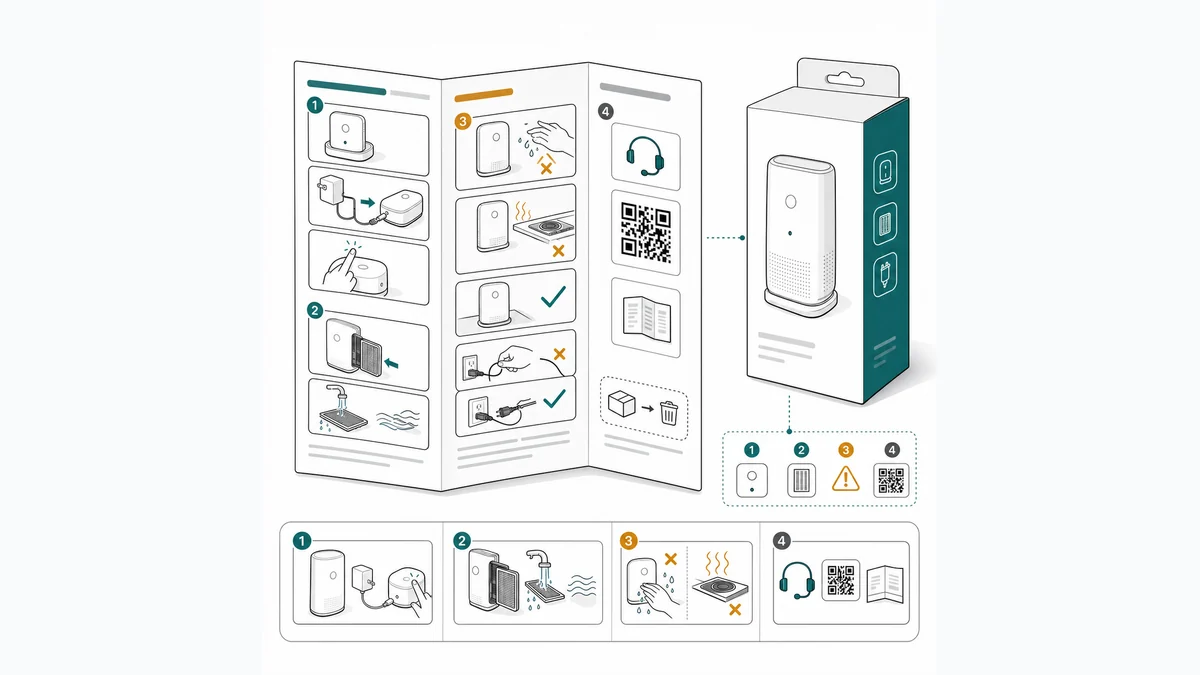
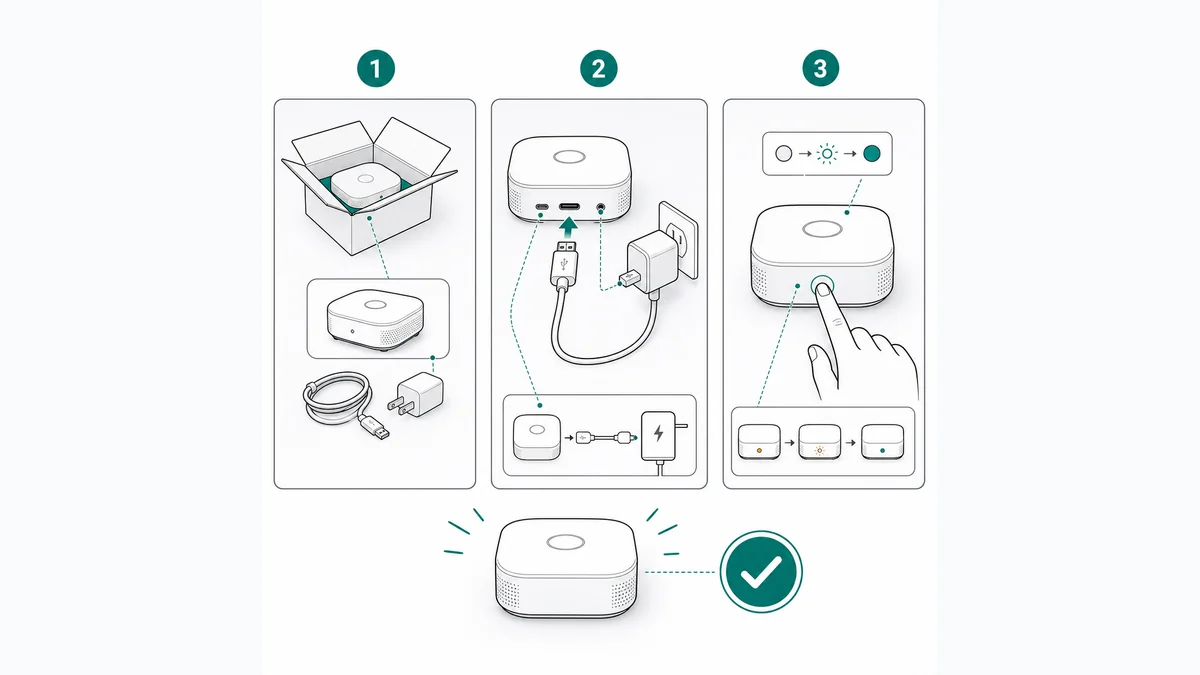
De la referencia del producto a una figura lista para publicar
ManualFig reúne referencias, instrucciones, versiones, correcciones y exportación en un flujo de trabajo web.
Aporta una foto o el procedimiento
Empieza con fotos, prototipos, bocetos, capturas CAD o una lista breve de pasos.
Define la vista y la acción
Indica piezas, movimiento, flechas, avisos, llamadas y el formato que necesita el documento.
Revisa, corrige y exporta
Contrasta la geometría y la secuencia con las fuentes aprobadas antes de exportar PNG o SVG.
Páginas relacionadas de ManualFig
ManualFig ayuda a responder visualmente las dudas repetidas: qué lado va arriba, qué pieza debe encajar y qué aspecto tiene el estado correcto.
Preguntas de vendedores de Amazon
¿ManualFig crea infografías para el listing?
Su especialidad son las instrucciones de producto, los inicios rápidos y los insertos, no las creatividades de venta del listing.
¿Puedo reutilizar mis fotos de producto?
Sí. Úsalas para conservar forma y piezas, y añade una descripción precisa de la acción que debe realizar el usuario.
¿Los insertos cumplen automáticamente las políticas?
No. Las reglas cambian. Verifica contenido, requisitos de categoría y política de reseñas directamente con Amazon antes de imprimir.
Convierte las fotos del listing en ayuda de uso real
Crea los primeros paneles de configuración y pruébalos en el tamaño final del inserto.