LogoManualFig.ai
  • Inizia a creare
  • Strumenti
  • Blog
  • Prezzi
LogoManualFig.ai

Illustrazioni di istruzioni per prodotti generate dall'AI, pronte per la conformità in pochi minuti.

Strumenti
  • Da foto a disegno lineare
  • Istruzioni di montaggio
  • Istruzioni operative
  • Vista esplosa
  • Guide alla risoluzione dei problemi
  • Tutti gli strumenti
Casi d'uso
  • IFU per dispositivi medici
  • Produzione
  • Amazon ed e-commerce
  • Montaggio di mobili
  • Guide di avvio rapido
Risorse
  • Blog
  • Glossary
  • Novità
  • Roadmap
Azienda
  • Chi siamo
  • Contatti
  • Informativa sui cookie
  • Informativa sulla privacy
  • Termini di servizio
© 2026 ManualFig.ai. All Rights Reserved.

SOLIDWORKS Composer Alternative

A SOLIDWORKS Composer alternative for teams without CAD

Composer creates technical communication assets from SOLIDWORKS and CAD data. ManualFig generates exploded-view style figures and manual panels from photos — no SOLIDWORKS license needed.

Try ManualFig freeExploded view generator

No SOLIDWORKS license or CAD files needed — start from product photos or a written description.

Exploded-view style figures with numbered balloons, leader lines, and alignment arrows.

Free to start, PNG + SVG export, figures in minutes instead of a CAD project.

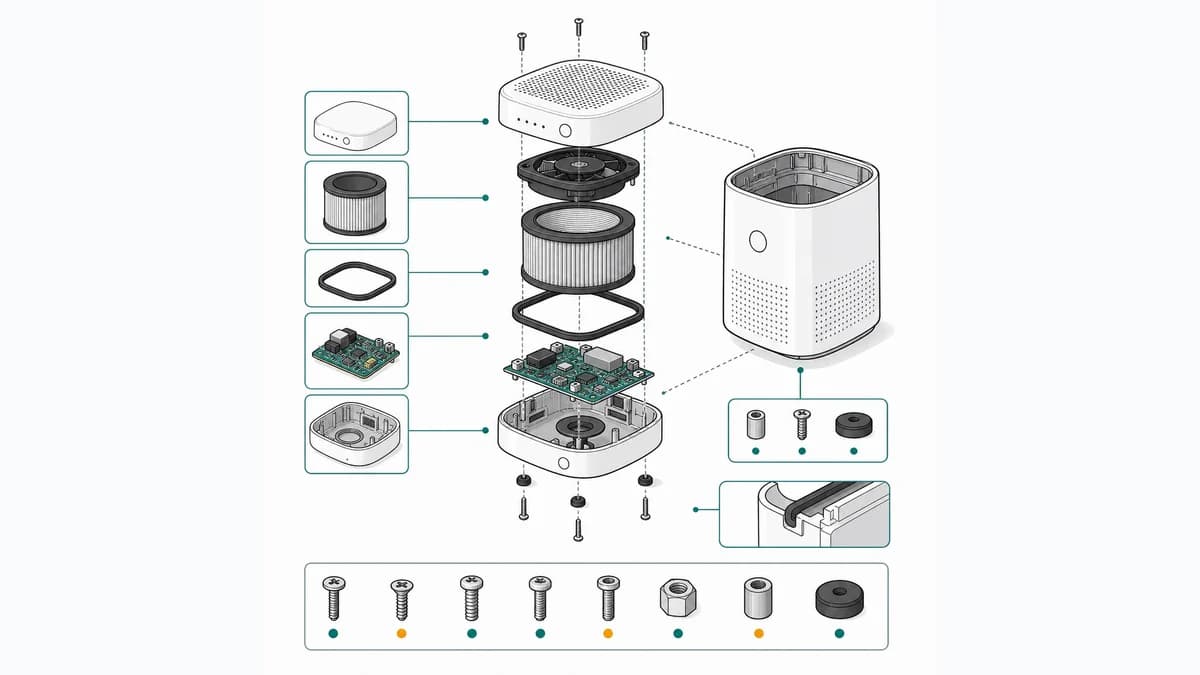
Exploded-view style illustration created without SOLIDWORKS Composer.

What ManualFig covers — and when Composer wins

An honest split: ManualFig is for photo-based documentation figures; Composer is for CAD-driven technical communication.

No SOLIDWORKS license, works from photos

ManualFig needs no CAD seat and no model files. Product photos, prototype shots, sketches, or a short step description are enough to generate manual-ready figures.

Exploded-view style figures

Generate separated parts with numbered balloons, leader lines, hardware details, and alignment arrows — explanatory artwork for manuals, parts pages, and service guides.

When Composer is the right choice

SOLIDWORKS Composer is Dassault Systèmes technical communication tool built around the SOLIDWORKS and CAD ecosystem, typically sold through enterprise and reseller channels. If your figures must stay tied to evolving CAD models, Composer is built for exactly that.

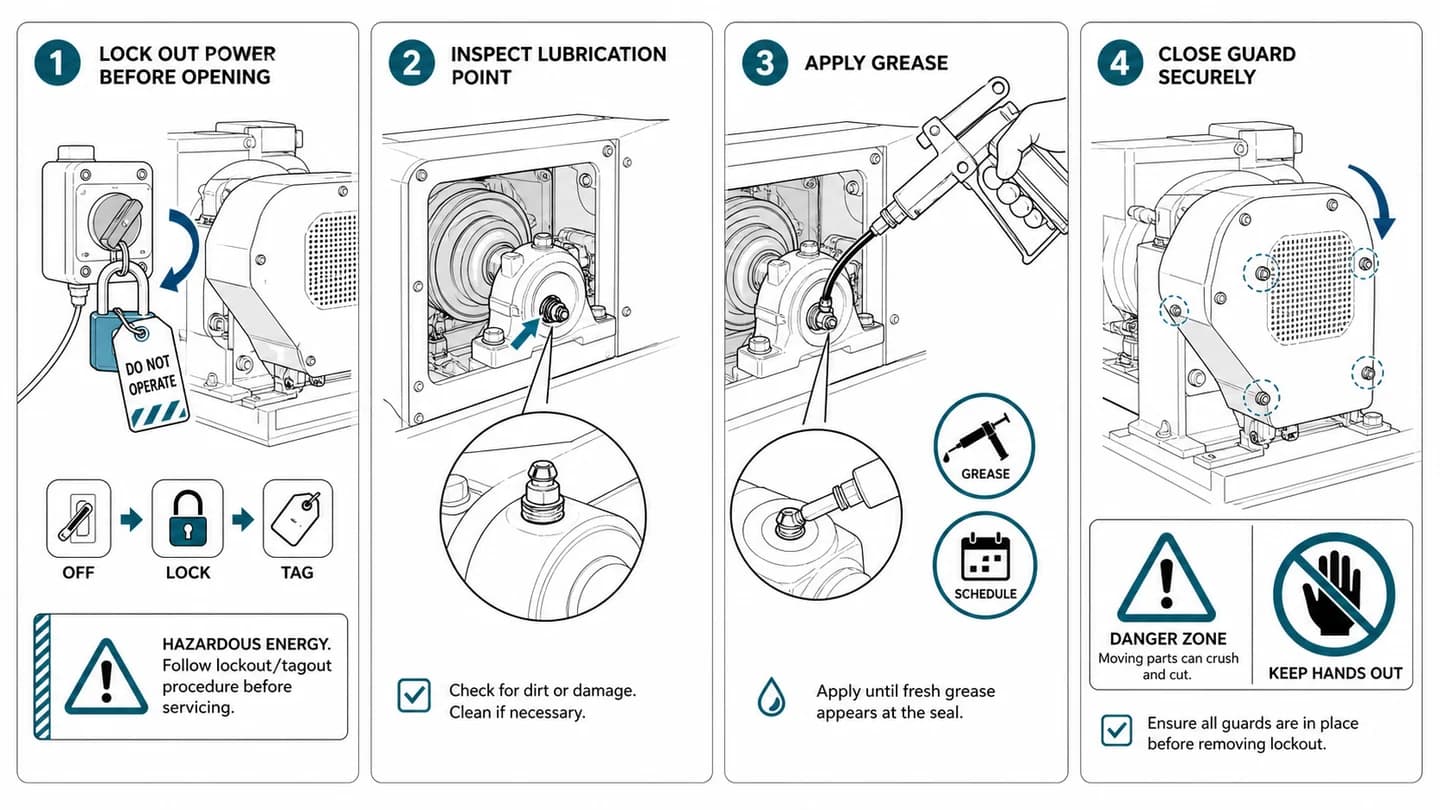
Industrial maintenance figure created without CAD software.
Service and maintenance panels drafted from photos for technician documentation.
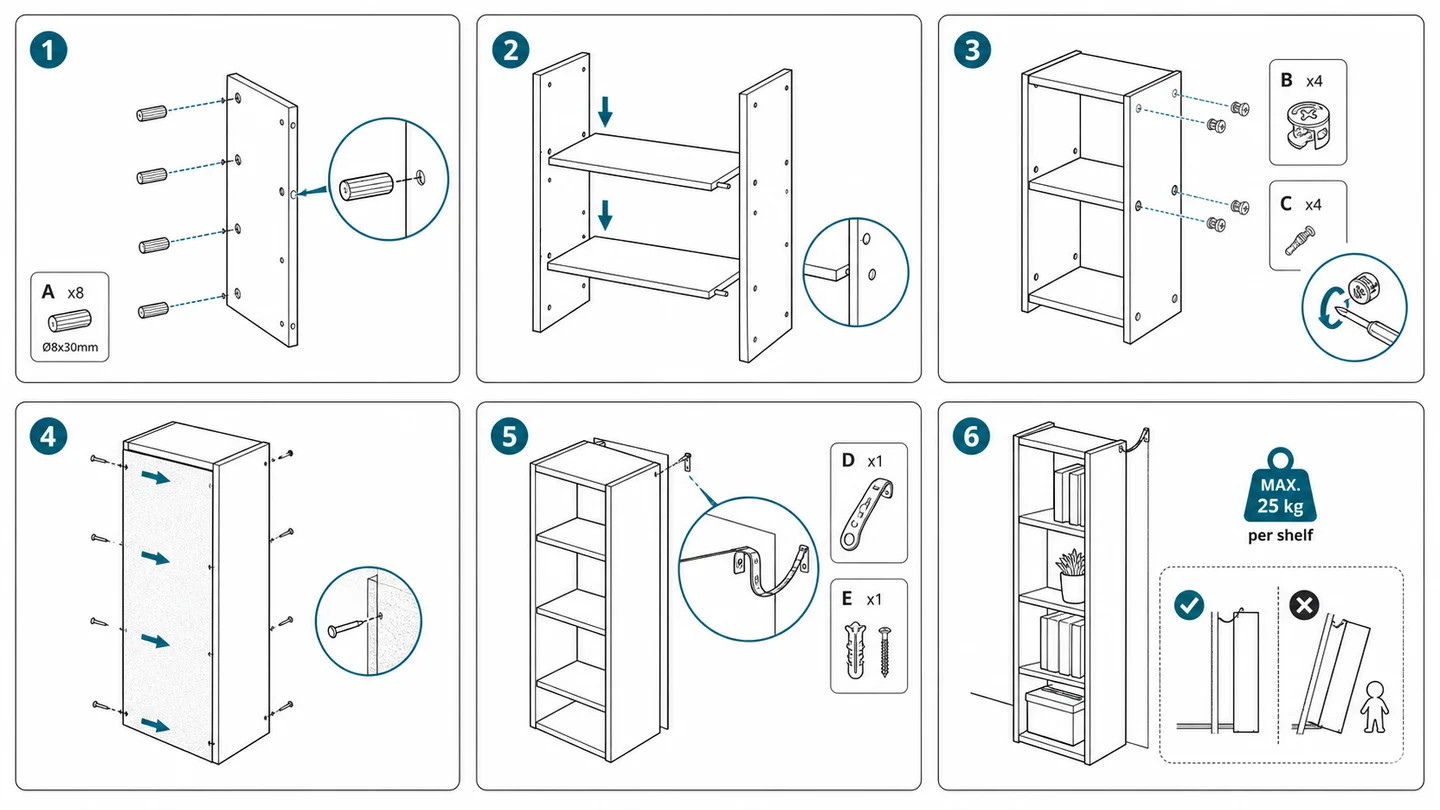
Assembly instruction figure produced without a SOLIDWORKS license.
Step-by-step assembly artwork with fasteners, arrows, and completion checks.

From product reference to manual-ready output

ManualFig keeps the prompt, uploaded references, generated options, revisions, and exports in one browser workflow.

1

Upload or describe the product

Start from a product photo, CAD screenshot, sketch, existing manual page, or a short step list.

2

Generate the instruction visual

Create line art, numbered panels, arrows, callouts, detail views, warnings, and completion checks.

3

Refine and export

Select a result, revise it with text, keep versions together, and export PNG or SVG for documentation.

Pagine ManualFig correlate

Not every team that needs manual figures owns the CAD ecosystem. ManualFig turns product photos, sketches, and prompts into line drawings, assembly panels, and exploded-view style illustrations, exported as PNG or SVG in minutes.

Generatore di illustrazioni con vista esplosaGeneratore di illustrazioni tecnicheGeneratore di illustrazioni per istruzioni di montaggioSfoglia tutti gli strumenti ManualFig

SOLIDWORKS Composer alternative FAQ

What is SOLIDWORKS Composer?

SOLIDWORKS Composer is a technical communication tool from Dassault Systèmes. It creates documentation visuals — exploded views, callouts, animations — from SOLIDWORKS and other CAD data, and is typically sold enterprise- or reseller-style as part of the SOLIDWORKS ecosystem.

Is ManualFig a full replacement for SOLIDWORKS Composer?

No, and it does not try to be. Composer is genuinely better when your figures must stay synced to CAD models that keep changing. ManualFig is the better fit when you have no CAD files at all: it works from photos and prompts, suits small teams and tight budgets, and delivers printable figures in minutes.

Do I need any CAD software to use ManualFig?

No. ManualFig runs in the browser and starts from product photos, sketches, existing manual pages, or a written description — no SOLIDWORKS license, no CAD files, nothing to install.

Can ManualFig create exploded views like Composer?

ManualFig generates exploded-view style illustrations: separated parts, numbered balloons, leader lines, and alignment arrows. They are explanatory documentation artwork, not CAD-accurate models, so use them for manuals and parts identification rather than engineering.

Is ManualFig affiliated with Dassault Systèmes or SOLIDWORKS?

No. SOLIDWORKS and SOLIDWORKS Composer are trademarks of Dassault Systèmes; ManualFig is not affiliated with or endorsed by them. This page compares two different approaches so teams can pick the right one.

Create Composer-style figures from a photo

Upload a product photo, describe the parts to separate, and export an exploded-view style figure — free to start.

Start free