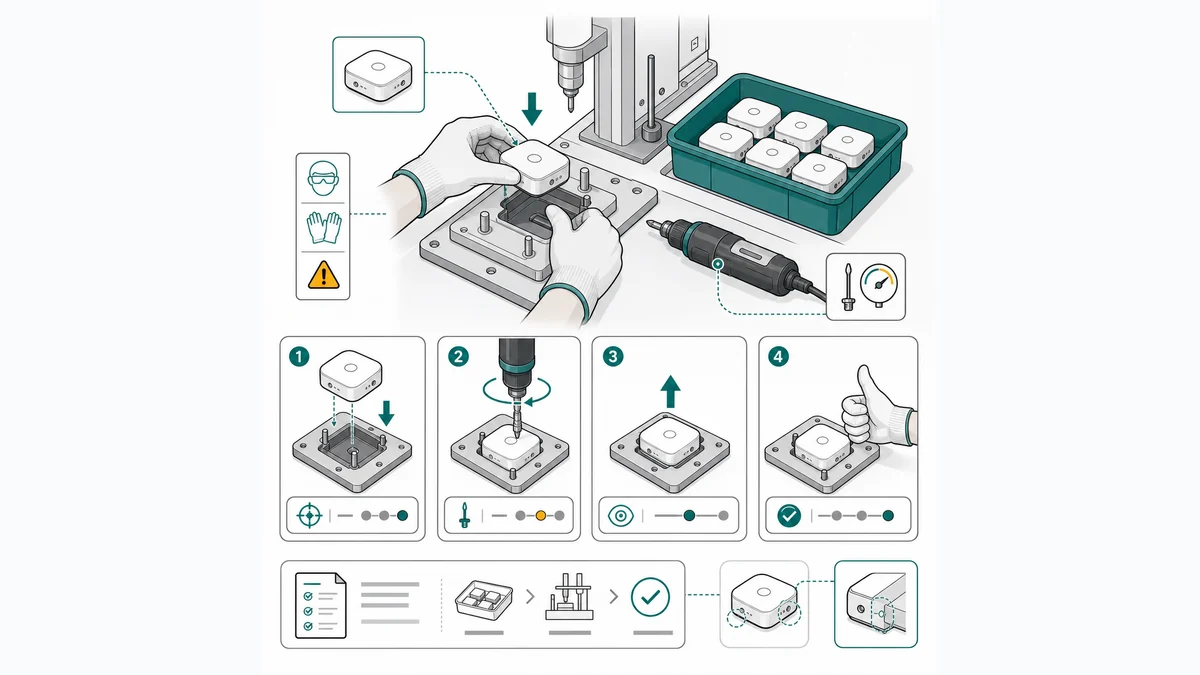
Software de instrucciones de trabajo: guía 2026
Qué software de instrucciones de trabajo elegir: plataformas como VKS, Canvas Envision, XVL, SOPX o Scribe frente a ilustración con ManualFig.
Buscar software de instrucciones de trabajo suele empezar después de una auditoría. La responsable de calidad de un taller de calderería de cuarenta personas en el Vallès consigue por fin presupuesto: las instrucciones viven en una carpeta compartida como archivos de Word, la mitad de los puestos funciona con lo que «ya se sabe» y la última auditoría de ISO 9001 señaló el control de la información documentada. Se pone a buscar y encuentra de todo, desde extensiones de navegador que capturan pantalla hasta plataformas para toda la planta con integración MES, todo descrito con las mismas palabras. Tras dos demos sigue sin saber qué resuelve su problema, porque bajo ese nombre hay en realidad dos productos distintos.
Esta es la división que ordena el mercado. Las plataformas gestionan las instrucciones de trabajo: distribución al puesto, control de revisiones, aprobaciones, analítica e integración con producción. Las herramientas de creación e ilustración hacen visuales las propias instrucciones: las figuras de cada paso, las llamadas y los paneles correcto/incorrecto que los operarios miran de verdad. Casi todas las decepciones vienen de comprar una cuando necesitabas la otra: una plataforma llena de muros de texto, o figuras preciosas sin forma de controlar revisiones.
Haz visuales los propios pasos con el Generador de ilustraciones para instrucciones de trabajo: entra una foto de producto, sale un panel de paso numerado.
Qué tiene que hacer un software de instrucciones de trabajo
Una instrucción de trabajo es el documento de puesto que muestra a un operario exactamente cómo hacer una tarea: pasos numerados, una acción por paso, una figura por paso y las llamadas que importan (par de apriete, orden, aceptado/rechazado). El software entra en juego para dos trabajos diferentes:
- Distribuir y controlar: poner la revisión vigente delante del operario correcto, demostrar que la ha visto, registrar aprobaciones y datos de calidad, y conectarse con el MES/ERP para que las instrucciones sigan a la orden de fabricación.
- Crear el contenido: convertir el conocimiento del experto en pasos visuales lo bastante rápido como para que la documentación no se quede atrás respecto a la línea. Aquí es donde flojea la mayoría del software de instrucciones de trabajo digitales: te dan un editor y un botón para subir archivos, y las figuras tienen que salir de algún sitio.
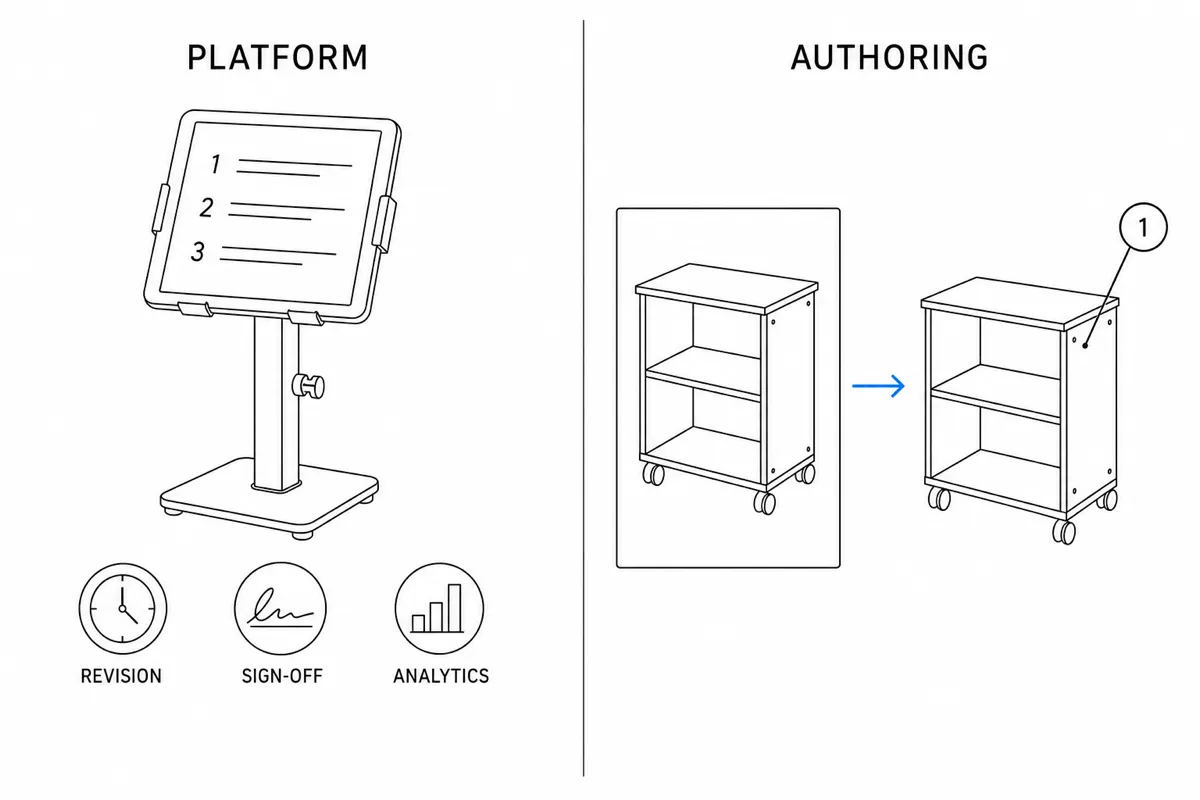
Ten presentes esos dos trabajos al leer la lista: ningún producto es el mejor en ambos.
Plataformas de instrucciones de trabajo digitales
VKS
Una de las plataformas de instrucciones de trabajo visuales más conocidas en fabricación: creación con imágenes y anotaciones, ejecución guiada paso a paso en el puesto, comprobaciones de calidad y captura de datos integradas, y conexión con los sistemas de planta. Se toma en serio lo de «visual»: el formato está pensado para que mande la imagen. E incluye lo que preguntan las auditorías: control de revisiones, trazabilidad y confirmación del operario. Es una plataforma de fabricación en toda regla, por suscripción, con alcance y presupuesto por implantación, y compensa cuando las instrucciones tienen que distribuirse, hacerse cumplir y medirse en toda la planta. Las imágenes, eso sí, siguen saliendo de tus cámaras y de tu tiempo de edición.
Canvas Envision
Se presenta como plataforma de ejecución visual: creación a partir de CAD (vistas despiezadas y figuras basadas en el modelo) y documentos interactivos distribuidos a planta, con integraciones PLM/MES. Su punto fuerte es el lado CAD: si tus productos tienen modelos 3D y quieres imágenes fieles al modelo dentro de instrucciones ejecutables, cubre creación y distribución en un solo sistema. Suscripción empresarial. Y aquí la dependencia va al revés que en casi todas las demás: rinde más precisamente cuando tienes CAD, algo que muchos talleres y fabricantes pequeños no tienen.
XVL Work Instruction Suite (Lattice Technology)
Construye instrucciones de trabajo animadas y fieles al modelo a partir de CAD 3D muy comprimido. Es la herramienta de referencia en automoción y maquinaria pesada, donde la secuencia de montaje de un producto de mil piezas se crea una vez desde el modelo de ingeniería y se usa en toda la fabricación. Empresarial y bajo presupuesto. Para un gran fabricante con mucho CAD es líder de categoría; para un equipo pequeño que documenta bancos de montaje con fotos, es la escala equivocada y el material de partida equivocado.
SOPX
Aborda el problema desde los procedimientos: una plataforma para que operaciones cree, gestione y distribuya PNT e instrucciones de trabajo, con las funciones de gobierno de procesos (aprobaciones, acuses de lectura, formatos estructurados) que piden operaciones y calidad. Encaja cuando el problema es el control de procedimientos en toda la organización más que la ejecución en planta. Como las demás plataformas, gestiona bien los documentos y deja la calidad visual de cada paso en manos de las imágenes que aportes.
Scribe
Graba tu pantalla y genera automáticamente guías paso a paso con capturas. Es excelente para lo que cubre, que son procesos de software: dar de alta un pedido en el ERP, sacar un informe, formar a alguien en una aplicación. Es rápido, barato de adoptar (plan gratuito y suscripción de pago) y la captura automática elimina casi todo el esfuerzo de creación. El límite: captura pantallas, no manos. Para montaje físico, inspección o cambio de formato, donde lo que importa es una pieza y una herramienta, Scribe no tiene nada que grabar. Úsalo para los procesos de oficina, no para el puesto 4.
Plataformas tipo Dozuki
Hay toda una categoría de plataformas dedicadas al estilo de Dozuki: creación estructurada de pasos con fotos, versiones y aprobaciones, seguimiento de formación y firmas, y distribución a tabletas en planta. Suelen ser más accesibles que las suites empresariales y más pensadas para fabricación que las herramientas documentales genéricas, y popularizaron el formato paso-foto-llamada que hoy casi todos esperan. Lo que tienen en común: son sistemas para gestionar instrucciones basadas en fotos. Las figuras son tan buenas como las fotos, y una foto de piezas oscuras sobre un banco oscuro es justo donde el operario malinterpreta el paso.
Herramientas de ilustración: ManualFig
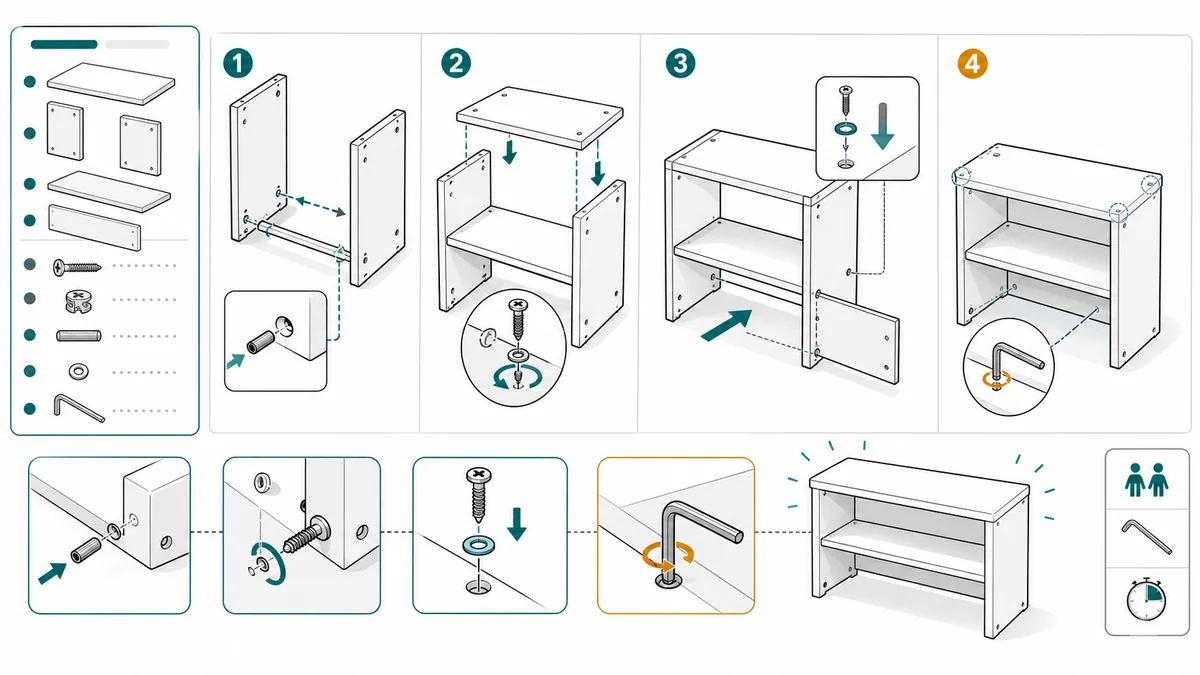
ManualFig está al otro lado de la división, y es nuestra herramienta, así que léelo con eso en mente. No distribuye instrucciones a los puestos, no controla revisiones ni se conecta con tu MES. Lo que hace es generar las ilustraciones que hacen visuales las instrucciones de trabajo: la foto de una pieza se convierte en un dibujo lineal limpio con llamadas numeradas, flechas de acción, anotaciones de par de apriete y paneles correcto/incorrecto, el mismo vocabulario que comparten los buenos ejemplos de instrucciones de trabajo. Exporta PNG/SVG al sistema con el que distribuyas, y se puede empezar gratis.
Dos formas honestas de encajarlo. En una planta con VKS o Envision, es un complemento: mejora las figuras dentro de la plataforma y cambia fotos recargadas por dibujos lineales que se siguen leyendo en la pantalla del puesto. En un equipo pequeño sin presupuesto de plataforma, ManualFig más una plantilla de instrucción de trabajo bloqueada y una gestión de archivos disciplinada puede sustituir a una plataforma más pesada: renuncias al control de revisiones automático y a la analítica, que es una renuncia real y solo compensa por debajo de cierto tamaño de equipo y carga de auditoría. El Generador de instrucciones de trabajo de fabricación cubre los estilos de figura para planta.
Cómo elegir software de instrucciones de trabajo: tres preguntas
1. ¿El problema es la distribución o el contenido? Si las instrucciones son buenas pero circulan copias viejas sin control, compra una plataforma (VKS, SOPX, una tipo Dozuki). Si están al día pero nadie las lee porque son muros de texto, arregla primero la creación; una plataforma solo distribuirá malos documentos más rápido.
2. ¿Cuál es tu material de partida? Si tienes modelos CAD, mira Canvas Envision o XVL, que sacan las imágenes de la geometría que ya mantienes. Si tienes fotos, ilustración basada en fotos (ManualFig) alimentando el canal de distribución que uses. Si son pantallas, Scribe. Acertar con la familia según el material de partida importa más que cualquier lista de funciones.
3. ¿Qué te exige el cumplimiento? En entornos regulados o con muchas auditorías, una plataforma es prácticamente obligatoria: historial de revisiones, firma del operario y trazabilidad son el producto. Una célula de montaje de cinco personas que fabrica bienes de consumo puede funcionar mucho tiempo con PDF controlados a partir de una plantilla antes de que la plataforma se amortice.
Para muchos equipos la respuesta es combinar: una capa de distribución asequible para el control y un paso de ilustración dedicado para que lo que se distribuye sea visual de verdad. La comparativa de software de instrucciones de trabajo digitales profundiza en la capa de distribución; la de ilustración es un ciclo de foto a dibujo lineal que puedes probar en una tarde.
Sobre precios: salvo las herramientas con planes públicos de autoservicio (Scribe y el plan gratuito de ManualFig), este mercado funciona bajo presupuesto, y el coste crece con usuarios, plantas e integraciones. Ignora las cifras de los artículos comparativos y pide presupuestos actuales para tu lista corta.
Preguntas frecuentes
¿Cuál es el mejor software de instrucciones de trabajo para una pyme industrial?
Depende de tu cuello de botella. Si no hay ningún control de revisiones, una plataforma tipo Dozuki o SOPX da estructura a bajo coste. Si las instrucciones existen pero los operarios las ignoran, invierte primero en la parte visual (figuras a partir de fotos, una acción por paso, una plantilla coherente) y distribúyelas con lo que ya tienes.
¿Necesito integración con el MES?
Solo si las instrucciones tienen que seguir automáticamente a las órdenes de fabricación o devolver datos de calidad a producción. Es la función que con más seguridad convierte una compra de autoservicio en un presupuesto empresarial, así que asegúrate de que la necesitas antes de usarla como criterio.
¿Sirve una hoja de Excel o Word como instrucción de trabajo digital?
Para empezar, sí, siempre que haya una plantilla fija, control de revisión y una sola copia vigente en el puesto. Cuando el volumen de puestos y auditorías crece, es cuando una plataforma empieza a compensar.
¿Puede la IA redactar instrucciones de trabajo?
Puede hacer borradores, y es muy buena generando las figuras a partir de fotos, que antes era la parte más cara. El conocimiento del proceso (pares, secuencia, criterios de aceptación) sigue viniendo de tus jefes de línea, y una persona valida cada paso antes de que llegue a planta.
Relacionado: Cómo hacer instrucciones de trabajo, Software de instrucciones de trabajo digitales, Plantilla de instrucción de trabajo, Ejemplos de instrucciones de trabajo.
Autor

Investigador · University of Arts in Poznan
Davie Chen es investigador de la Facultad de Animación e Intermedia de la University of Arts in Poznan. Estudia la aplicación de IA generativa a figuras científicas, ilustraciones de patentes, gráficos de instrucciones y redacción académica. ManualFig AI es una de las herramientas surgidas de esta línea de investigación.
Ver perfil del autorCategorías
Más artículos
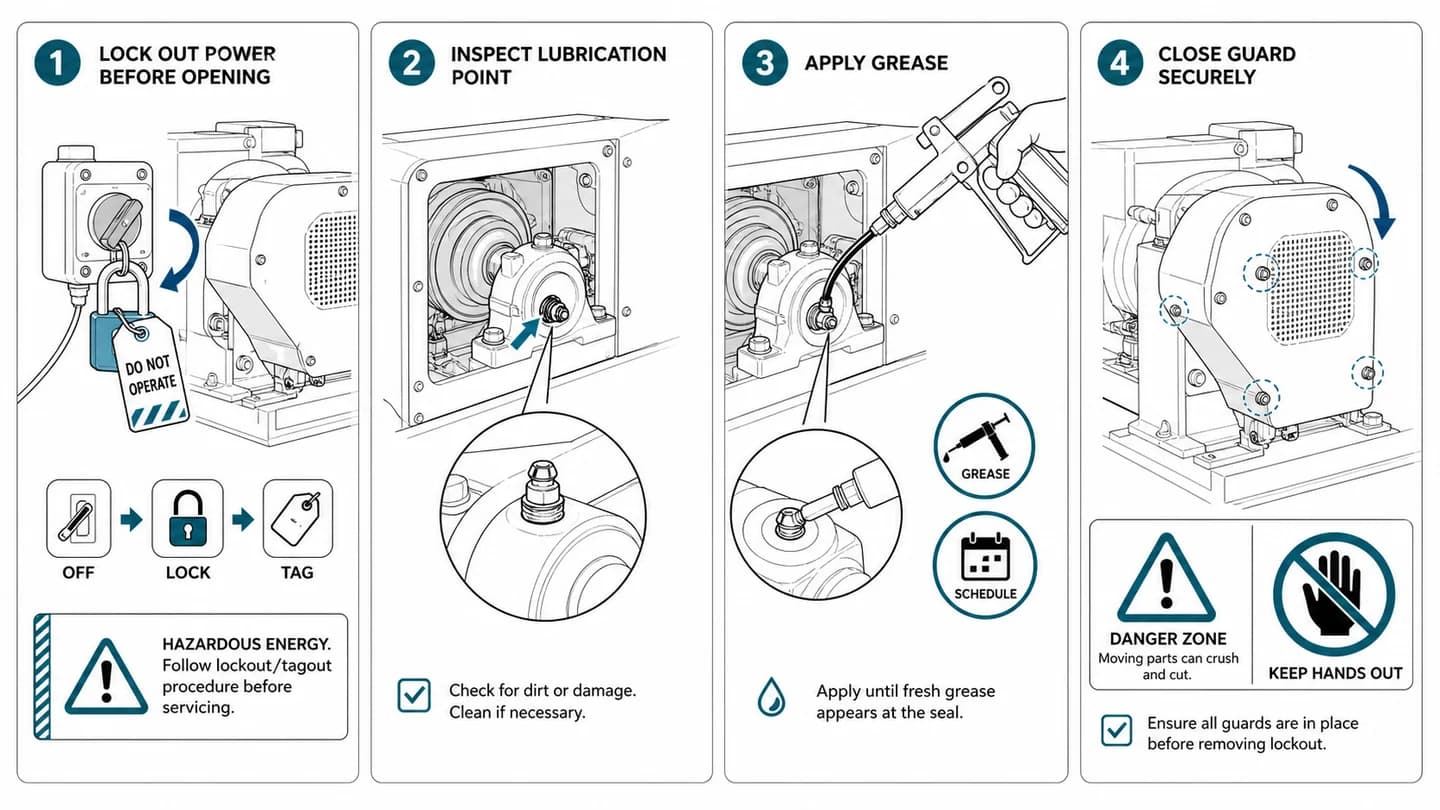
Cómo hacer instrucciones de trabajo: ejemplo y plantilla
Cómo hacer instrucciones de trabajo que los operarios siguen: 9 pasos, una acción por paso, fotos o dibujos, par y calidad, ejemplos resueltos y plantilla.
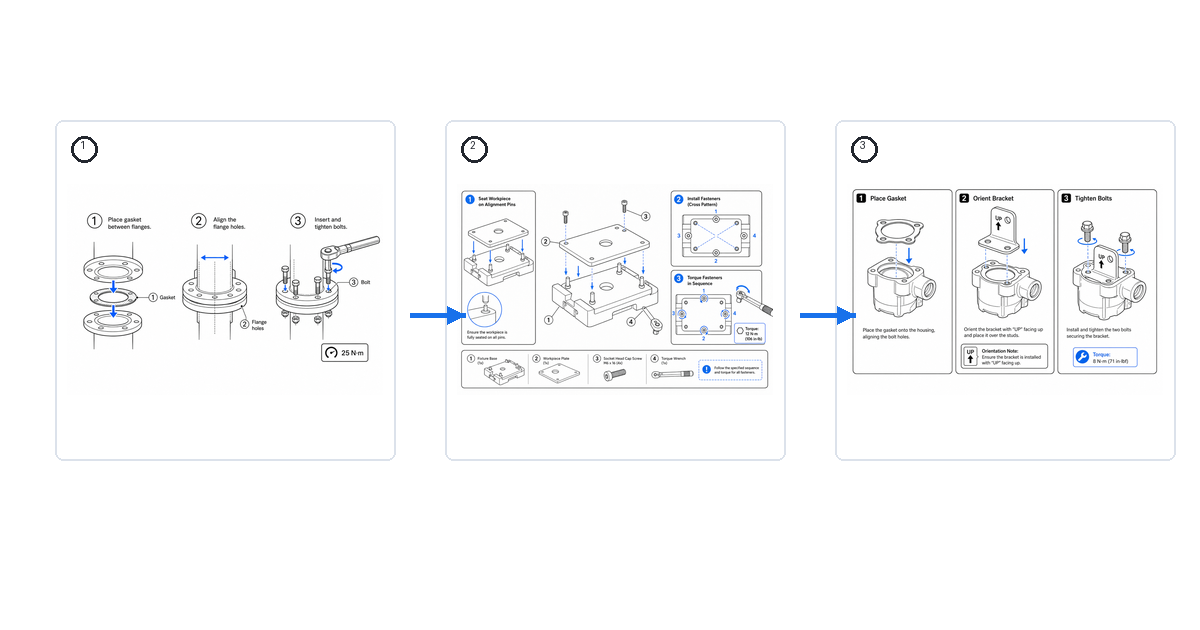
Instrucciones de trabajo: ejemplos y muestras (con imágenes)
Ejemplos reales de instrucciones de trabajo visuales para montaje, inspección y cambio de formato: cómo es una buena muestra y cómo generar la tuya.
Dibujos de instrucciones de montaje: flechas, piezas, tornillería y maquetación
Guía práctica de dibujos de instrucciones de montaje: estructura de paneles, flechas, llamadas de piezas, detalles de tornillería, avisos y revisión final.