Work Instruction Template
A work instruction template that fills in the visuals
Use a repeatable structure and generate the illustrated step figures that go inside your work instruction template.
Work instruction step
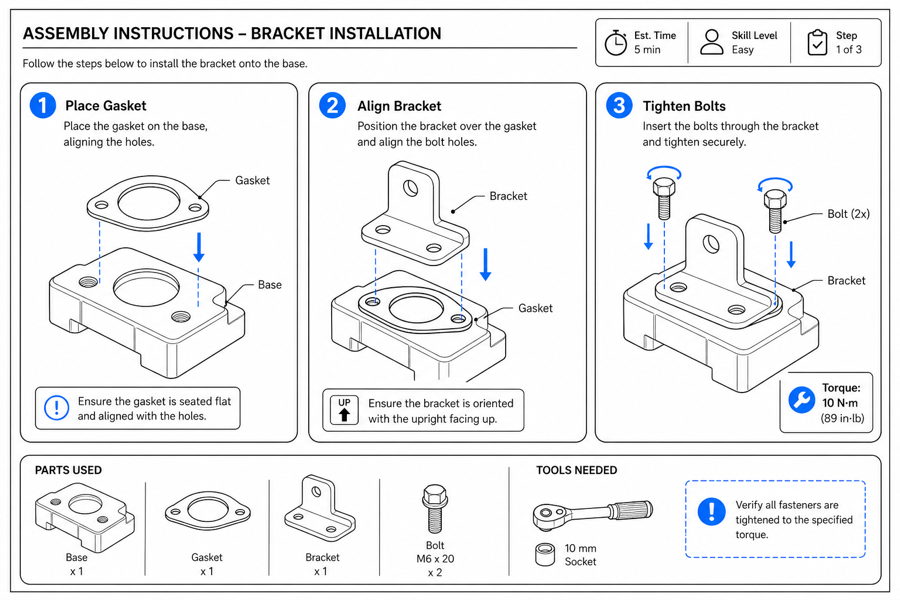 Example output
Output: manual-ready line art
What a good work instruction template needs
A template is only as clear as its visuals. Use the layouts shown here as your starting structure, then let ManualFig generate the step figures so everything stays consistent.
Numbered step figures
One clear figure per step with arrows and callouts, in a repeatable style.
Reusable across products
Apply the same visual format to new products without redrawing.
Export-ready
Drop PNG or SVG into your existing document template.
Input → manual line art → editable export
Generate a first draft in the tool above, then open /generate to select the image, keep editing, make new versions, and export.
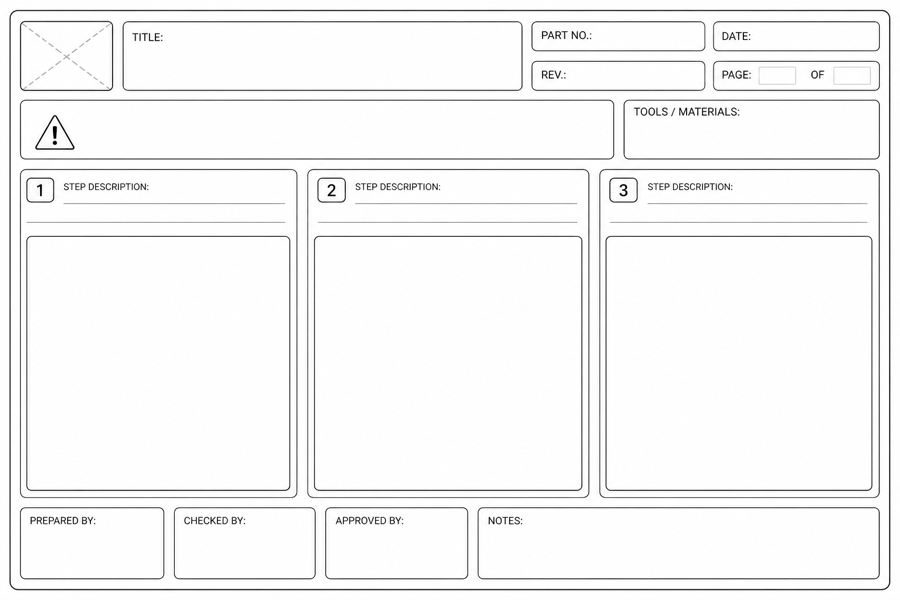
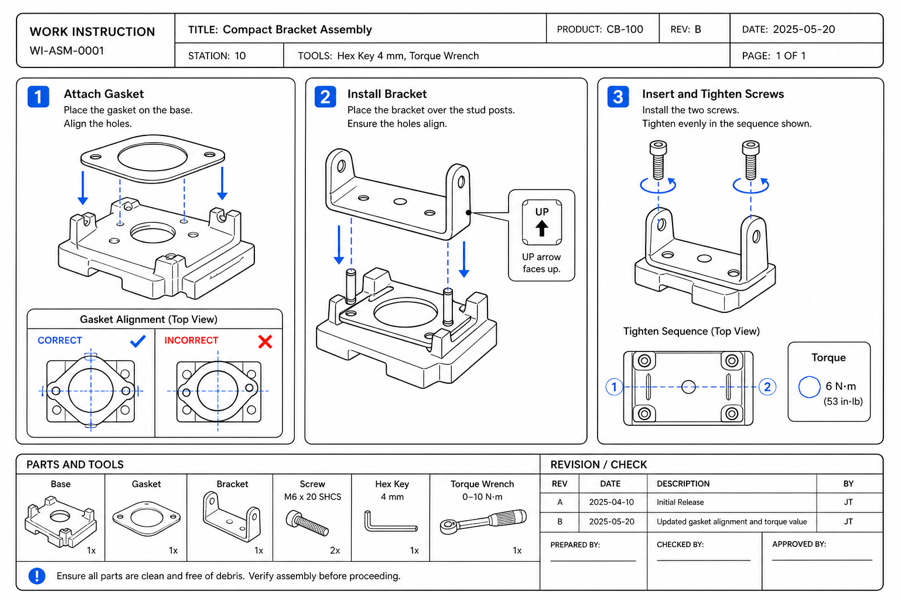
From product reference to manual-ready output
ManualFig keeps the prompt, uploaded references, generated options, revisions, and exports in one browser workflow.
Upload or describe the product
Start from a product photo, CAD screenshot, sketch, existing manual page, or a short step list.
Generate the instruction visual
Create line art, numbered panels, arrows, callouts, detail views, warnings, and completion checks.
Refine and export
Select a result, revise it with text, keep versions together, and export PNG or SVG for documentation.
Related ManualFig pages
ManualFig gives you the visual half of a work instruction template: consistent numbered step figures you can drop into your standard format and reuse across products. The example layouts shown on this page — single step, multi-step sequence, tool-and-torque, correct-vs-wrong — are structures you can copy for your own instructions.
Work instruction template FAQ
Is there a free work instruction template?
Yes, in two parts. The example layouts on this page — single step, multi-step sequence, tool-and-torque callout, correct-vs-wrong — are free structures you can copy into any document. Then use ManualFig, which is free to start, to generate your own illustrated version of each step figure.
Do you provide the document template too?
ManualFig focuses on the illustrated step figures. Keep your existing Word, PDF, or system template and generate the visuals to fill it.
How do I keep every step consistent?
Reuse the same prompt and presets so each generated step shares the same line-art style, arrows, and callouts.
Can I export to SVG?
Yes. Vectorize results to SVG for scalable, reusable template assets.
Generate work instruction template steps
Describe each step or upload references, generate consistent figures, then export to reuse.