Photo to Line Drawing for Manuals
Convert product photos into manual line drawings
Create clear documentation drawings from photos without tracing every part by hand.
Photo to line drawing
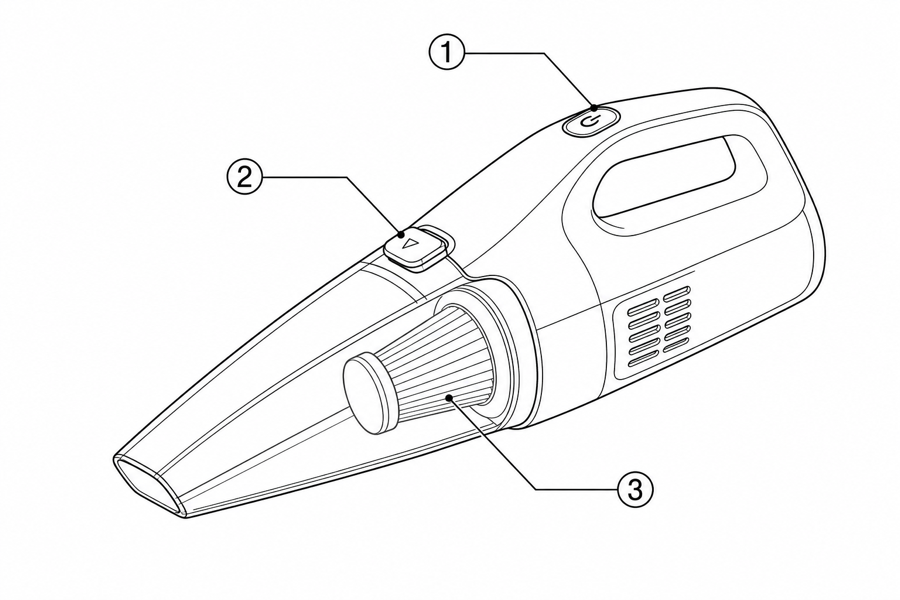 Example output
Output: manual-ready line art
What the drawing should preserve
Photo conversion is useful only when the output keeps the right product geometry and removes everything that does not help the instruction.
Recognizable product shape
Keep the silhouette, visible parts, orientation, and proportions the user needs.
Clear action path
Show motion with arrows, ghost states, detail circles, and before/after states.
Manual-safe simplification
Remove shadows, background clutter, inconsistent lighting, and marketing decoration.
From reference image to instruction drawing
A good manual drawing keeps the product recognizable while making the user action easier to read than the photo.
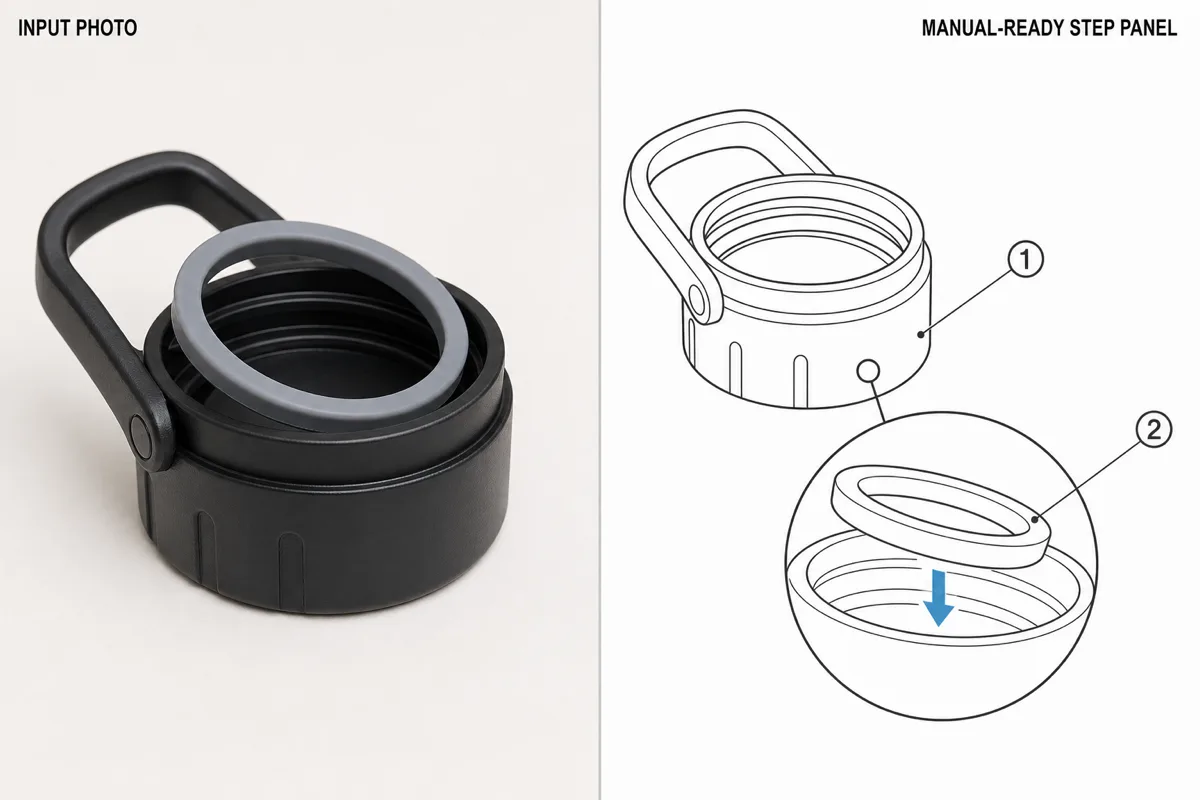
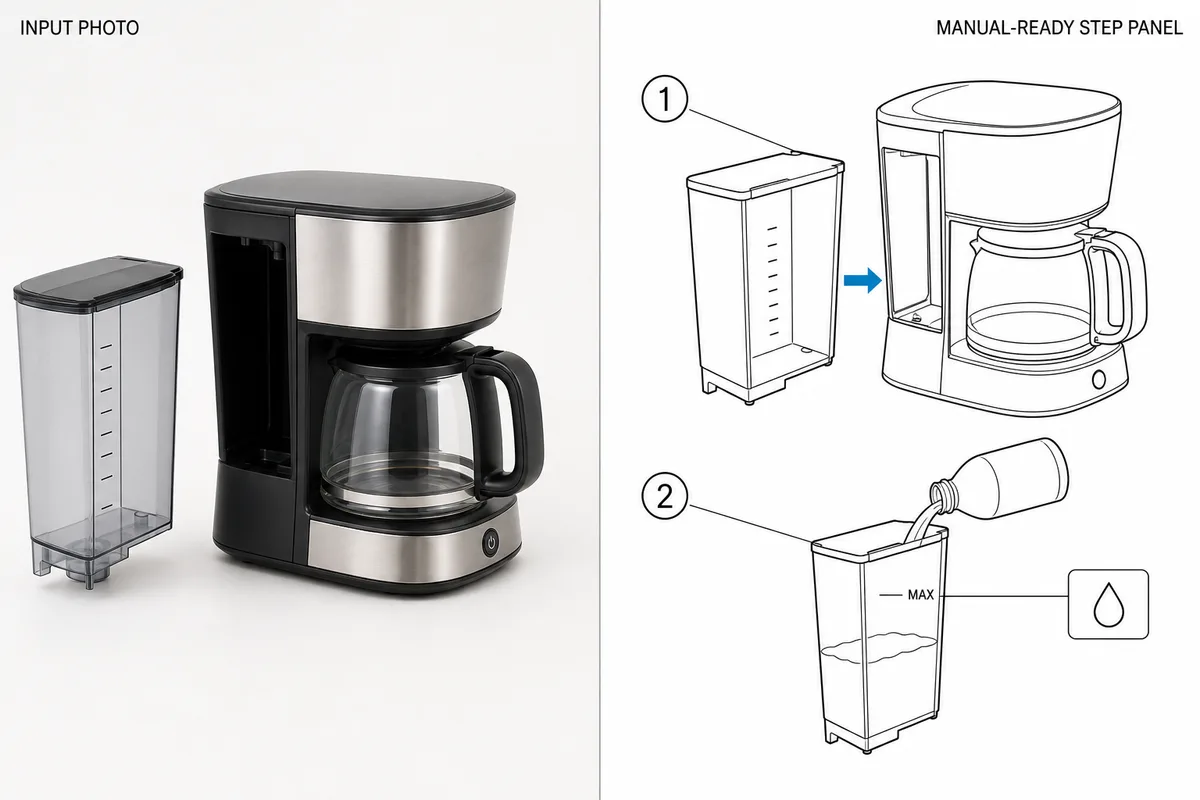
From product reference to manual-ready output
ManualFig keeps the prompt, uploaded references, generated options, revisions, and exports in one browser workflow.
Upload or describe the product
Start from a product photo, CAD screenshot, sketch, existing manual page, or a short step list.
Generate the instruction visual
Create line art, numbered panels, arrows, callouts, detail views, warnings, and completion checks.
Refine and export
Select a result, revise it with text, keep versions together, and export PNG or SVG for documentation.
Related ManualFig pages
ManualFig uses your reference photo as the visual anchor, then generates simplified line drawings with the arrows, callouts, and detail views manuals need.
Photo to Line Drawing FAQ
Can I turn any photo into a line drawing?
Clear product photos work best. The result improves when the product is visible, uncluttered, and paired with a short description of the manual action.
Can ManualFig create technical callouts from photos?
Yes. You can ask for arrows, callout circles, labels, exploded details, and correct/incorrect comparison panels.
Is the result editable?
You can generate a first result, select it, and revise it through text prompts. Final images can be exported as PNG or converted to SVG.
Is there a free photo to line drawing converter?
Yes. ManualFig is free to start — upload a photo, convert it to a line drawing, and export without a credit card. Paid plans only matter when you need higher volume.
Can I convert a photo to a line drawing online without installing software?
Yes. The whole workflow runs in the browser: upload the photo, generate the line drawing, revise it with text, and export PNG or SVG. Nothing to install.
Does this replace CAD or engineering drawings?
No. ManualFig creates explanatory documentation artwork. Engineering-critical dimensions and regulated claims still need review.
Turn a product photo into a manual drawing
Upload the reference image, describe the instruction, and generate a clean drawing for your manual.