Product Line Art Generator
Turn product photos into manual-ready line art
Upload a product photo and create clean line drawings for manuals, inserts, user guides, and support content.
Product line art
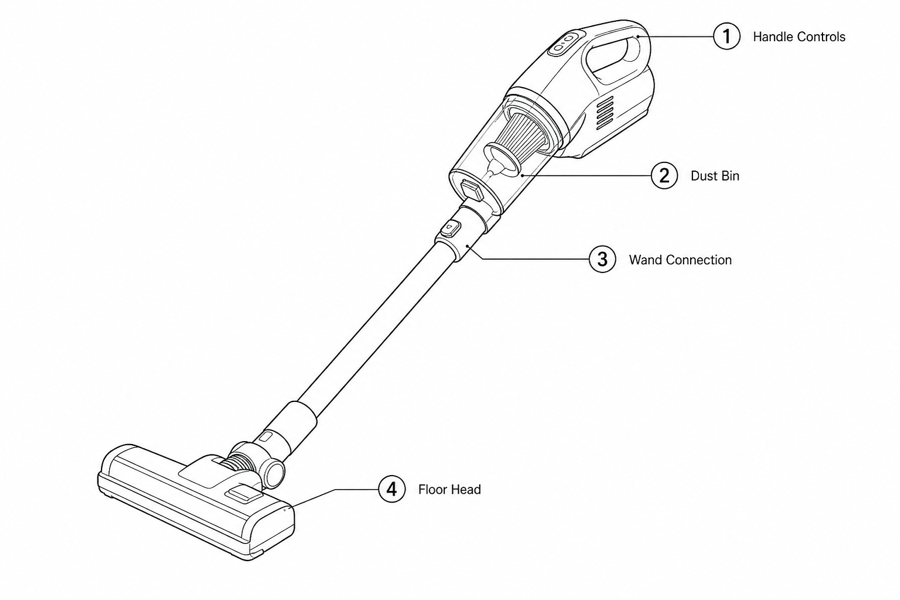 Example output
Output: manual-ready line art
Where product line art is the right answer
Use product line art when photography is too busy, inconsistent, or hard to translate into a repeatable manual.
Manual and user guide diagrams
Create simple product drawings for setup, use, cleaning, storage, and troubleshooting pages.
Packaging inserts and quick starts
Turn launch photos into compact visual instructions that fit small printed inserts.
Ecommerce support content
Show buyers exactly which part to press, remove, align, lock, charge, or replace.
Input → manual line art → editable export
Generate a first draft in the tool above, then open /generate to select the image, keep editing, make new versions, and export.
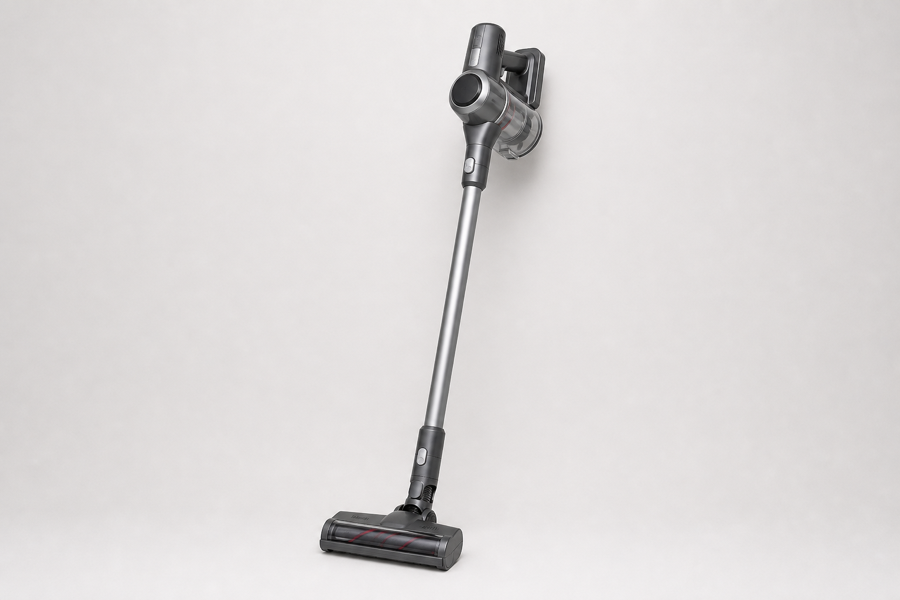
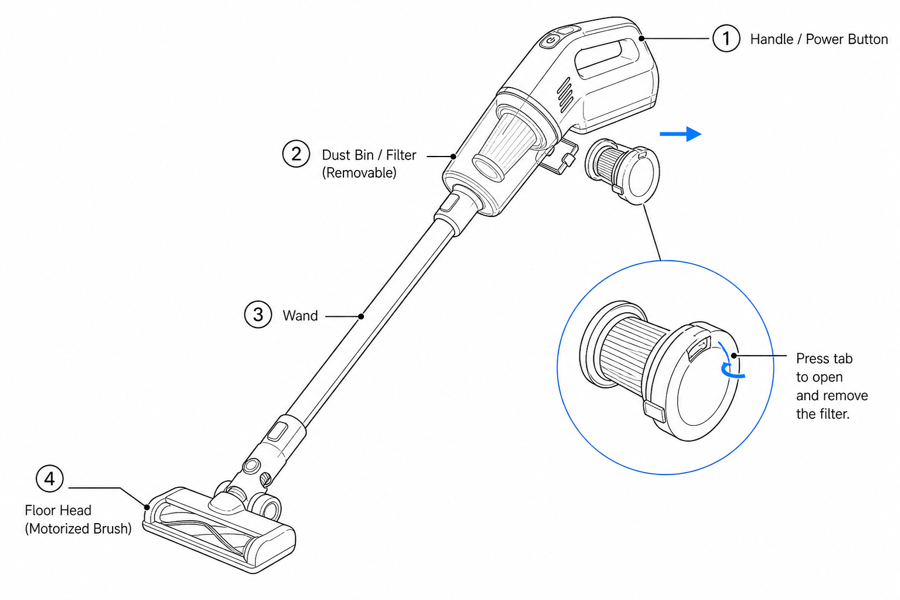
From product reference to manual-ready output
ManualFig keeps the prompt, uploaded references, generated options, revisions, and exports in one browser workflow.
Upload or describe the product
Start from a product photo, CAD screenshot, sketch, existing manual page, or a short step list.
Generate the instruction visual
Create line art, numbered panels, arrows, callouts, detail views, warnings, and completion checks.
Refine and export
Select a result, revise it with text, keep versions together, and export PNG or SVG for documentation.
Related ManualFig pages
ManualFig helps product teams, Amazon sellers, and technical writers replace messy product photos with readable line art that explains shape, parts, and actions clearly.
Product Line Art Generator FAQ
Can I convert a product photo into line art?
Yes. Upload a product photo or reference image, then describe the manual use case. ManualFig simplifies the image into line art while keeping the product recognizable.
Is product line art better than using photos in manuals?
For many instructions, yes. Line art removes background noise, keeps a consistent style, and makes arrows, callouts, and translated captions easier to place.
Can I export SVG line art?
Yes. Selected results can be converted to SVG for scalable documentation assets and layout tools.
What products work best?
Consumer electronics, appliances, furniture parts, tools, personal care devices, kitchen products, industrial components, and ecommerce accessories are strong fits.
Create product line art from your first photo
Upload a product reference, describe the part or action, and generate manual-ready line art in the browser.