Furniture Assembly Instructions Generator
Create clear furniture assembly instructions
Generate part-by-part assembly diagrams for shelves, desks, chairs, cabinets, and home products.
Furniture assembly step
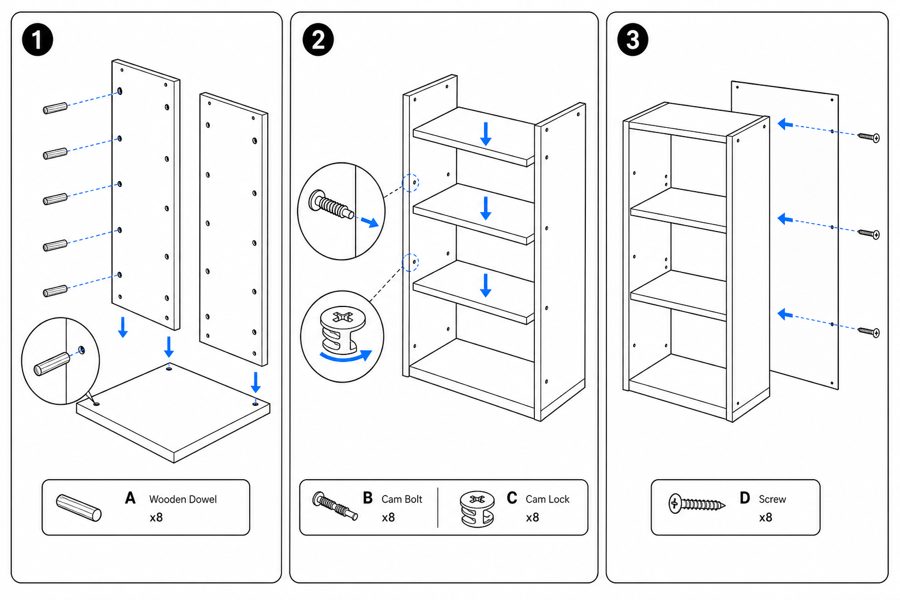 Example output
Output: manual-ready line art
Furniture instruction details to make visual
The expensive errors are usually orientation errors, missing fasteners, and skipped final safety checks.
Parts and hardware
Show panels, legs, shelves, screws, dowels, cam locks, brackets, and tool orientation.
Assembly order
Break the build into panels that show the next part, alignment direction, and tightening action.
Safety and final checks
Add wall anchors, anti-tip straps, weight limits, level checks, and correct/incorrect states.
Input → manual line art → editable export
Generate a first draft in the tool above, then open /generate to select the image, keep editing, make new versions, and export.
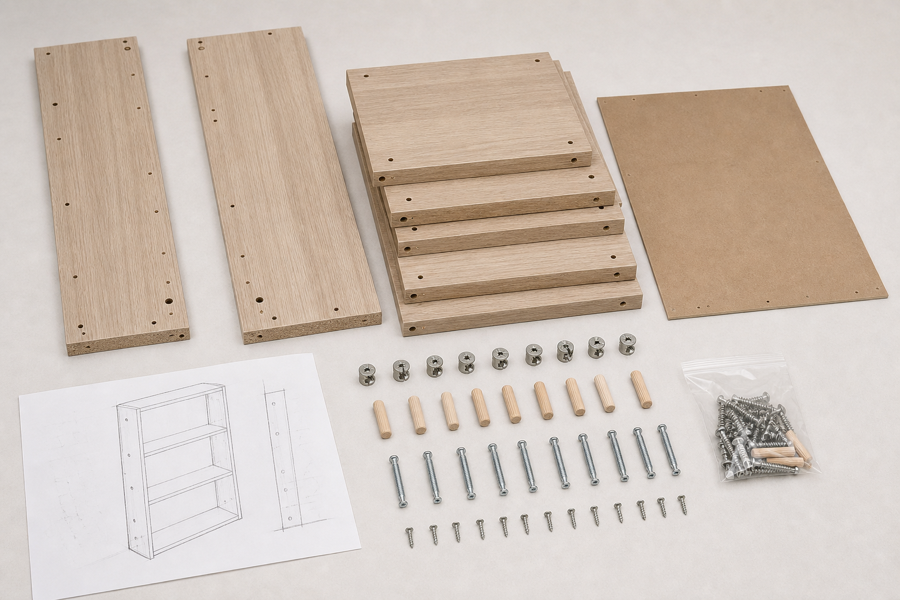
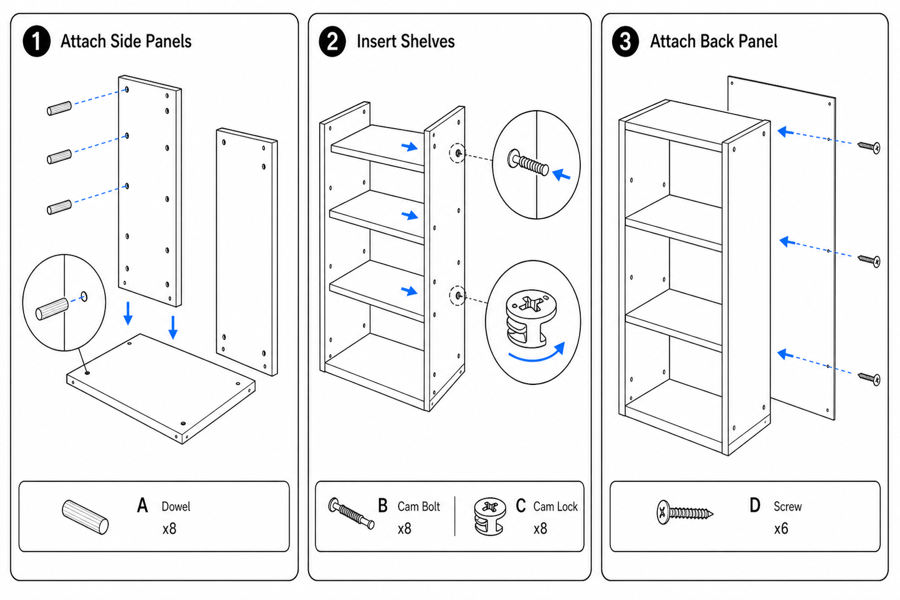
From product reference to manual-ready output
ManualFig keeps the prompt, uploaded references, generated options, revisions, and exports in one browser workflow.
Upload or describe the product
Start from a product photo, CAD screenshot, sketch, existing manual page, or a short step list.
Generate the instruction visual
Create line art, numbered panels, arrows, callouts, detail views, warnings, and completion checks.
Refine and export
Select a result, revise it with text, keep versions together, and export PNG or SVG for documentation.
Related ManualFig pages
ManualFig helps turn product photos, part lists, CAD screenshots, and assembly notes into clean furniture instruction panels.
Furniture Assembly Instructions FAQ
Can ManualFig create furniture assembly diagrams?
Yes. Provide product references, part lists, or assembly steps, then ask for exploded views, hardware details, arrows, and final checks.
Can it show screws and small hardware?
Yes. You can request screw callouts, dowels, cam locks, brackets, Allen keys, and detail circles.
Can I create IKEA-style assembly instructions?
You can request minimal black line art, one action per panel, hardware callouts, and warning cues. Avoid copying proprietary brand layout or marks.
Can I add safety warnings?
Yes. Add load warnings, wall-mount steps, anti-tip strap checks, pinch-point cautions, and correct/incorrect comparisons.
Generate the first furniture assembly sequence
Upload product references or paste the assembly steps and create manual-ready diagrams.