Quick Start Guide Illustration Generator
Generate quick start guide illustrations
Create compact first-use panels that help customers set up, power on, pair, install, and verify a product.
Quick start guide figure
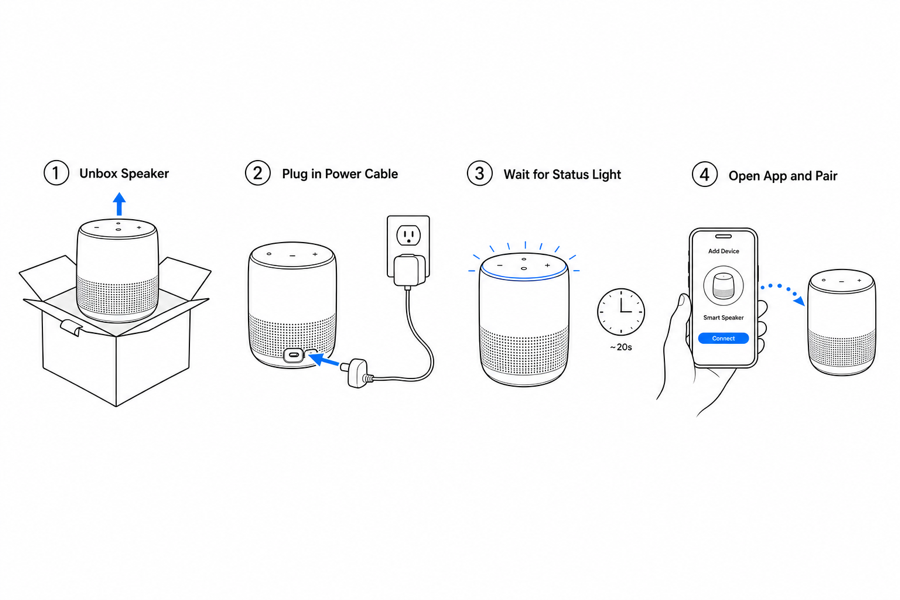 Example output
Output: manual-ready line art
What a quick start page should show
Quick start visuals should answer what to do first, what success looks like, and what to avoid.
First setup
Show unboxing, part orientation, first charge, pairing, mounting, or initial preparation.
Critical safety cues
Keep warnings close to the step where the user can make a mistake.
Final confirmation
Show lights, locks, screen states, leak checks, or stability checks that confirm setup worked.
Input → manual line art → editable export
Generate a first draft in the tool above, then open /generate to select the image, keep editing, make new versions, and export.
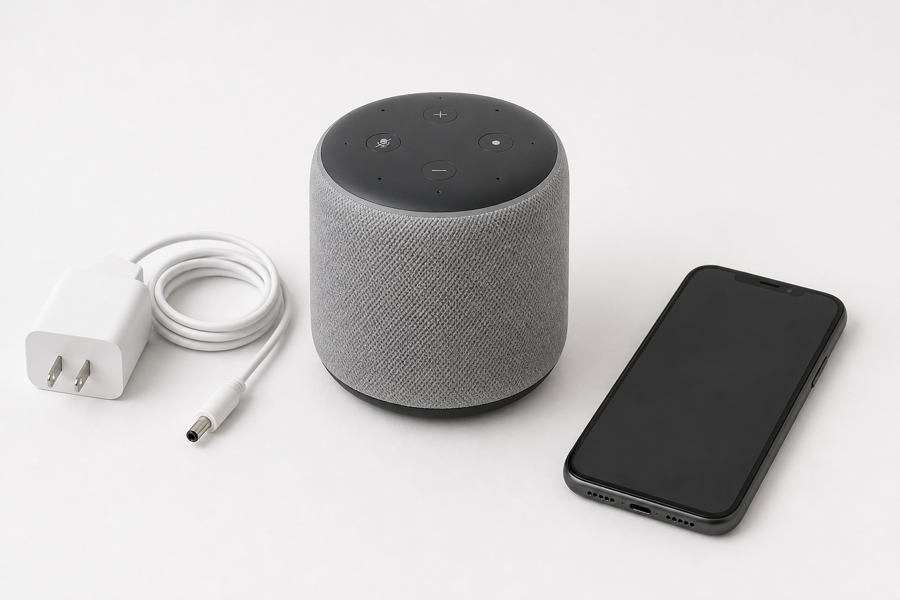
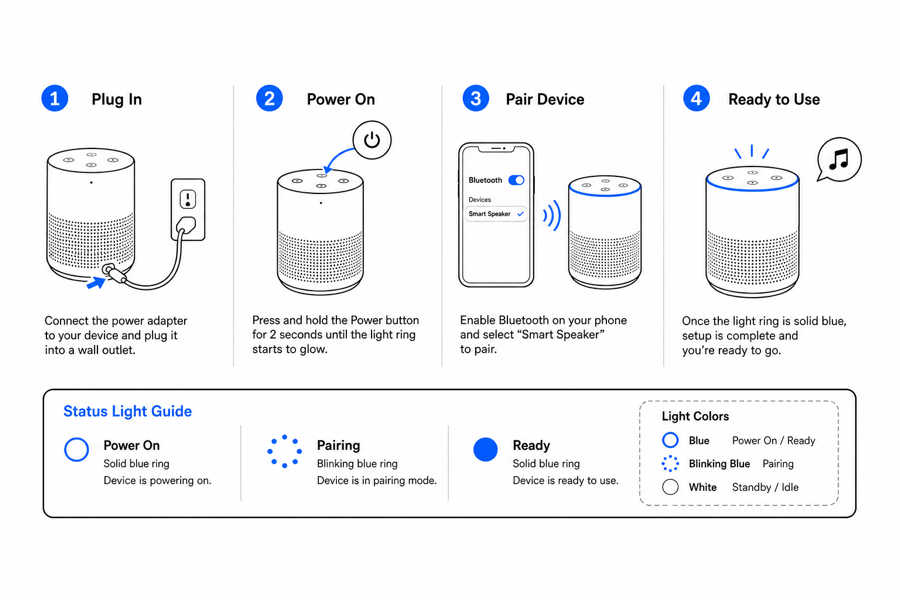
From product reference to manual-ready output
ManualFig keeps the prompt, uploaded references, generated options, revisions, and exports in one browser workflow.
Upload or describe the product
Start from a product photo, CAD screenshot, sketch, existing manual page, or a short step list.
Generate the instruction visual
Create line art, numbered panels, arrows, callouts, detail views, warnings, and completion checks.
Refine and export
Select a result, revise it with text, keep versions together, and export PNG or SVG for documentation.
Related ManualFig pages
ManualFig turns product photos, CAD screenshots, and onboarding steps into picture-led quick start guides for packaging inserts, help centers, and user manuals.
Quick Start Guide Illustration FAQ
Can ManualFig create quick start guide illustrations?
Yes. Describe the first-use workflow or upload product references, then generate compact panels for setup, charging, pairing, installation, or final checks.
Is this different from a full product manual?
Yes. A quick start guide should focus on first success and avoid too many details. Full manuals can cover deeper operation, care, maintenance, and troubleshooting.
Can I use these panels in packaging inserts?
Yes. Ask for fewer panels, larger actions, and minimal labels so the result works in a small printed insert.
Can I revise one quick start panel?
Yes. Select the generated image and ask for targeted edits such as a different arrow, larger hand position, or clearer final indicator.
Where can I find quick start guide examples and templates?
The panels on this page are working examples: a 3-4 step row covering setup, power, pairing, and a final check is the template most products need. Describe your product and first-use steps, and ManualFig generates the same layout with your product in it — no blank template to fill in.
Create a quick start visual from your first step list
Upload a product reference, describe the first-use flow, and generate quick start panels in the browser.