AI Instruction Manual Generator with Pictures
Create an instruction manual with pictures from product photos
Generate numbered line-art panels that show the action, orientation, warning, and finished state for each step.
Manual with pictures
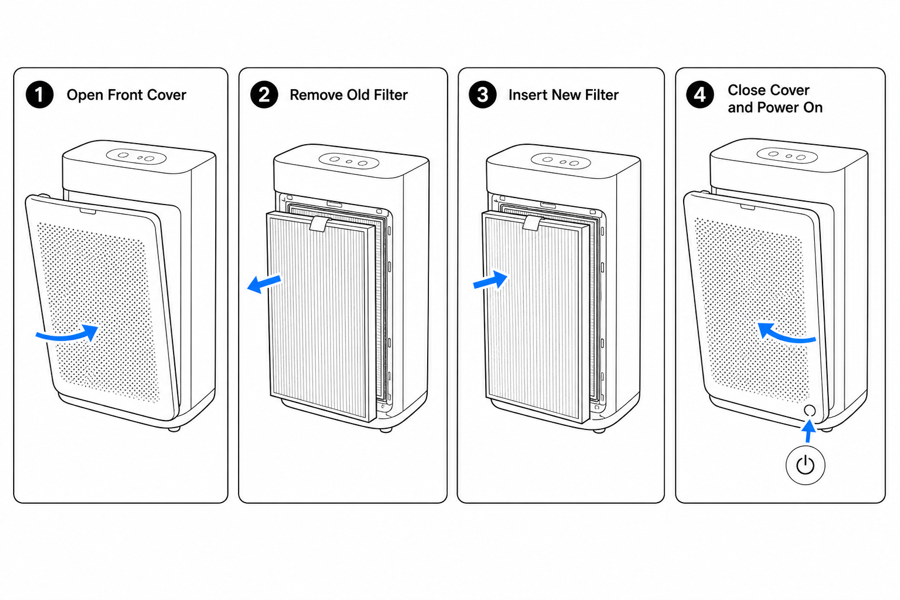 Example output
Output: manual-ready line art
Visual manual examples and picture types
A visual manual — also called a picture manual or image manual — explains a product with pictures first and words second: each step is carried by a drawing, an arrow, and a number instead of a paragraph. Pictorial instructions like these travel across languages, shrink support tickets, and fit packaging inserts where text will not. ManualFig generates the picture side of an instruction manual with pictures, starting with the image types below.
Step-by-step panels
Show one product action per panel with a number, arrow, and completion state.
Product line art
Convert photos into clean drawings that stay consistent across pages and languages.
Warnings and comparisons
Add correct/incorrect states, caution points, forbidden actions, and final checks.
Picture-first manuals are easier to scan
The best instruction manuals use pictures to carry the action and text to clarify details.
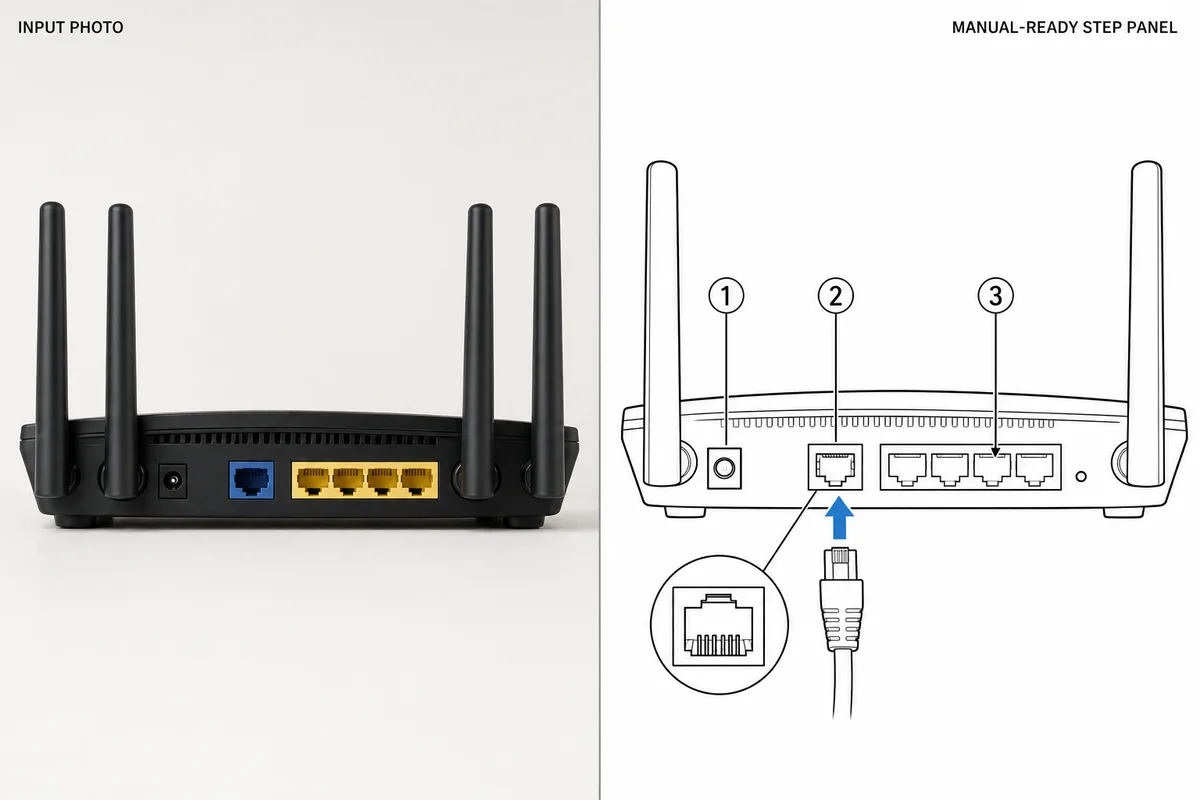
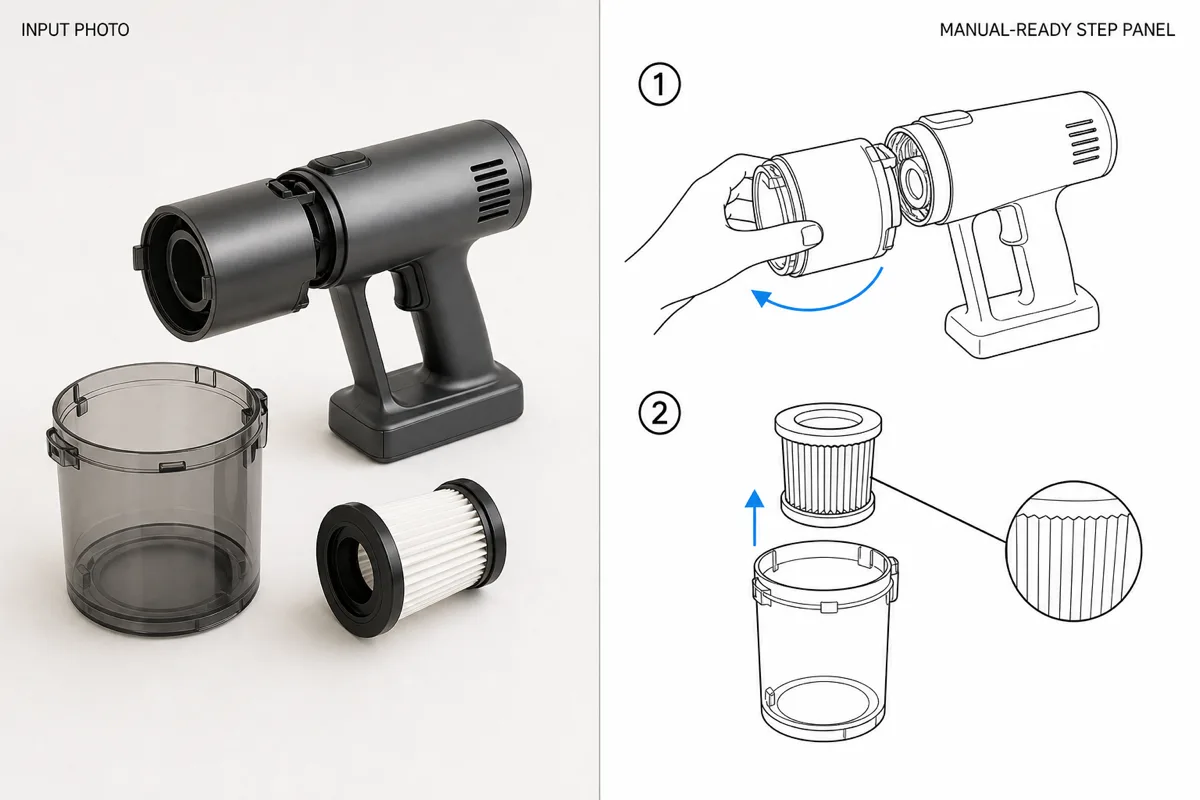
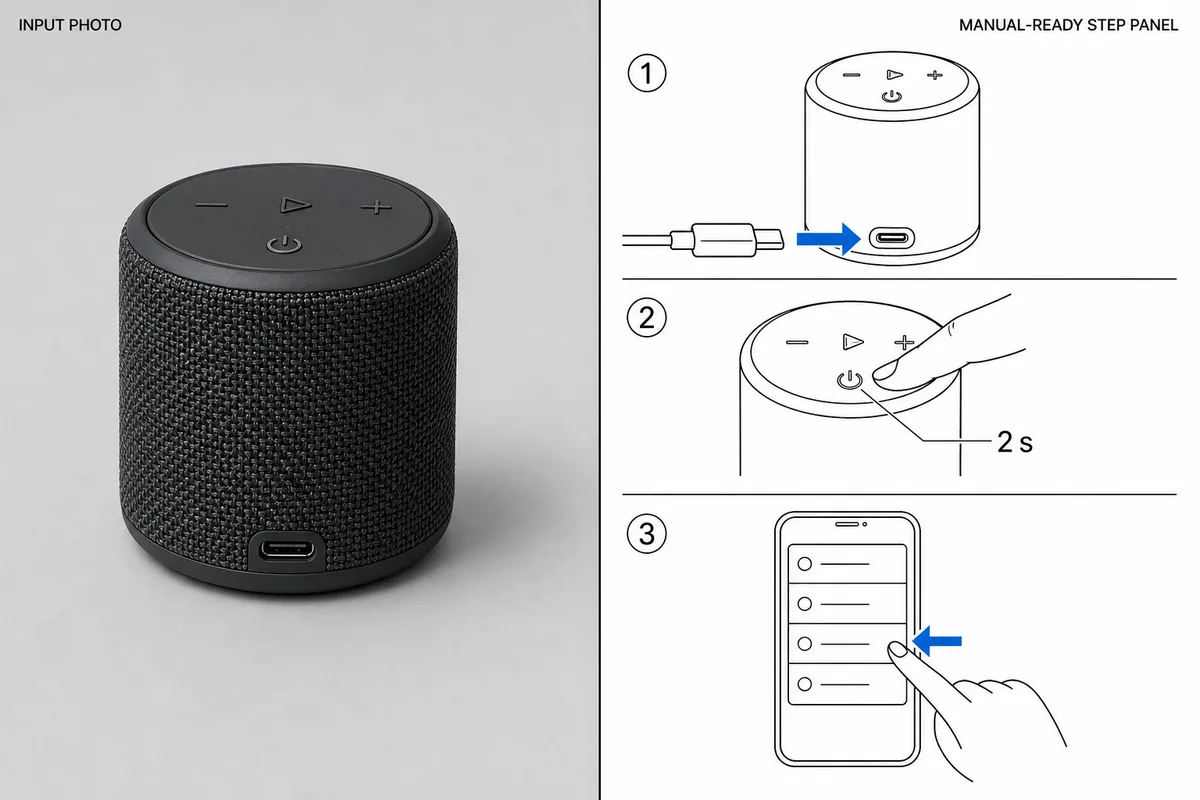
- Prompt: "Three numbered quick-start panels from this photo: charge via USB-C, hold power for two seconds, pair from the phone list."
- Human edits: enlarged the LED status callout and rerouted the pairing arrow off the label.
- Exported as SVG for the printed insert and PNG for the help center.
From product reference to manual-ready output
ManualFig keeps the prompt, uploaded references, generated options, revisions, and exports in one browser workflow.
Upload or describe the product
Start from a product photo, CAD screenshot, sketch, existing manual page, or a short step list.
Generate the instruction visual
Create line art, numbered panels, arrows, callouts, detail views, warnings, and completion checks.
Refine and export
Select a result, revise it with text, keep versions together, and export PNG or SVG for documentation.
How to make an instruction manual with pictures in five steps
This is the workflow most ManualFig users follow for a first manual. Each step maps to something you can do in the tool above or in the generate workbench.
1. Photograph each state
Shoot the product before, during, and after every action, from the angle the user will see. One clear photo per step beats one photo of the finished product.
2. Write one action per step
A numbered list with a single verb each: insert, tighten, press, check. This list becomes your prompts and later your captions.
3. Generate the line-art panel
Upload the step photo, paste the action, and generate. Ask for arrows, callouts, or a warning panel where the action is easy to get wrong.
Related ManualFig pages
ManualFig creates the visual layer of an instruction manual. Bring product photos, CAD screenshots, sketches, or a procedure draft; review every generated step, then export PNG or editable SVG for your layout.
Instruction Manual with Pictures FAQ
How do I make an instruction manual with pictures?
Upload product references, paste the steps, and generate numbered panels. Export the pictures and place them into your manual layout.
Can ManualFig generate the pictures from product photos?
Yes. Photos can guide product shape and part placement while ManualFig simplifies the result into documentation artwork.
Does this create written copy too?
ManualFig is focused on manual visuals. Short labels can appear in images, but the main value is creating the pictures and diagrams.
What documents can use these pictures?
Product manuals, quick start guides, user guides, assembly instructions, installation guides, IFU sheets, and help center articles.
Is the instruction manual generator free to use?
Yes. You can sign up and generate your first manual pictures for free, with no credit card required. Paid plans add more generations and higher-volume use.
Can I use the generated pictures in a commercial manual?
Yes. Images you generate can be used in your product manuals, packaging inserts, help centers, and other commercial documentation.
Create the first picture for your instruction manual
Start with a product photo or a written step and generate a manual-ready visual.