Digital Work Instructions
Digital work instructions with visuals that operators follow
Generate clear, illustrated digital work instructions from a short step list, a photo, or a CAD screenshot.
Digital work instruction
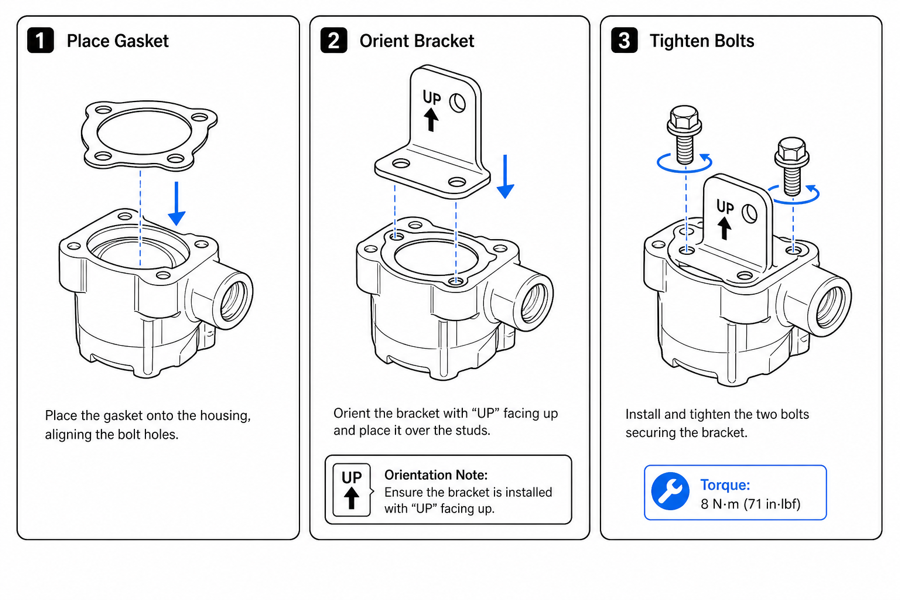 Example output
Output: manual-ready line art
Why digital work instructions need visuals
Text-only instructions are misread on the floor. A clear figure per step removes ambiguity and shortens training.
Faster onboarding
New operators follow numbered figures instead of dense paragraphs, reducing first-pass errors.
Consistent across stations
Generate a repeatable visual style for every step, station, and revision.
Easy to revise
Regenerate or edit a single step when the process changes, then re-export.
Input → manual line art → editable export
Generate a first draft in the tool above, then open /generate to select the image, keep editing, make new versions, and export.
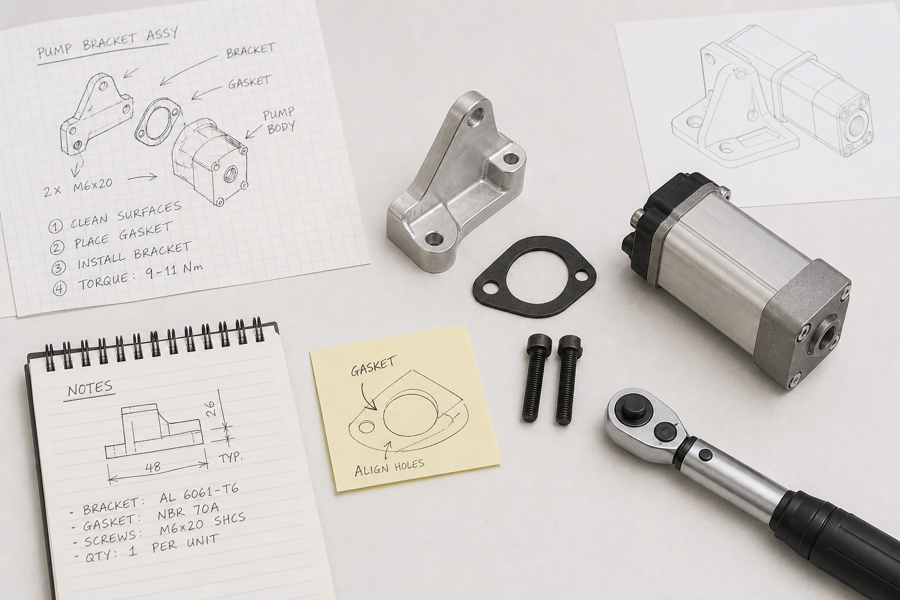
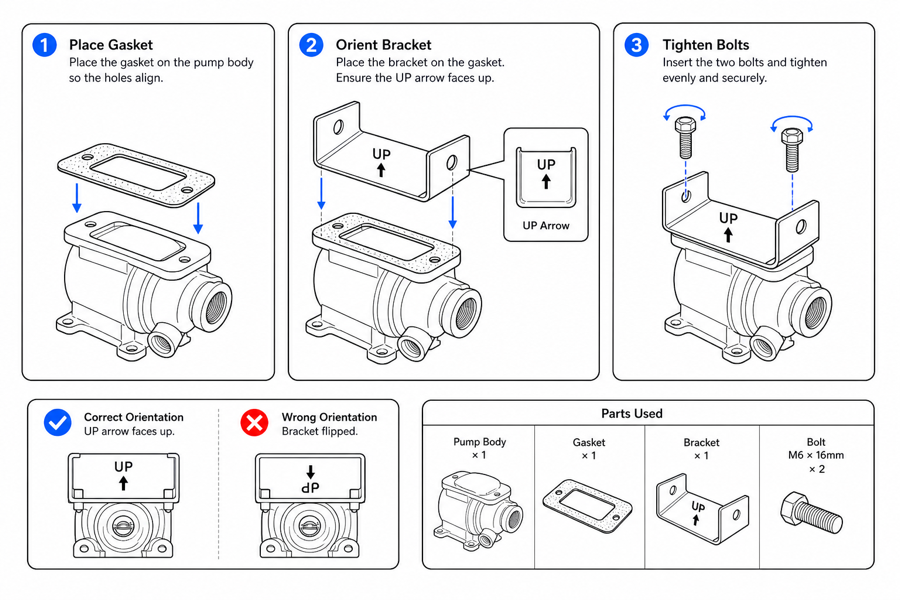
From product reference to manual-ready output
ManualFig keeps the prompt, uploaded references, generated options, revisions, and exports in one browser workflow.
Upload or describe the product
Start from a product photo, CAD screenshot, sketch, existing manual page, or a short step list.
Generate the instruction visual
Create line art, numbered panels, arrows, callouts, detail views, warnings, and completion checks.
Refine and export
Select a result, revise it with text, keep versions together, and export PNG or SVG for documentation.
Related ManualFig pages
ManualFig helps manufacturing and quality teams produce visual digital work instructions without a technical illustrator, then refine and export them for any work-instruction system.
Digital work instructions FAQ
Is this a full MES or work-instruction platform?
No. ManualFig generates the illustrated steps. You export PNG or SVG and place them into your existing system, traveler, or LMS.
Can I build interactive work instructions with this?
ManualFig produces the visual building blocks. Generate an illustrated figure per step, then assemble them in your interactive work-instruction platform, MES, or tablet viewer — each figure exports as PNG or SVG.
What are electronic work instructions?
Electronic work instructions are digital, screen-based versions of shop-floor procedures that replace paper binders. They are easier to update, distribute, and keep consistent — and they work best when every step has a clear illustration, which is what ManualFig generates.
Can I keep one visual style across all instructions?
Yes. Use the same prompts and presets so every step shares a consistent line-art style, arrows, and callouts.
Can I edit a step after generating?
Yes. Open the result in the full workbench to select an image, adjust it with text, make new versions, and export.
Generate a digital work instruction
Describe the step or upload a reference, generate an illustrated instruction, then refine and export.