Amazon Product Manual Generator
Create product manual visuals for ecommerce buyers
Turn product photos and support questions into quick start diagrams, packaging inserts, and user guide pictures.
Ecommerce manual figure
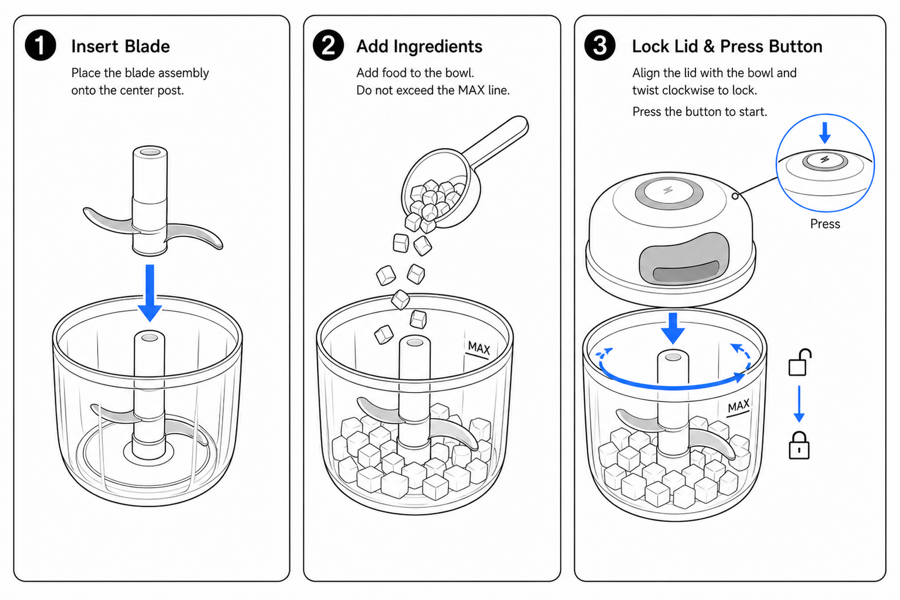 Example output
Output: manual-ready line art
Manual visuals ecommerce sellers usually need first
Start with the steps that reduce returns and support messages: setup, correct use, replacement, and care.
Packaging inserts
Create compact visuals for unboxing, first use, setup, warnings, and support contact reduction.
Product manuals
Build a reusable set of instruction illustrations for the full product manual.
Support answers
Turn common buyer questions into visual help center content and customer service replies.
Input → manual line art → editable export
Generate a first draft in the tool above, then open /generate to select the image, keep editing, make new versions, and export.
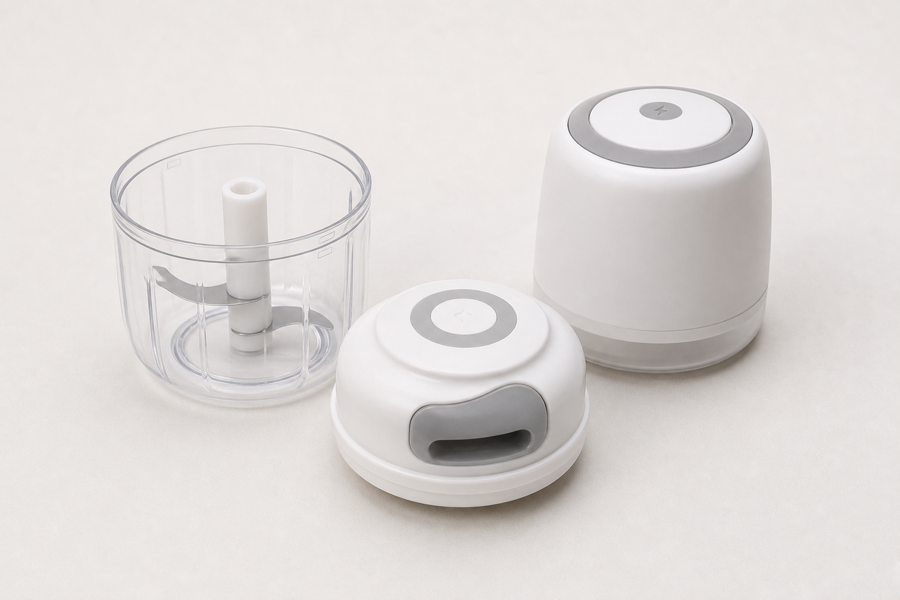
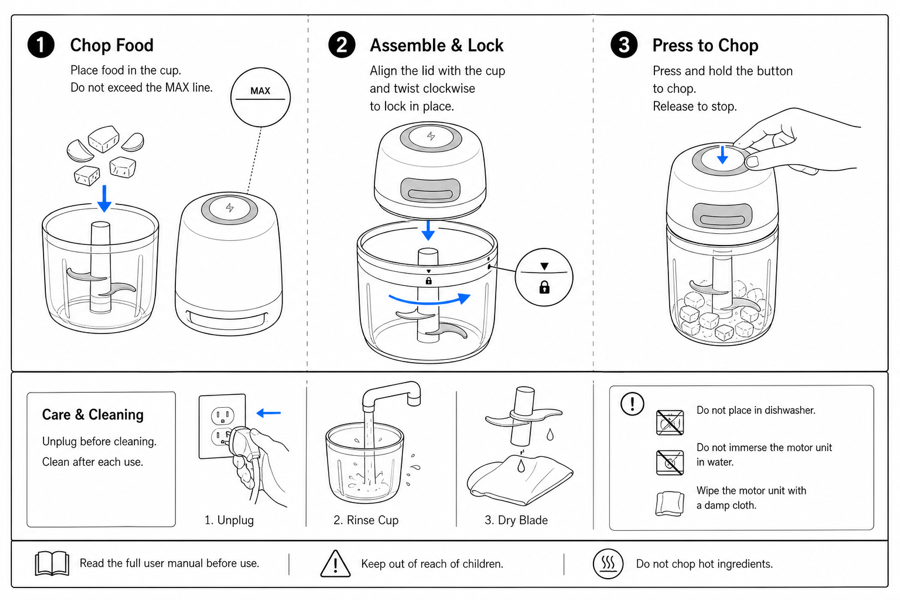
From product reference to manual-ready output
ManualFig keeps the prompt, uploaded references, generated options, revisions, and exports in one browser workflow.
Upload or describe the product
Start from a product photo, CAD screenshot, sketch, existing manual page, or a short step list.
Generate the instruction visual
Create line art, numbered panels, arrows, callouts, detail views, warnings, and completion checks.
Refine and export
Select a result, revise it with text, keep versions together, and export PNG or SVG for documentation.
Related ManualFig pages
ManualFig helps sellers make clearer instruction visuals before support tickets, returns, and confused first-use experiences pile up.
Amazon Product Manual Generator FAQ
Can Amazon sellers use ManualFig for product manuals?
Yes. Sellers can create manual visuals, quick start panels, packaging insert art, and support diagrams from product photos and step lists.
Does ManualFig create Amazon listing images?
ManualFig is focused on instruction visuals and manual artwork, not lifestyle listing creatives. The output is best for manuals, inserts, and support content.
Can I use supplier photos?
You can upload photos you have rights to use. ManualFig can use them as references for clean line art and instruction panels.
What should I generate first?
Start with the step that causes the most support tickets: setup, assembly, replacement, charging, cleaning, or correct/incorrect use.
Create the first ecommerce manual visual
Upload a product photo or paste a buyer support question and generate a reusable instruction picture.