Work Instruction Illustration Generator
Generate work instruction illustrations
Create SOP-style visuals for technician, factory, service, maintenance, and training procedures.
Visual work instruction
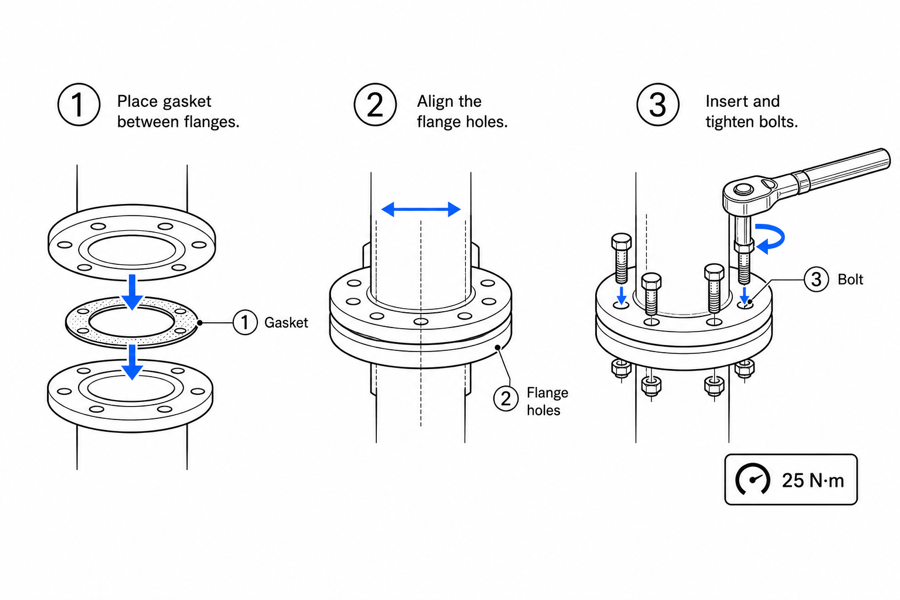 Example output
Output: manual-ready line art
Where work instruction visuals help
Use visual instructions when repeated work depends on consistent sequence and inspection.
Technician SOPs with tool + torque inline
Filter replacement showing the wrench size on the bolt panel. Board rework showing solder iron temp on the desolder panel. Tool data belongs inside the step, not in a reference page.
Trainee-readable factory SOPs
Write the visual for the operator on day 3, not the line lead on year 7. Each panel answers "what does my hand do next" and "how do I know the previous step was right".
Sign-off gates that match the audit trail
Mark the pass/fail check at the panel where it happens (torque verified, indicator green, scrap rejected). The visual gate and the paper trail end at the same step.
Input → manual line art → editable export
Generate a first draft in the tool above, then open /generate to select the image, keep editing, make new versions, and export.
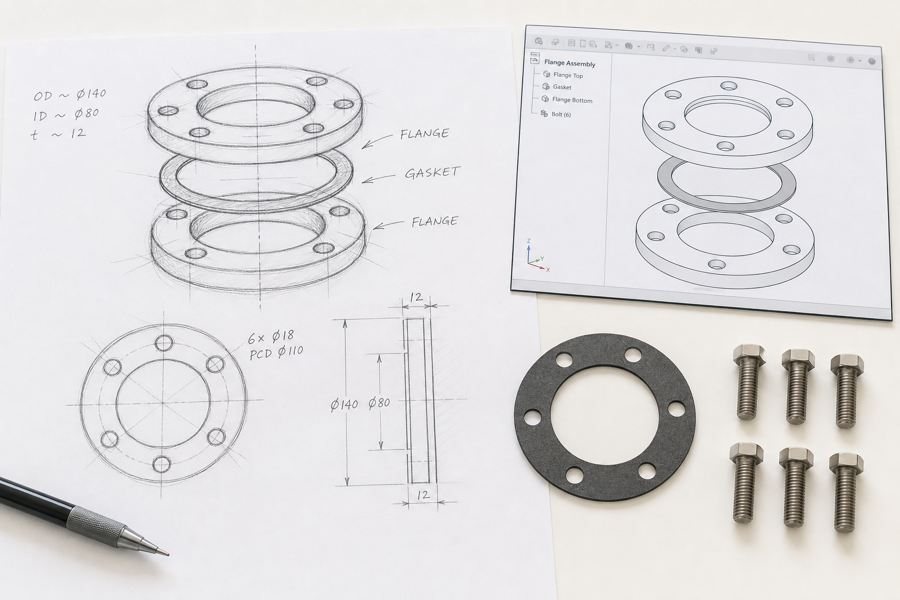
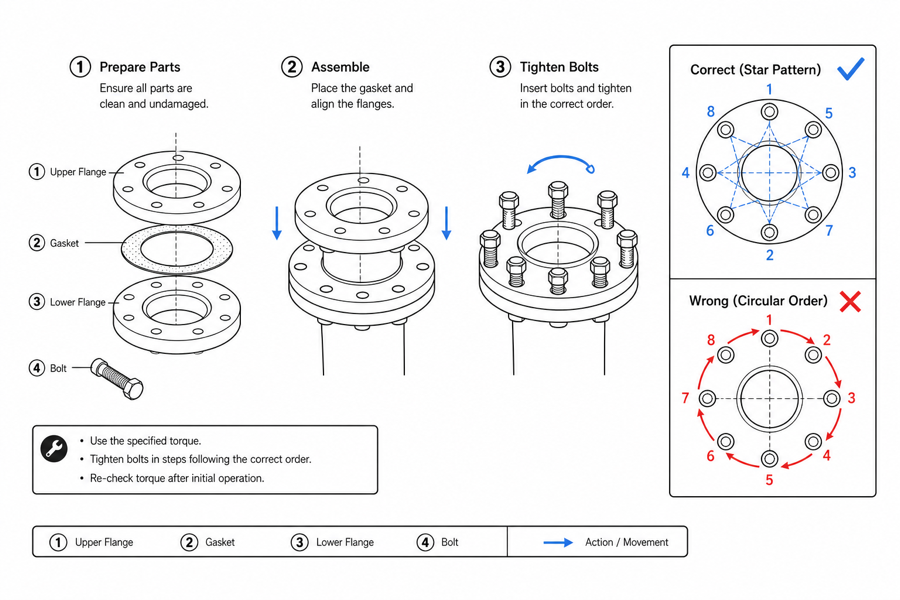
From product reference to manual-ready output
ManualFig keeps the prompt, uploaded references, generated options, revisions, and exports in one browser workflow.
Upload or describe the product
Start from a product photo, CAD screenshot, sketch, existing manual page, or a short step list.
Generate the instruction visual
Create line art, numbered panels, arrows, callouts, detail views, warnings, and completion checks.
Refine and export
Select a result, revise it with text, keep versions together, and export PNG or SVG for documentation.
Related ManualFig pages
ManualFig turns the procedure card a technician already follows — tool, step, check, sign-off — into a panel set that trainees, support agents, and reviewers can all read the same way.
Work Instruction Illustration FAQ
Should I use a work instruction or an assembly/maintenance figure?
Work instructions show repeatable internal tasks where the operator is on the company side — line workers, technicians, calibration staff. Assembly figures are usually customer-facing first-time builds; maintenance figures are customer-facing repeat service. When in doubt: who is reading it on a Tuesday morning?
How do I write the SOP so a trainee can follow it, not just a senior tech?
Replace "as required" and "appropriate" with the actual number, color, or audible cue. Every "use proper tool" should become "use 10 mm wrench." Every "verify correct state" should become "indicator lights green and stays on for 2 seconds." The visual then matches what the trainee reads.
Can I show tools, PPE, and torque values directly on the panel?
Yes — put them on the panel where they are used. A trainee will not flip to a tools page mid-task. Tool icon next to the wrench panel, torque value next to the bolt, glove class next to the chemical step.
Where does the AI draft stop and human review start?
ManualFig produces the panel structure, motion, and check cues. Certified torque values, regulated chemical handling, audited sign-off sequences, and any safety-critical numeric value must come from the responsible engineer or quality team — not from generation.
Draft a visual work instruction
Turn a procedure note and reference image into a review-ready SOP visual.