Maintenance Procedure Illustration Generator
Create maintenance procedure illustrations
Generate filter replacement, inspection, cleaning, troubleshooting, and service visuals from product references.
Maintenance step
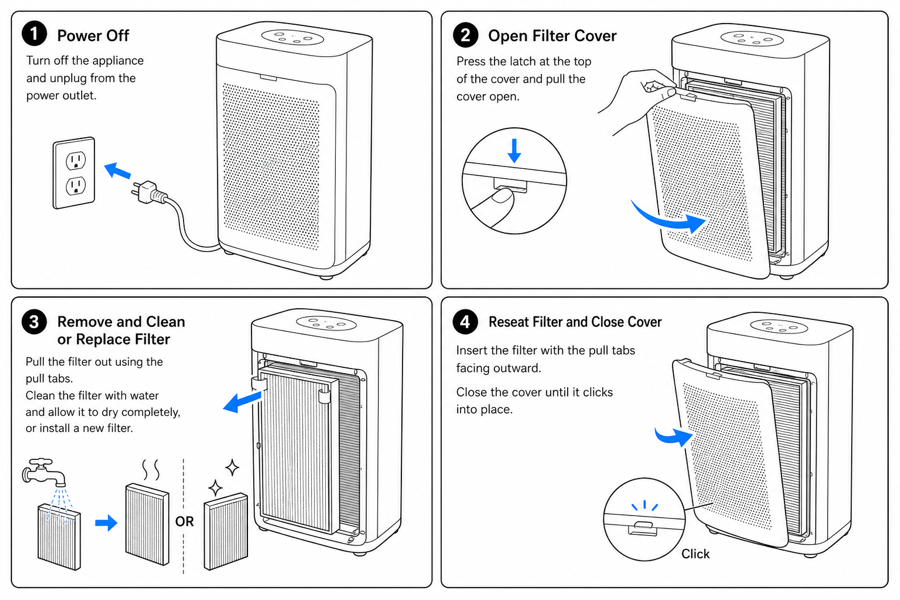 Example output
Output: manual-ready line art
Maintenance content ManualFig can generate
Maintenance artwork needs to show sequence, risk, and final state with less ambiguity than text alone.
Replacement: remove → align → lock → verify
Each step gets its own panel, with the specific motion (twist counterclockwise, push until click) and the specific verification (leak check, indicator green, no wobble).
Inspection and cleaning at part-level
Show the wear indicator at the exact spot the technician reads it. Mark surfaces that get cleaned and surfaces that must stay dry — they often look identical in a photo.
Service tickets converted to reusable visuals
Take the three questions support answers most often (where is the filter? how do I reset it? what does "service due" mean?) and turn each into a panel the agent can paste into a reply.
Input → manual line art → editable export
Generate a first draft in the tool above, then open /generate to select the image, keep editing, make new versions, and export.
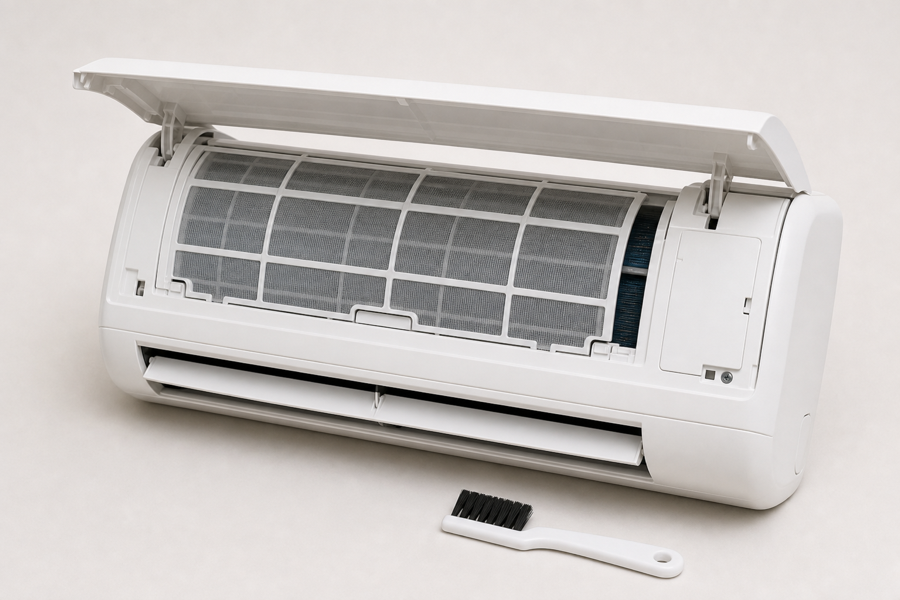
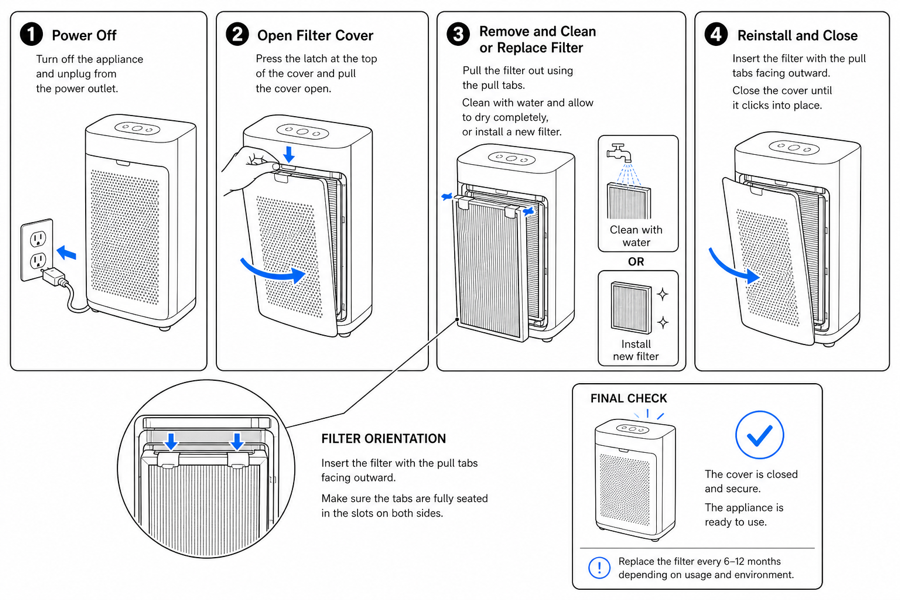
From product reference to manual-ready output
ManualFig keeps the prompt, uploaded references, generated options, revisions, and exports in one browser workflow.
Upload or describe the product
Start from a product photo, CAD screenshot, sketch, existing manual page, or a short step list.
Generate the instruction visual
Create line art, numbered panels, arrows, callouts, detail views, warnings, and completion checks.
Refine and export
Select a result, revise it with text, keep versions together, and export PNG or SVG for documentation.
Related ManualFig pages
ManualFig turns service notes and product photos into visual maintenance procedures that show what to touch, what to avoid, and how to verify the service worked — leak check, lock click, indicator state.
Maintenance Procedure Illustration FAQ
When should I use maintenance vs troubleshooting visuals?
Maintenance is for scheduled or repeating service: filter swap every 6 months, monthly inspection, annual calibration. Troubleshooting is for unscheduled diagnostic work: customer reports a symptom and the visual narrows it to a cause. If the user knows the procedure in advance, draft maintenance.
How do I show what breaks if the user skips this step?
Add a small "if skipped" panel next to the step — pressure builds, contamination spreads, warranty becomes invalid. A consequence panel turns optional-looking steps into required ones without rewriting the procedure text.
Can I show lockout, PPE, or other safety steps inside the maintenance flow?
Yes. Lockout-tagout, gloves, eye protection, and depressurize cues belong inside the maintenance panel they protect — not on a separate safety page. Generate them as inline cues, not as a stand-alone warning section.
Can I reuse one maintenance panel set across the manual, help center, and support macros?
Yes. Keep the source prompt and reference image with the export. The same panel set typically feeds the printed manual, the help-center article, the technician card, and the support agent reply — same product shape, same arrows, same final-state cues everywhere.
Generate a maintenance procedure visual
Upload a product reference, describe the maintenance step, and create a clear visual sequence.