Step-by-Step Instruction Manual Generator
Turn procedures into step-by-step instruction panels
Generate numbered visual steps from product photos, written procedures, or quick support notes.
Step-by-step figure
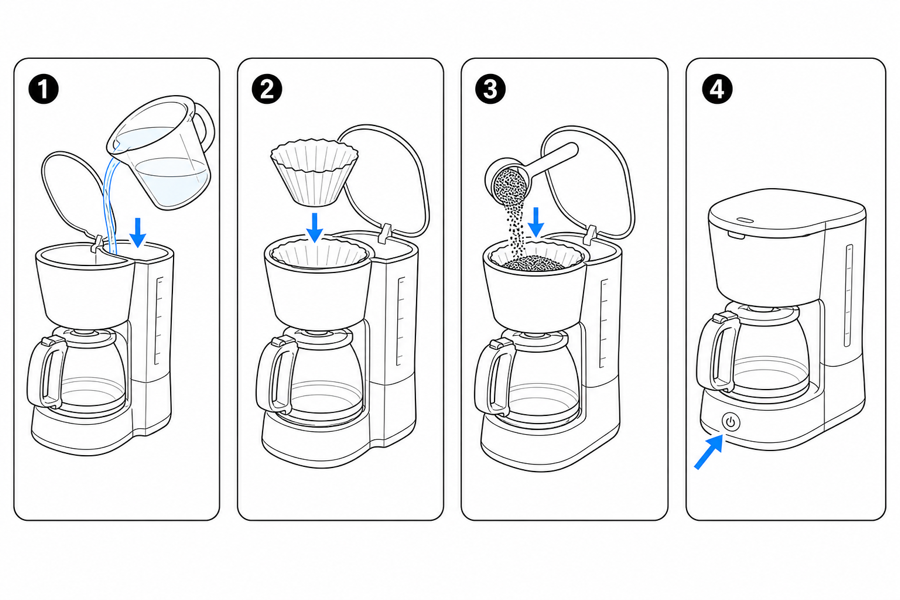 Example output
Output: manual-ready line art
Procedures that benefit from numbered panels
Use step-by-step visuals when order, orientation, or completion state matters.
Assembly and installation
Show part order, screw placement, tool use, wiring paths, and alignment marks.
Setup and onboarding
Guide first-use workflows such as charging, pairing, filling, priming, or calibration.
Maintenance and support
Document replacement, cleaning, reset, troubleshooting, inspection, and storage steps.
Input → manual line art → editable export
Generate a first draft in the tool above, then open /generate to select the image, keep editing, make new versions, and export.
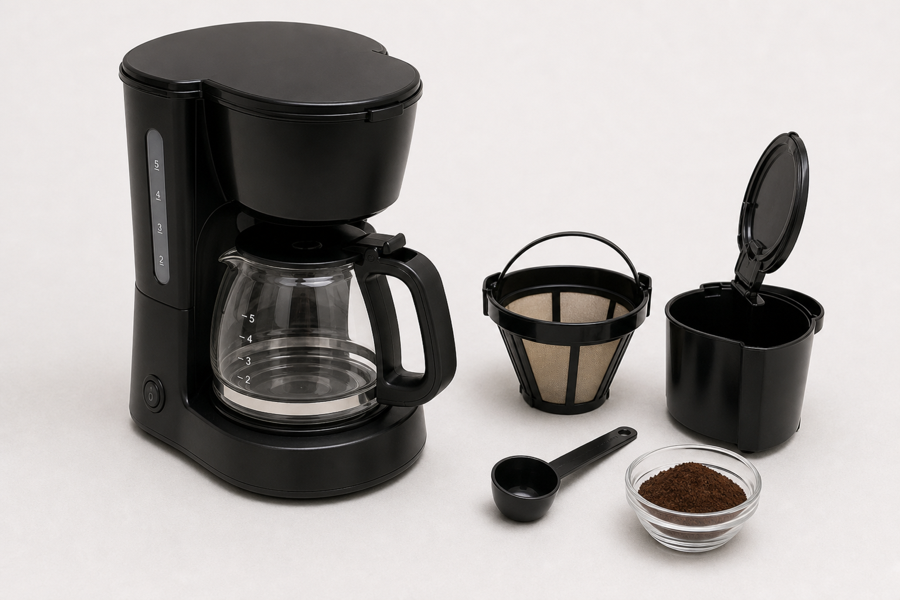
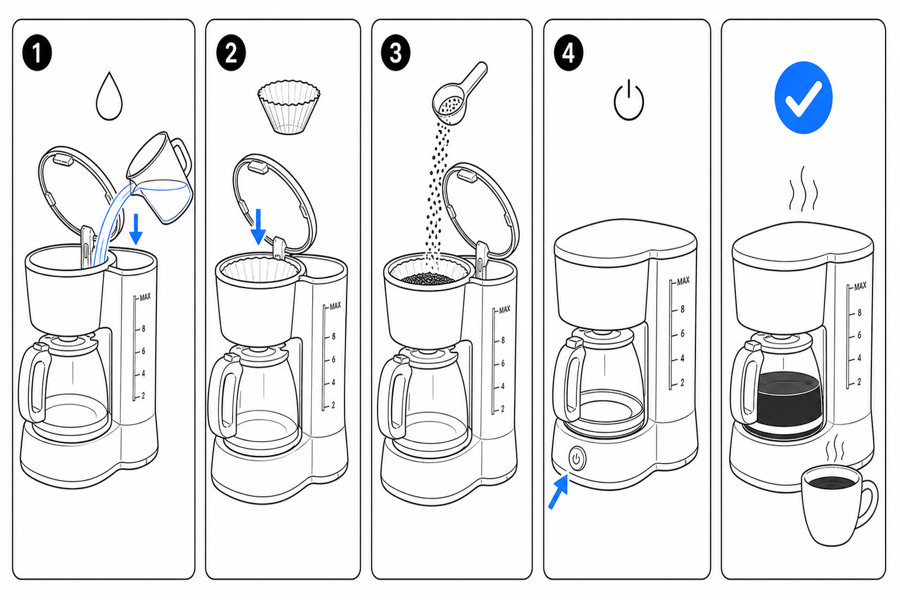
From product reference to manual-ready output
ManualFig keeps the prompt, uploaded references, generated options, revisions, and exports in one browser workflow.
Upload or describe the product
Start from a product photo, CAD screenshot, sketch, existing manual page, or a short step list.
Generate the instruction visual
Create line art, numbered panels, arrows, callouts, detail views, warnings, and completion checks.
Refine and export
Select a result, revise it with text, keep versions together, and export PNG or SVG for documentation.
Related ManualFig pages
ManualFig helps you move from a plain step list to a picture-led instruction sequence that customers can scan and follow.
Step-by-Step Instruction Manual FAQ
How do I create a step-by-step instruction manual?
Start with a short procedure and any product reference images. ManualFig generates numbered panels with action arrows, callouts, and completion states.
Can ManualFig make multi-panel instruction sheets?
Yes. Ask for the number of steps or describe the procedure. The generator can create one action per panel or a compact multi-step sheet.
Can I include warnings?
Yes. You can request caution marks, forbidden actions, correct/incorrect states, pinch points, hot surfaces, polarity, and other safety cues.
Is this useful for SOPs?
Yes. The same step-by-step visual format works for internal SOPs, technician guides, support macros, and customer-facing manuals.
Turn your step list into instruction panels
Paste the procedure, add product references if available, and generate the first visual sequence.