Packaging Insert Instruction Generator
Generate packaging insert instruction visuals
Create small-format quick start, setup, safety, care, and support panels for ecommerce product inserts.
Packaging insert figure
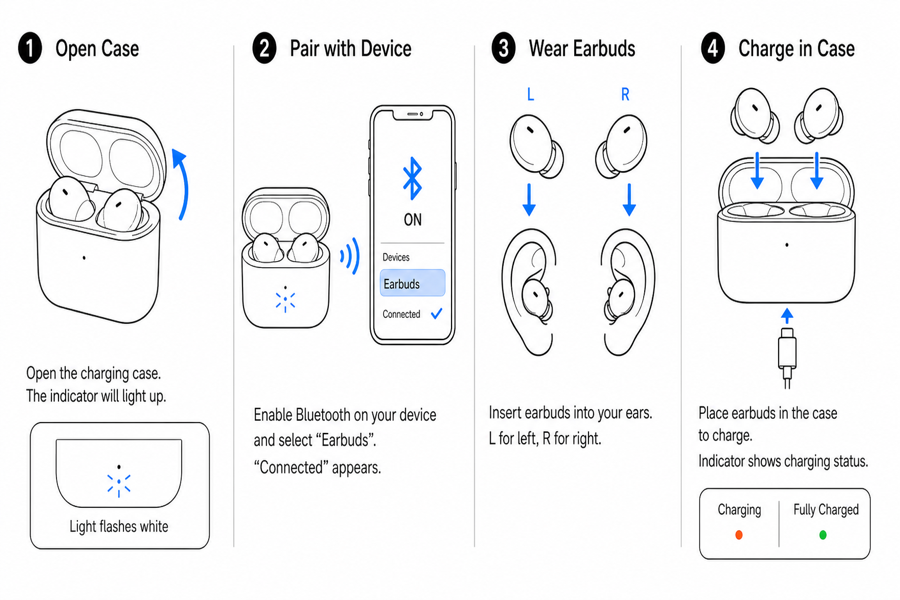 Example output
Output: manual-ready line art
What belongs on an insert
Use packaging inserts for actions that prevent returns, confusion, and avoidable support tickets.
First successful use
Show only the steps a buyer needs before the first win: setup, charge, install, pair, or test.
Care and safety
Add compact do-not-do, cleaning, storage, warning, and disposal panels.
Support bridge
Create visuals that can also be reused in help center pages or support emails.
Input → manual line art → editable export
Generate a first draft in the tool above, then open /generate to select the image, keep editing, make new versions, and export.

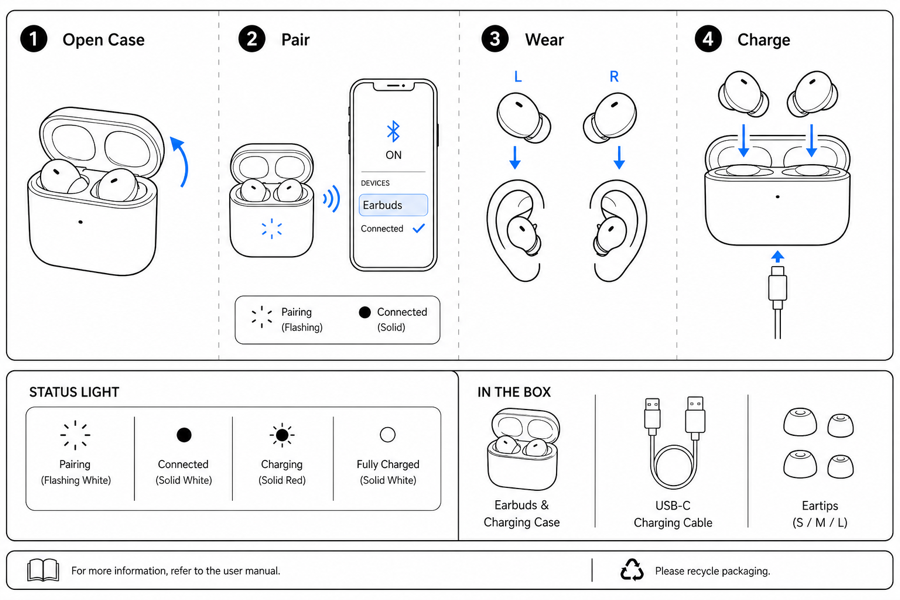
From product reference to manual-ready output
ManualFig keeps the prompt, uploaded references, generated options, revisions, and exports in one browser workflow.
Upload or describe the product
Start from a product photo, CAD screenshot, sketch, existing manual page, or a short step list.
Generate the instruction visual
Create line art, numbered panels, arrows, callouts, detail views, warnings, and completion checks.
Refine and export
Select a result, revise it with text, keep versions together, and export PNG or SVG for documentation.
Related ManualFig pages
ManualFig helps sellers and product teams turn product photos and first-use steps into compact visuals that fit inside packaging and reduce early support questions.
Packaging Insert Instruction FAQ
How many steps fit on a packaging insert before customers stop reading?
Three to five visual panels on the front, with one or two safety or care panels on the back. Beyond that, the insert competes with the product itself for attention and loses. If you cannot get the buyer to "first success" in five panels, the procedure probably belongs in a full quick start guide and the insert should only show the first action plus a QR code.
Is this only for Amazon sellers?
No. Amazon is one use case, but the same workflow fits Shopify, DTC, retail packaging, warranty cards, and product onboarding.
Can I use product photos as references?
Yes. Upload product photos, supplier images, CAD screenshots, or sketches to guide the insert visuals.
Can ManualFig make the final print layout?
ManualFig creates visual assets and panels. Place the exported PNG or SVG files into your print layout, packaging tool, or design system.
Generate product insert instruction panels
Upload product references, describe the first-use steps, and create compact insert visuals.