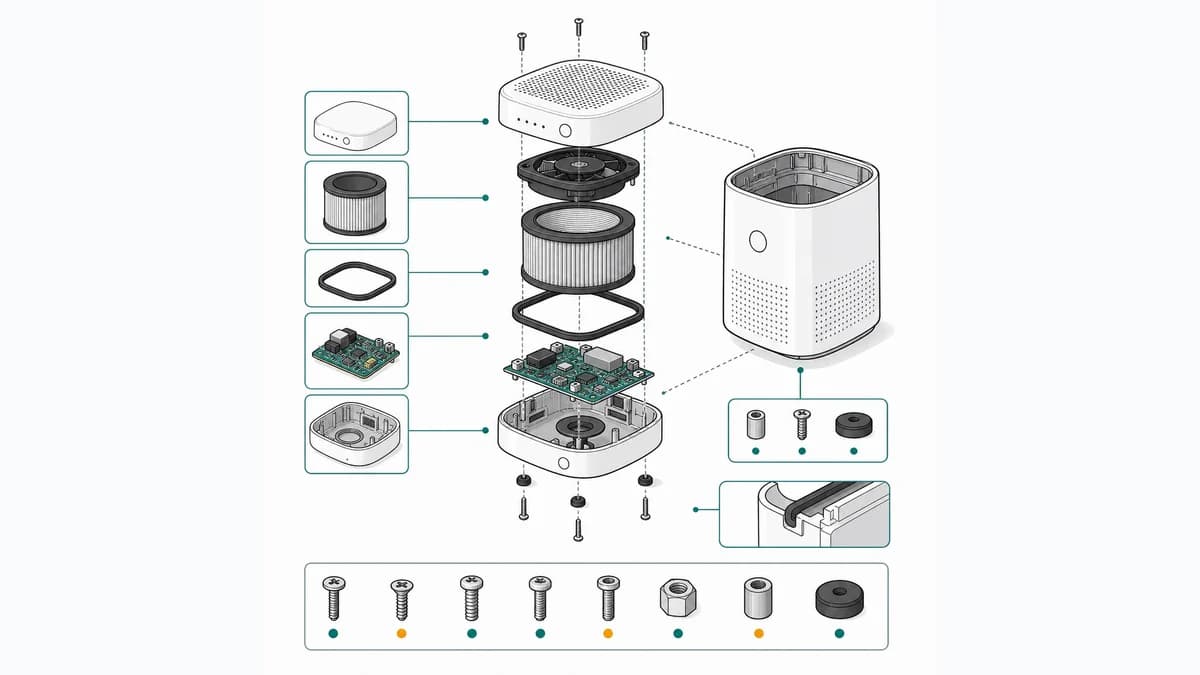
Software di illustrazione tecnica: i migliori nel 2026
Software di illustrazione tecnica a confronto: Composer, Creo Illustrate, Cadasio, CorelDRAW, XVL, Envision, Illustrator, ManualFig. Esplosi da CAD o da foto.
Una redattrice tecnica di un distributore veneto di piccole macchine da giardino riceve il progetto del nuovo manuale d'uso e manutenzione: quaranta figure, sei settimane di tempo e una cartella di foto mandate dal produttore. Si mette a cercare un software di illustrazione tecnica e su ogni sito trova la stessa richiesta: «importa il tuo assieme CAD». Ma lei il CAD non ce l'ha. I modelli sono del produttore, che non li condivide, e anche se li avesse nessuno nell'ufficio documentazione sa usare SOLIDWORKS. Gli strumenti di area progettazione che riesce a provare partono invece dal problema opposto: CAD in abbondanza, nessuna foto.
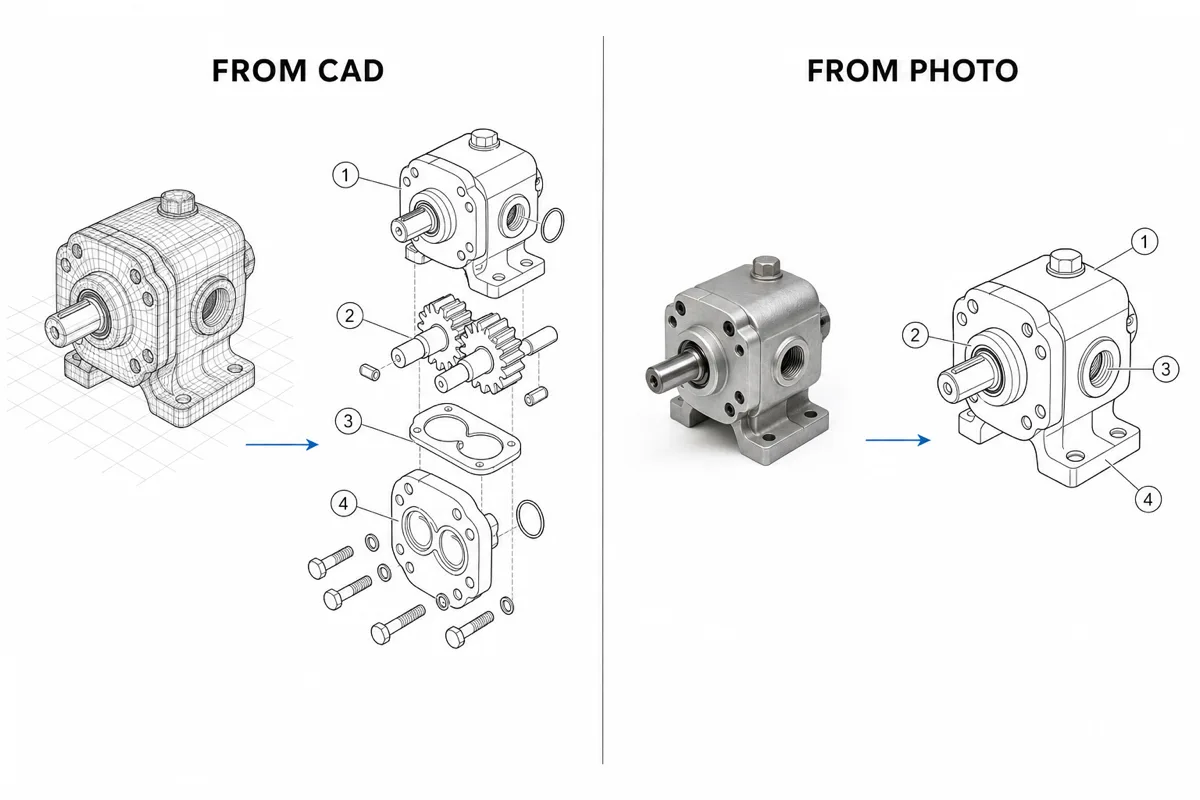
È questa la vera linea di demarcazione dell'illustrazione tecnica nel 2026, e va chiarita prima di confrontare qualsiasi funzione: hai i file CAD 3D o hai delle fotografie? Ogni strumento serio sta da una parte o dall'altra. Qui trovi le opzioni principali di entrambi i lati, compresi i casi in cui ognuna è la scelta sbagliata.
Hai le foto ma non il CAD? Crea figure pronte per il manuale con il Generatore di illustrazioni tecniche: si inizia gratis.
Software di illustrazione tecnica: le due famiglie
Gli strumenti basati sul CAD lavorano su un modello 3D (SOLIDWORKS, Creo, STEP, JT…) e ti permettono di comporre le viste: esplosi, spaccati, richiami, animazioni. Poiché usano la geometria reale restano associativi: quando l'ufficio tecnico rilascia una nuova revisione del modello, l'illustrazione si aggiorna. Sono la scelta giusta se il CAD è tuo, se ti serve fedeltà ingegneristica o se vuoi un risultato 3D interattivo.
Gli strumenti basati su foto o su disegno partono da un riferimento 2D (una foto del prodotto, uno screenshot, una scansione) oppure da un foglio bianco. Fino a poco tempo fa voleva dire un illustratore che ridisegnava a mano il prodotto in un programma vettoriale, ed è per questo che questo lato del mercato era lento e caro. L'IA ha cambiato le cose: oggi una foto diventa un disegno tecnico al tratto pulito in pochi minuti. È la famiglia giusta quando il CAD non esiste, non è condivisibile o quando le figure le prepara un redattore, un product manager o il marketing, non un progettista.
Con questa distinzione in testa, ecco gli strumenti da conoscere.
Esplosi da CAD: gli strumenti basati sul modello 3D
SOLIDWORKS Composer
La risposta standard nell'ecosistema SOLIDWORKS. Composer prende gli assiemi CAD e produce esplosi, figure dei componenti con pallini di richiamo, disegni vettoriali al tratto e animazioni interattive, tutti collegati al modello in modo associativo: la documentazione segue le modifiche di progetto. È un acquisto enterprise venduto tramite la rete di rivenditori Dassault, con prezzi su preventivo, licenze per postazione e una curva di apprendimento vera. Se la tua azienda progetta in SOLIDWORKS e la documentazione lavora fianco a fianco con l'ufficio tecnico, è difficile trovare argomenti contro Composer. Se i modelli non li hai, non produce nulla: chi si trova in questa situazione finisce per cercare un'alternativa a SOLIDWORKS Composer, non perché Composer sia debole, ma perché il suo unico prerequisito è irraggiungibile.
PTC Creo Illustrate
La controparte di PTC, pensata apposta per creare illustrazioni tecniche 3D e 2D dai dati CAD: esplosi, distinte dei componenti, sequenze animate e illustrazioni sincronizzate con il modello. Rende al meglio nelle aziende che lavorano già con PTC, soprattutto insieme a Windchill per i flussi della documentazione di assistenza. Profilo analogo a Composer: licenze enterprise, qualità ingegneristica e dipendenza totale dai dati 3D.
CorelDRAW Technical Suite
Più una suite di disegno che un'estensione del CAD: gli strumenti vettoriali di CorelDRAW più le funzioni di disegno tecnico di Corel DESIGNER, con supporto dei file CAD 3D per portare le viste del modello nelle illustrazioni 2D e pubblicazione in formati come il 3D PDF e standard come WebCGM. Si acquista come un normale abbonamento software (in passato anche con licenza perpetua), ed è quindi la più accessibile tra le soluzioni compatibili con il CAD. Il rovescio è che resta una suite di disegno: il 3D porta la geometria sulla pagina, ma comporre e aggiornare le figure è lavoro manuale da illustratore, e rende al meglio nelle mani di un illustratore formato.
Cadasio
La proposta cloud più moderna sul lato CAD. Cadasio importa i modelli tramite add-in per SolidWorks, Onshape, Fusion 360 e Inventor e produce istruzioni 3D interattive consultabili nel browser: l'assieme si scorre passo per passo in un visualizzatore web, si incorpora nella documentazione e chi legge non deve installare nulla. Abbonamento con piano gratuito per provarlo e un'adozione molto più semplice delle suite enterprise. Il risultato è diverso per natura: 3D interattivo, non figure statiche. Ma il percorso parte sempre da un add-in CAD, e chi il CAD non ce l'ha resta di nuovo fuori. È lo spazio che copre un'alternativa a Cadasio; va detto chiaramente che uno strumento basato su foto non sostituisce il 3D interattivo di Cadasio, ma risolve il problema vicino delle figure statiche senza modelli.
XVL Studio / XVL Work Instruction Suite (Lattice Technology)
Il formato XVL di Lattice Technology comprime in modo estremo grandi assiemi CAD 3D, e la suite XVL ci costruisce sopra istruzioni di lavoro animate e fedeli al modello e illustrazioni tecniche. È di casa nell'automotive e nei macchinari pesanti, dove gli assiemi arrivano a migliaia di componenti. Enterprise, su preventivo, pensata per l'ingegneria di produzione più che per un ufficio documentazione di una persona. Se devi animare dal CAD il montaggio di un intero gruppo motopropulsore sei nel posto giusto; se ti servono quaranta figure per un manuale di assistenza, è sovradimensionata di un ordine di grandezza.
Canvas Envision
Canvas Envision si propone come piattaforma di esecuzione visiva per la produzione: creazione di illustrazioni e documenti interattivi a partire dal CAD e distribuzione in reparto, con integrazioni PLM/MES. Copre sia la creazione sia la distribuzione, non solo le figure, ed è venduta in abbonamento con livelli enterprise. Ottima se l'obiettivo sono istruzioni di lavoro collegate in tutto lo stabilimento; più pesante del necessario se ti servono le figure di un manuale.
Illustrazione tecnica senza CAD: strumenti basati su foto e disegno
Adobe Illustrator
L'editor vettoriale generico, ancora oggi lo strumento di lavoro di molti illustratori tecnici freelance. Controllo totale, formati standard, abbonamento, e nessuna funzione specifica per l'illustrazione tecnica. Ogni esploso, ogni richiamo, ogni assonometria si disegna a mano: il costo vero non è l'abbonamento ma le ore di lavoro qualificato, e una figura complessa può richiedere diverse ore a un professionista. Illustrator è lo strumento giusto se l'illustratore sei tu. È una risposta debole alla domanda «come fa il mio team a produrre le figure?».
ManualFig
ManualFig è l'opzione basata su foto e, per trasparenza, è il nostro strumento: leggi questa sezione tenendone conto. Genera illustrazioni tecniche (disegni al tratto, figure dei componenti in stile esploso, pannelli di montaggio numerati, diagrammi con richiami) direttamente dalle foto del prodotto, con esportazione PNG e SVG, e si inizia gratis. Nessun file CAD, nessun add-in, nessuna modellazione.
Quando è davvero la scelta migliore: hai foto e non modelli; le figure le prepara un redattore, un product manager o chi vende, non un ingegnere; ti servono in fretta figure statiche pronte per il manuale, con uno stile coerente. Il cuore è la conversione da foto a disegno al tratto: entra una fotografia, esce un disegno documentale pulito, e tutto il resto (passaggi, pallini, pannelli) si costruisce da lì.
Quando non è la risposta: non produce 3D interattivo, non resta associato a un modello ingegneristico e il suo output è illustrazione esplicativa per la documentazione, non disegno tecnico quotato. Se il CAD è tuo e ti servono istruzioni interattive fedeli al modello, Cadasio o Composer restano la famiglia giusta.
Quale software di illustrazione tecnica scegliere
Scorri l'elenco e fermati alla prima riga che descrive la tua situazione:
- Hai modelli SOLIDWORKS e la documentazione lavora a stretto contatto con l'ufficio tecnico → SOLIDWORKS Composer (o Creo Illustrate se l'azienda usa PTC). A questo punto gli esplosi associativi da CAD valgono il peso di una soluzione enterprise.
- Hai il CAD in Onshape, Fusion, Inventor o SolidWorks e vuoi istruzioni web interattive → Cadasio. È il modo più leggero per entrare nel mondo CAD, e l'output interattivo migliora davvero la comunicazione del montaggio.
- Sei un'azienda manifatturiera che estende le istruzioni visive a tutto lo stabilimento, con PLM/MES in gioco → Canvas Envision o XVL Work Instruction Suite, a seconda dell'ecosistema e della complessità degli assiemi.
- Hai un illustratore formato e fonti miste 2D/3D → CorelDRAW Technical Suite, con Illustrator come alternativa generica.
- Hai le foto del prodotto e non il CAD (o non puoi accedervi) e ti servono figure statiche per il manuale → ManualFig. È lo scenario che la famiglia CAD non può coprire, ed è esattamente quello della redattrice all'inizio dell'articolo.
Qualunque sia la tua riga, prima di firmare fai sempre la stessa prova: prendi una figura reale che serve davvero al tuo team (non il modello demo del fornitore) e realizzala dall'inizio alla fine con lo strumento candidato, dal tuo materiale di partenza fino all'export inserito nel tuo impaginato. Cronometra tutto, curva di apprendimento compresa. Questo solo esercizio rivela ciò che le pagine commerciali tacciono: se il tuo CAD si importa senza intoppi, se chi farà questo lavoro ogni giorno riesce a usare lo strumento e se il formato di esportazione sopravvive al tuo flusso di pubblicazione. Uno strumento che vince la demo e perde questa prova perderà anche tutte le settimane dopo l'acquisto.
Due ultime note. Primo, queste famiglie sono più spesso complementari che concorrenti: molte aziende tengono gli strumenti CAD in ufficio tecnico e generano da foto le figure del manuale, perché i risultati da consegnare sono diversi. Secondo, i prezzi delle soluzioni CAD enterprise sono su preventivo e variano con postazioni e moduli: considera superata qualsiasi cifra trovata online, valuta prima l'aderenza al tuo flusso di lavoro e chiedi preventivi aggiornati per la rosa finale.
Domande frequenti
Qual è il miglior software per fare un esploso? Se hai il modello 3D, uno strumento CAD come SOLIDWORKS Composer, Creo Illustrate o Cadasio genera esplosi associativi al modello. Se hai solo foto, ManualFig produce figure dei componenti in stile esploso partendo dalle immagini.
Si può fare illustrazione tecnica senza CAD? Sì. Con gli strumenti basati su foto parti da una fotografia chiara del prodotto e ottieni un disegno al tratto pronto per il manuale, con richiami e frecce, senza modellazione.
Illustrator va bene per l'illustrazione tecnica? Va benissimo se sei un illustratore: il controllo è totale. Ma non ha funzioni specifiche, quindi ogni esploso e ogni richiamo si disegna a mano, e il costo reale sono le ore di lavoro.
Quanto costa un software di illustrazione tecnica? Le soluzioni CAD enterprise sono su preventivo e dipendono da postazioni e moduli; CorelDRAW si acquista in abbonamento; Cadasio e ManualFig hanno un piano gratuito per iniziare.
Articoli correlati: Generatore di illustrazioni tecniche, Da foto a disegno al tratto per manuali, Alternativa a Cadasio.
Autore

Ricercatore · University of Arts in Poznan
Davie Chen è ricercatore presso la Facoltà di Animazione e Intermedia della University of Arts in Poznan. Studia l’uso dell’IA generativa per figure scientifiche, illustrazioni brevettuali, grafica di istruzioni e scrittura accademica. ManualFig AI è uno degli strumenti nati da questa attività di ricerca.
Vedi il profilo dell’autoreCategorie
Altri articoli
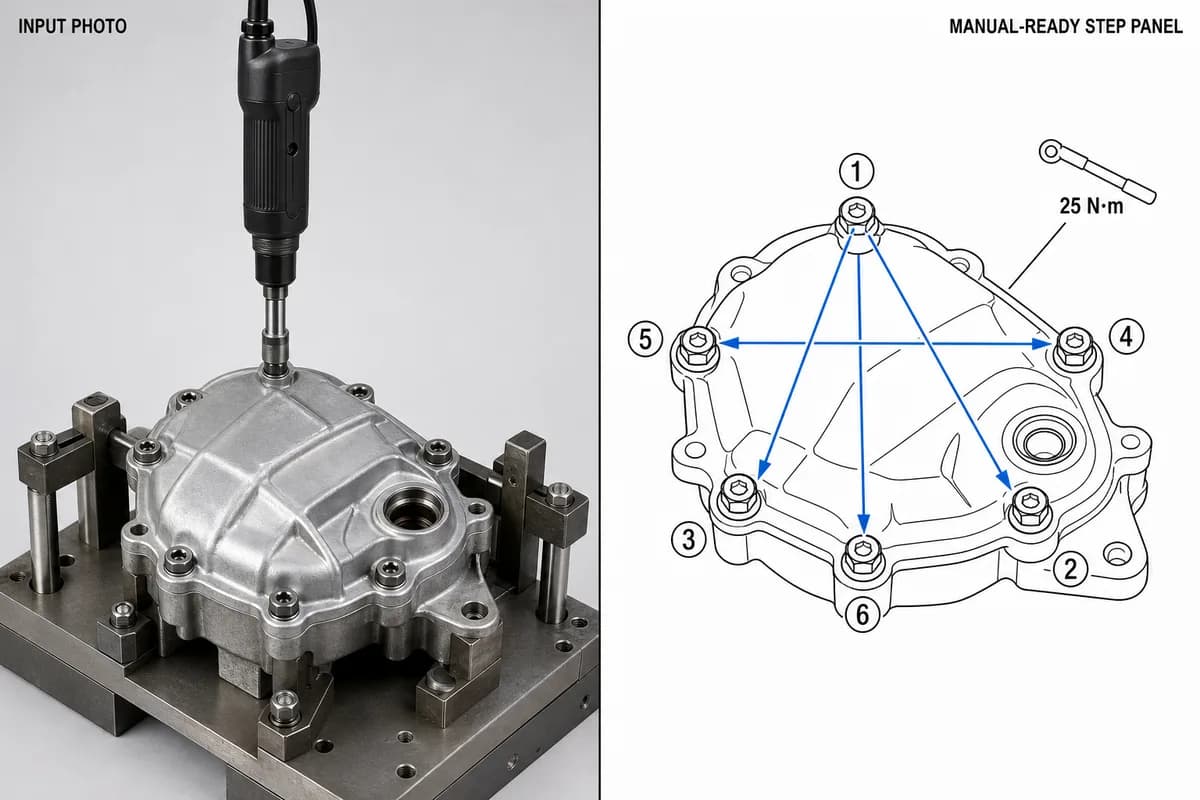
Istruzioni di montaggio in produzione: formato, esempi e come illustrare ogni postazione
Cosa deve contenere un'istruzione di montaggio per la produzione, il formato una fase per pagina, tre esempi di postazione (coppia di serraggio, orientamento, controllo) e un modello da copiare nel vostro sistema.
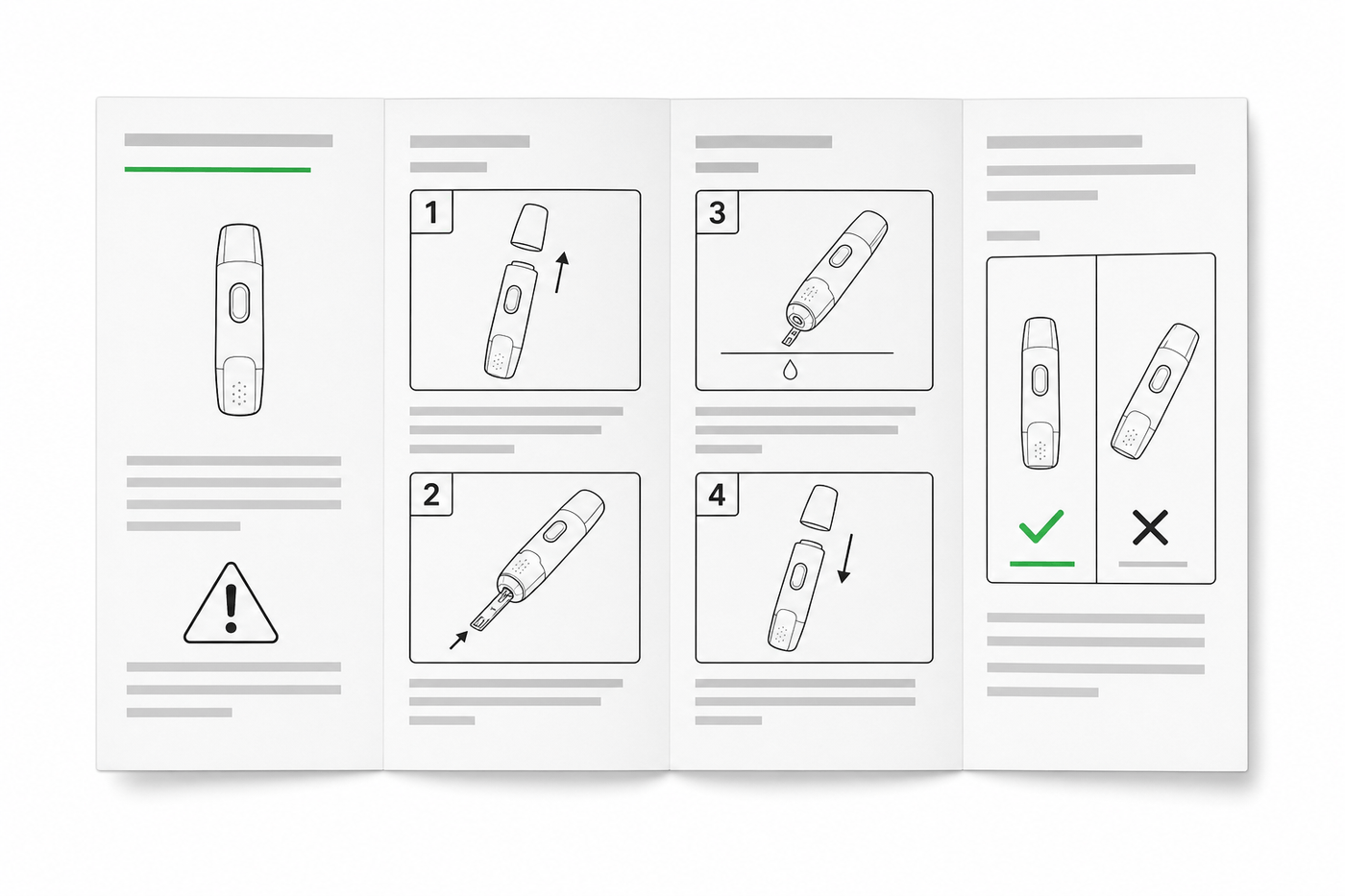
Progettare le IFU: layout, simboli ed esempi
Guida pratica alle IFU per dispositivi medici: layout, simboli ISO 15223-1, avvertenze, illustrazioni e una struttura riutilizzabile.
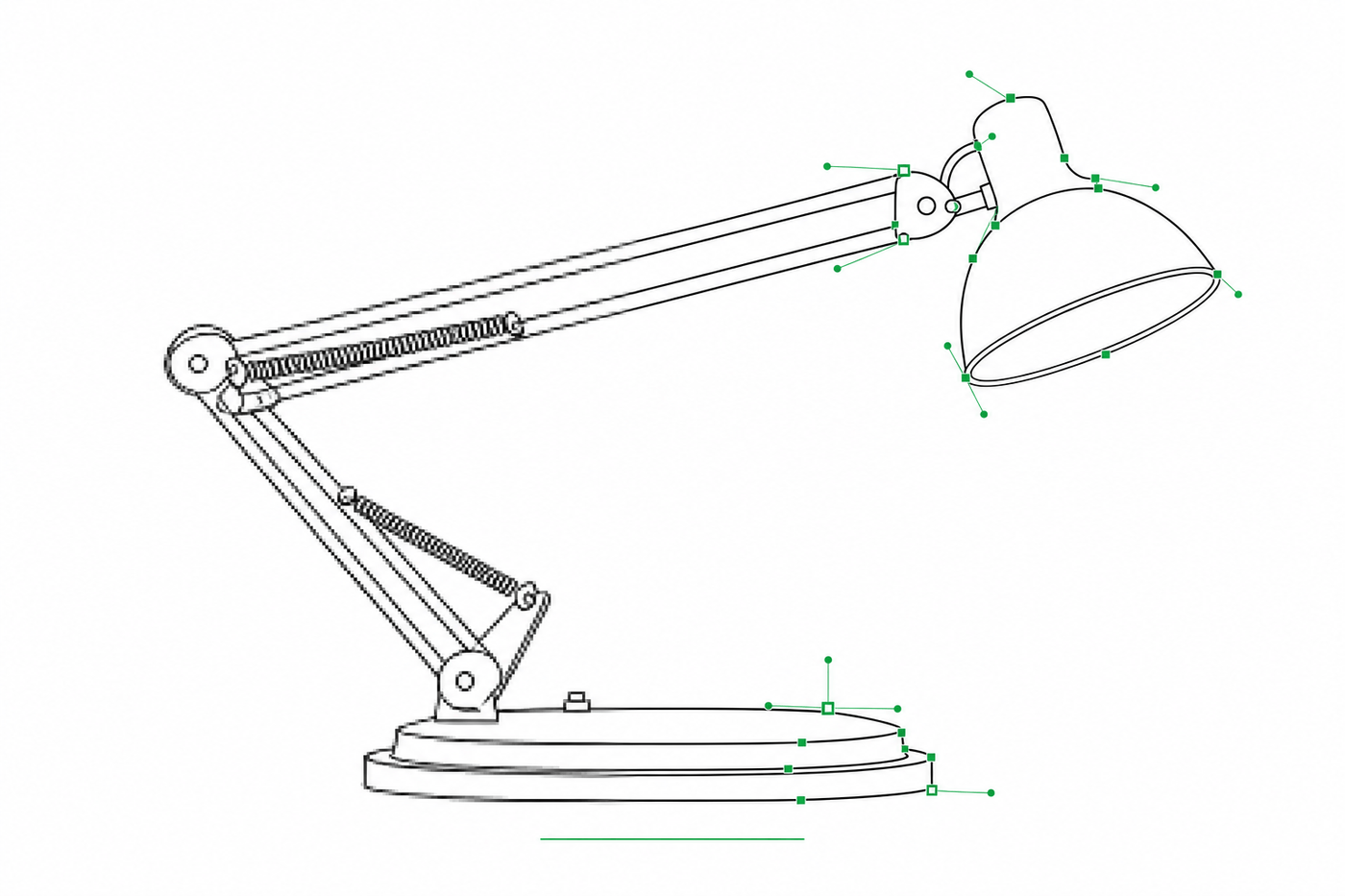
Da immagine a SVG per Illustrator: come ottenere tratti modificabili nel disegno tecnico
Perché molte conversioni da immagine a SVG arrivano in Illustrator come contorni riempiti impossibili da restilizzare — e due flussi di lavoro che producono SVG a tratti (stile centerline) con spessori di linea regolabili.