Cadasio Alternative
A Cadasio alternative that starts from photos, not CAD
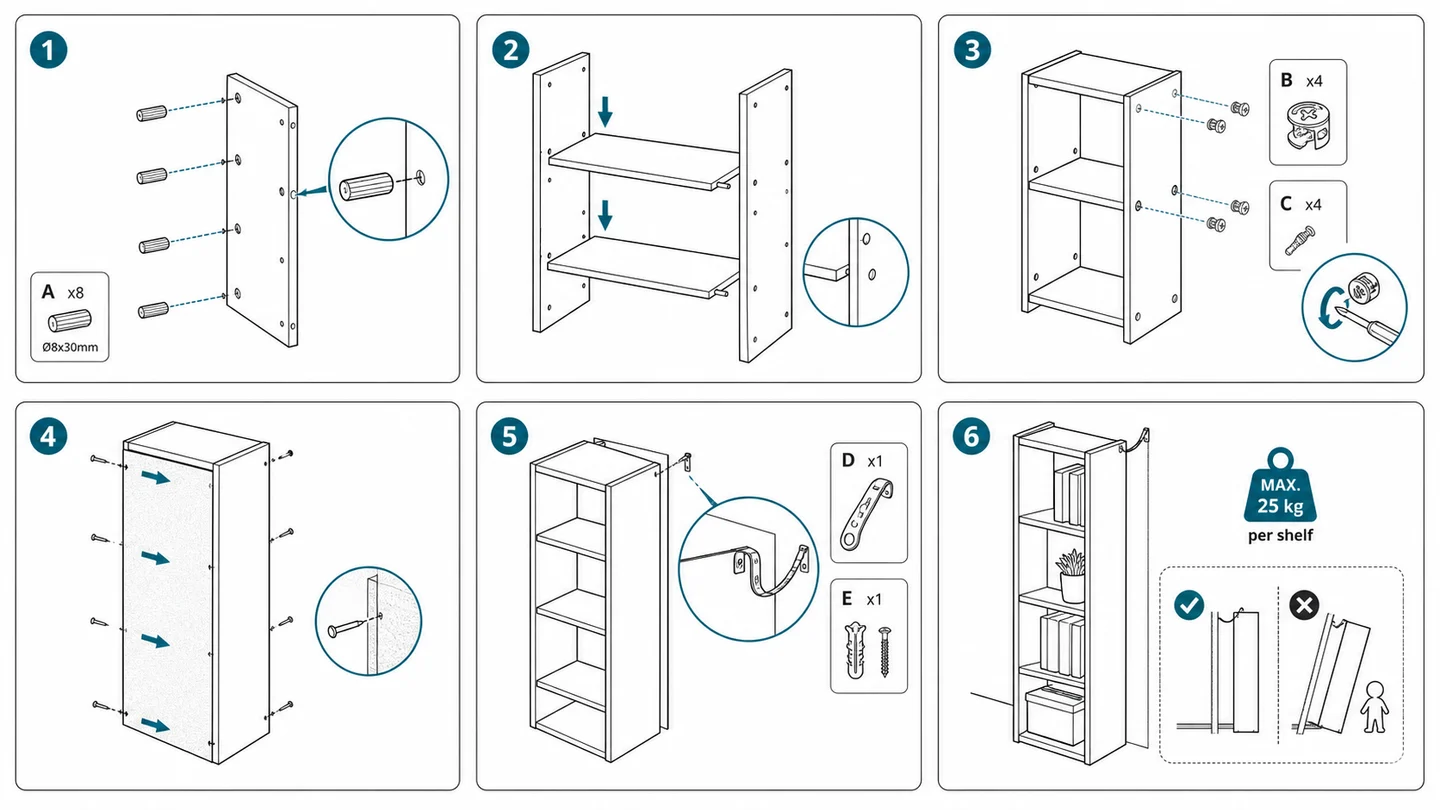
Cadasio turns CAD models into interactive 3D instructions. ManualFig generates manual-ready line drawings and assembly figures from product photos — no CAD files required.
No CAD needed: start from product photos, prototype shots, sketches, or a short step list.
Manual-ready output: line drawings, numbered assembly panels, callouts, and exploded-view style figures.
Free to start, PNG + SVG export, results in minutes instead of a modeling project.
Cadasio vs ManualFig: pick by workflow, not by hype
Both tools produce technical communication visuals, but they start from different inputs and deliver different output. An honest comparison saves you an evaluation cycle.
When Cadasio fits better
Cadasio is cloud-based interactive 3D technical communication built on CAD data, with add-ins for SOLIDWORKS, Onshape, Fusion 360, and Autodesk Inventor. If you maintain CAD models and want interactive 3D instructions that stay connected to them, it is a strong choice.
When ManualFig fits better
No CAD files, a photo-only workflow, a small team, a tight deadline, or a budget that does not cover a 3D authoring project. Upload a photo, describe the step, and get a manual-ready figure.
Output you can print anywhere
ManualFig produces static PNG and SVG figures for printed manuals, packaging inserts, PDFs, and help centers — no viewer, embed, or player required.
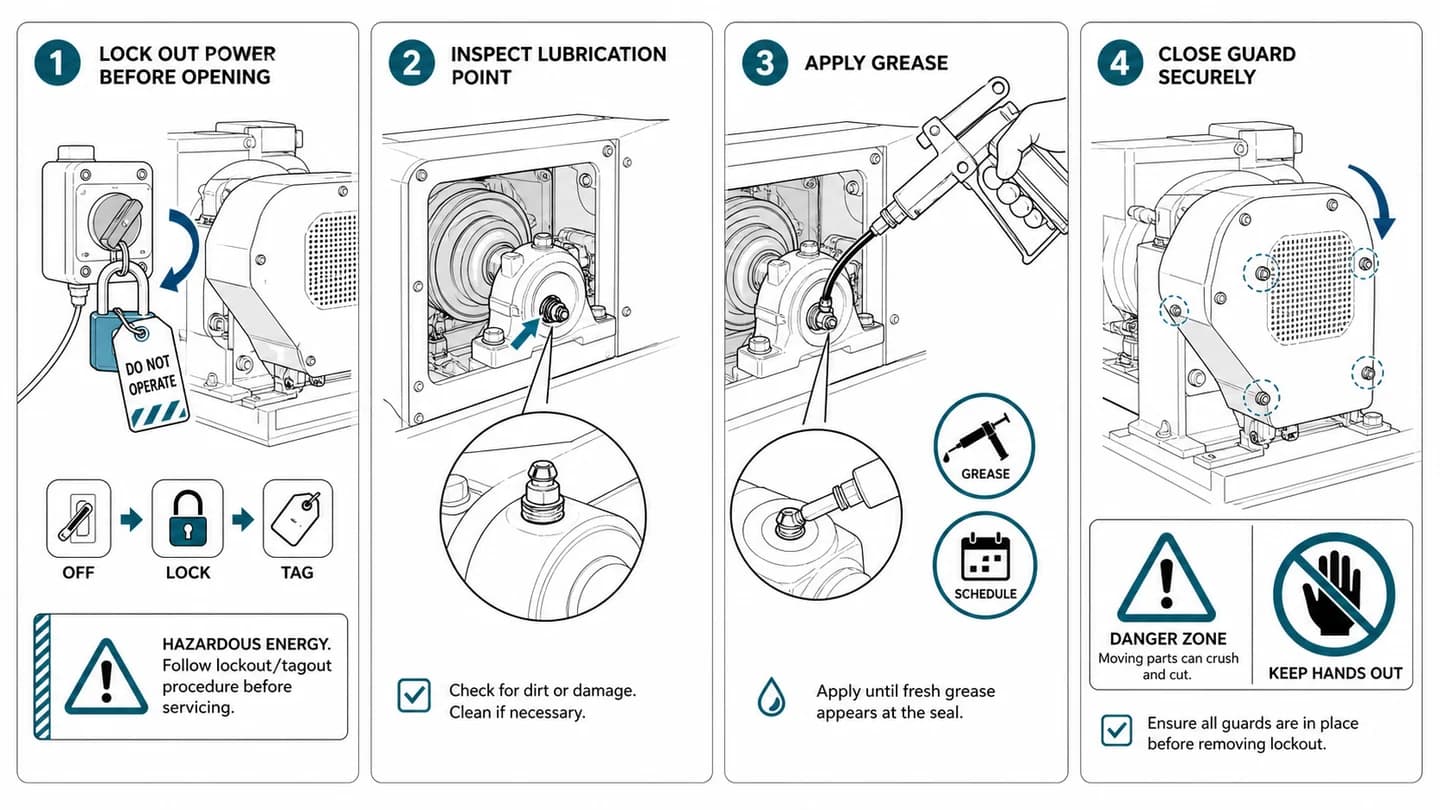
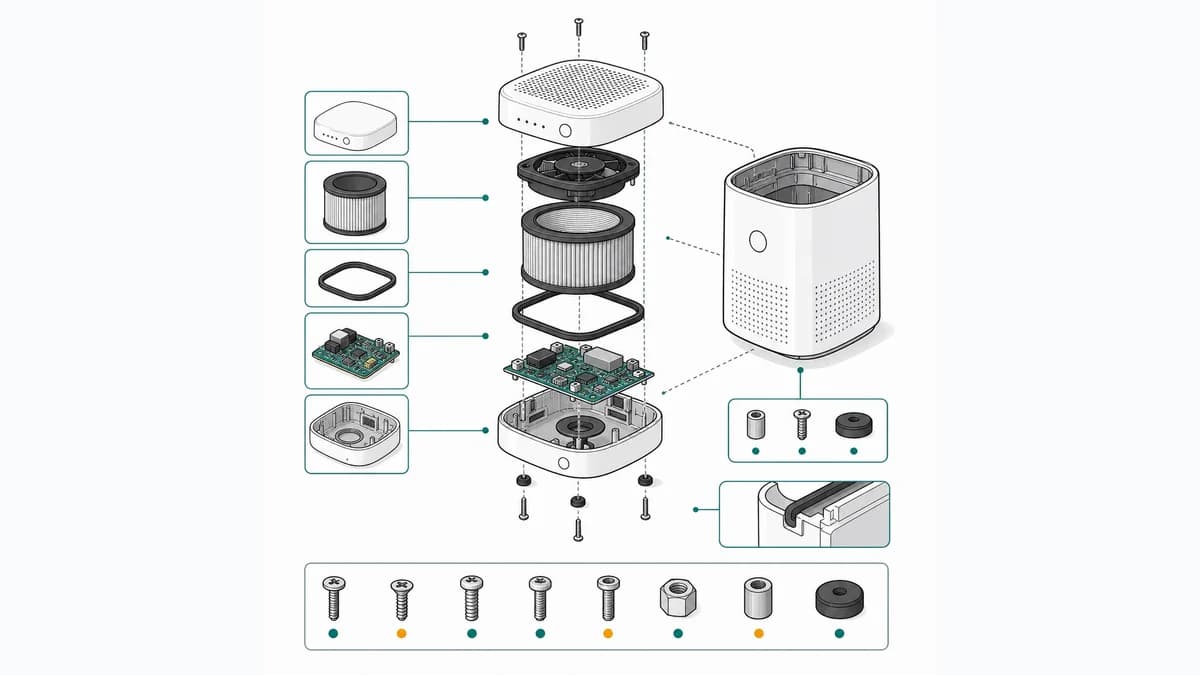
From product reference to manual-ready output
ManualFig keeps the prompt, uploaded references, generated options, revisions, and exports in one browser workflow.
Upload or describe the product
Start from a product photo, CAD screenshot, sketch, existing manual page, or a short step list.
Generate the instruction visual
Create line art, numbered panels, arrows, callouts, detail views, warnings, and completion checks.
Refine and export
Select a result, revise it with text, keep versions together, and export PNG or SVG for documentation.
Related ManualFig pages
If your team has no clean CAD models, no CAD seats, or no time for a 3D authoring project, ManualFig creates assembly panels, exploded-view style figures, and IFU artwork from photos and prompts, then exports PNG or SVG in minutes.
Cadasio alternative FAQ
Is ManualFig a direct replacement for Cadasio?
Not one-to-one. Cadasio creates interactive 3D instructions from CAD models; ManualFig creates static instruction figures from photos and prompts. If you need interactive 3D that stays synced to CAD, Cadasio remains the better fit. If you need printable manual figures without CAD files, ManualFig is the faster and simpler path.
What does "Cadasio vs ManualFig" come down to?
Input and output. Cadasio: CAD model in, interactive 3D instructions out. ManualFig: product photo or prompt in, manual-ready 2D figures out in minutes — PNG and SVG you can drop into any document.
How does Cadasio pricing compare to ManualFig?
We do not track competitor pricing — check Cadasio for its current plans. ManualFig is free to start: generate figures without a credit card and upgrade only if you need more volume.
Do I need SOLIDWORKS, Onshape, Fusion 360, or Inventor to use ManualFig?
No. Cadasio offers add-ins for those CAD tools because it works from CAD data. ManualFig only needs a product photo, a sketch, or a written description of the step.
Is ManualFig affiliated with Cadasio?
No. Cadasio is a trademark of its owner; ManualFig is not affiliated with or endorsed by them. This page exists to help teams compare two different approaches to instruction visuals.
Make your first manual figure without CAD
Upload a product photo, describe the step, and export a manual-ready figure — free to start.