Best Work Instruction Software in 2026 (With Visual Examples)
An honest guide to work instruction software — VKS, Canvas Envision, XVL, SOPX, Scribe, Dozuki-style platforms, and where illustration tools like ManualFig fit.
An operations manager at a forty-person shop finally gets budget to fix the documentation problem: instructions live in a shared drive as Word files, half the stations run on tribal knowledge, and the last audit flagged revision control. She searches for work instruction software and lands in a market that ranges from screen-capture browser extensions to plant-wide platforms with MES integration — all described with the same words. Two demo calls later she still cannot tell which tools solve her problem, because the category is really two different products wearing one name.
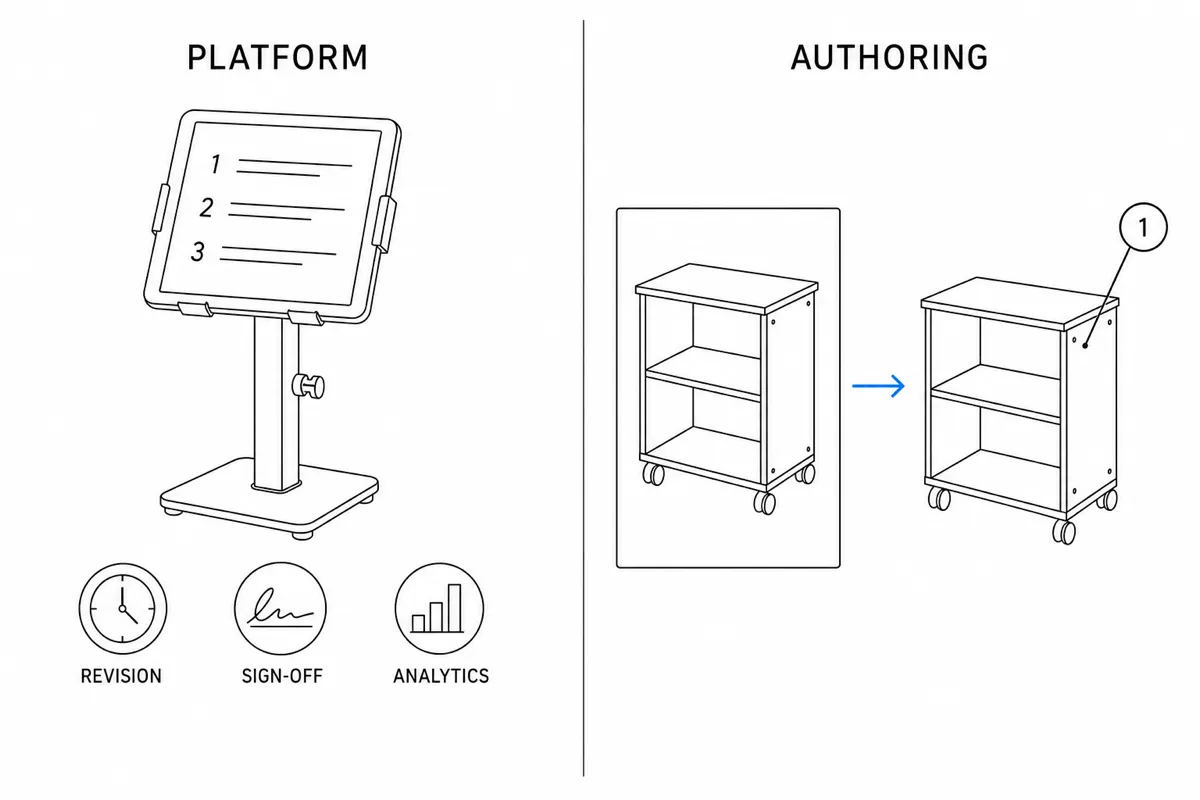
Here is the split that makes the market legible. Platform tools manage work instructions: delivery to the station, revision control, sign-offs, analytics, integration with production systems. Authoring and illustration tools make the instructions themselves visual: the step figures, callouts, and correct-vs-incorrect panels that operators actually look at. Most disappointment in this category comes from buying one when you needed the other — a platform full of walls of text, or beautiful figures with no way to control revisions. This guide covers the main tools on both sides and how to decide.
Make the steps themselves visual with the Work Instruction Illustration Generator — product photo in, numbered step panel out.
What work instruction software actually has to do
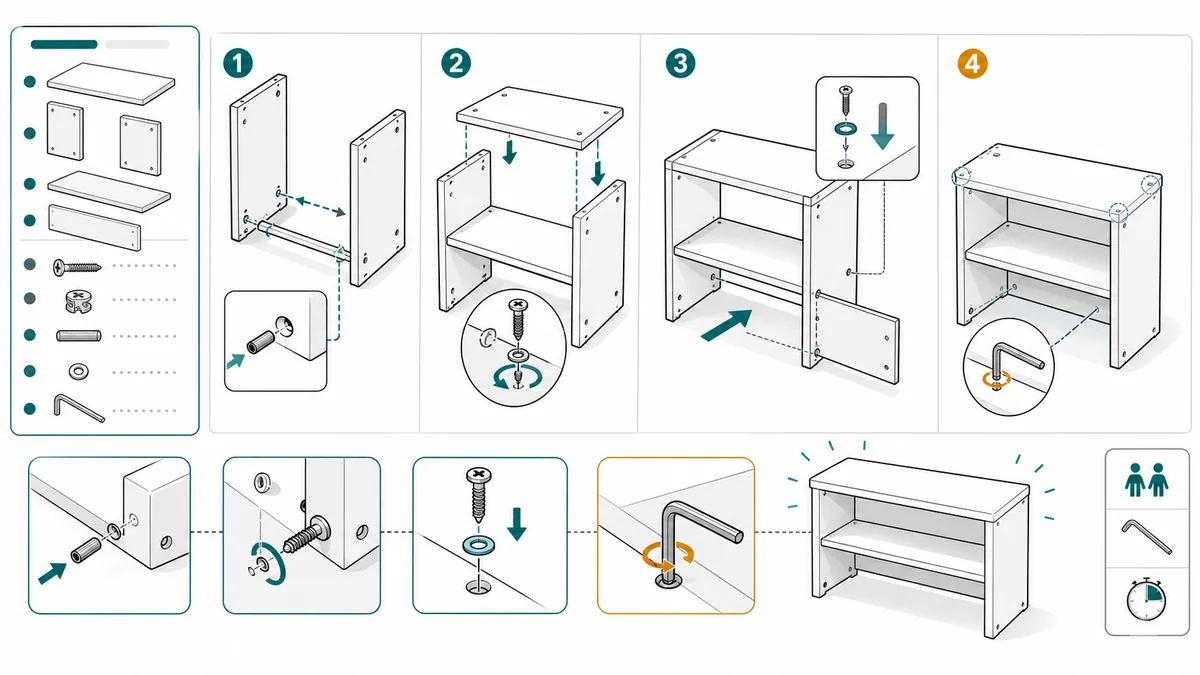
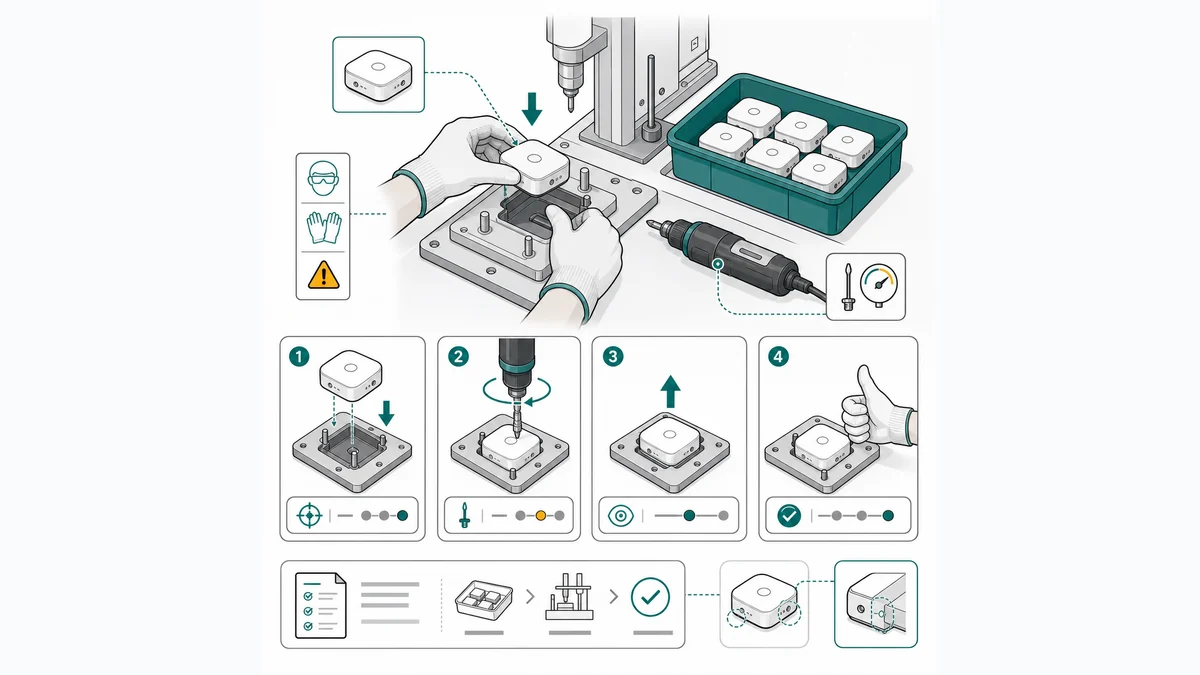
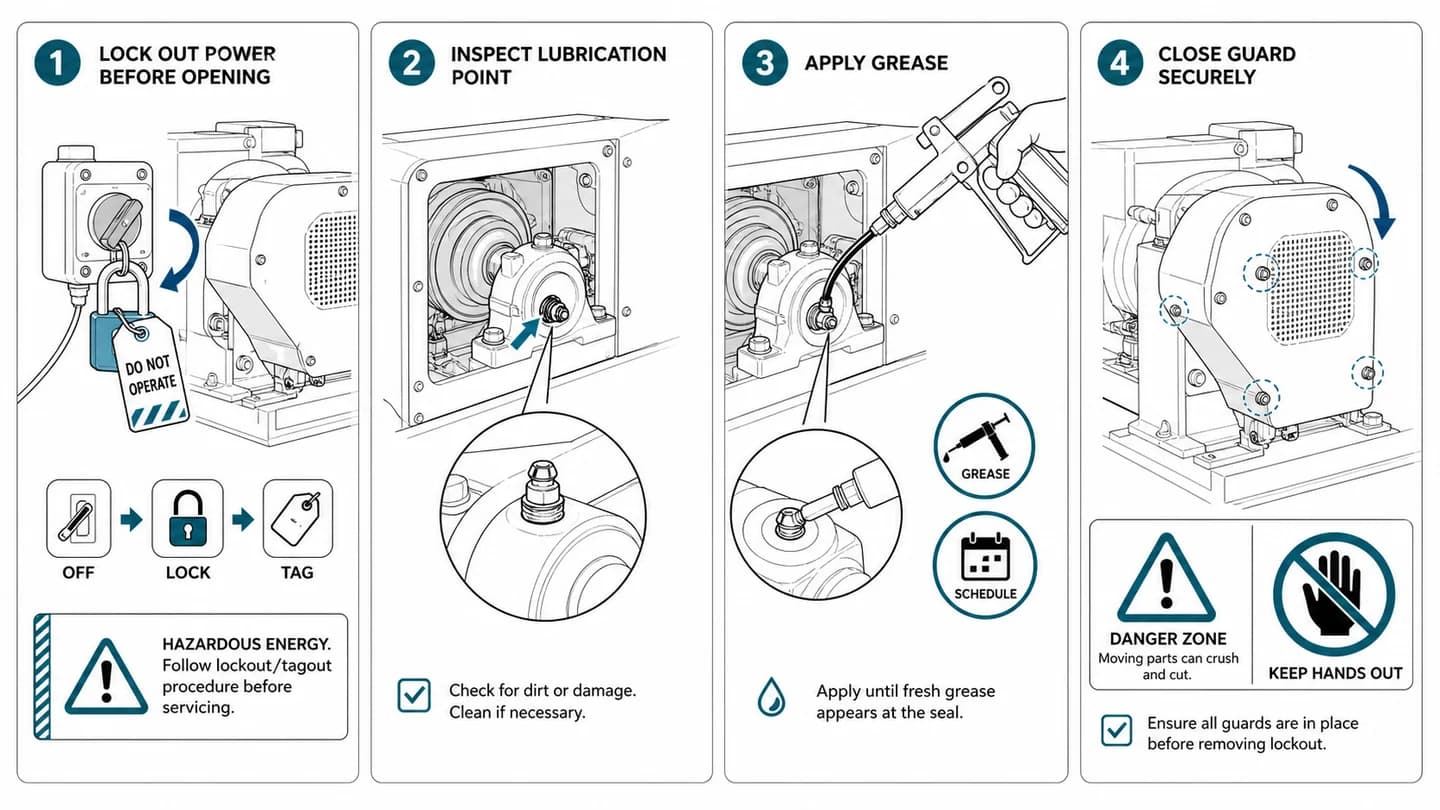
A work instruction is the station-level document that shows an operator exactly how to perform one task — numbered steps, one action each, a figure per step, and the callouts that matter: torque, order, pass/fail. Software enters the picture for two distinct jobs:
- The platform job — get the current revision in front of the right operator, prove they saw it, capture sign-offs and quality data, and connect to MES/ERP so instructions follow the work order.
- The authoring job — turn a subject-matter expert's knowledge into visual steps fast enough that documentation keeps pace with the line. This is where most digital work instructions software is weakest: the platforms give you an editor and an upload button, and the figures still have to come from somewhere.

Keep those two jobs separate while reading the tool list, because no single product below is best at both.
The main work instruction software options
VKS
VKS is one of the best-known visual work instruction platforms for manufacturing: authoring with images and annotations, guided step-by-step execution at the station, integrated quality checks and data capture, and connections into plant systems. It leans hard into the "visual" in visual work instructions — the format is picture-led by design — and it carries the compliance features (revision control, traceability, operator confirmation) that audits ask about. It is a manufacturing platform proper: subscription-priced, scoped and quoted per deployment, and worth its weight when instructions must be delivered, enforced, and measured across a floor. The images themselves still come from your cameras and your editing effort.
Canvas Envision
Canvas Envision positions as a visual execution platform: CAD-consuming authoring (exploded views and model-based figures) plus interactive documents delivered to the shop floor, with PLM/MES integrations. Its distinctive strength is the CAD side — if your products have 3D models and you want model-accurate visuals inside executable instructions, it covers authoring and delivery in one system. Enterprise subscription pricing. The dependency runs the other way from most tools here: it is strongest precisely when you have CAD, which many smaller manufacturers and assembly shops do not.
XVL Work Instruction Suite (Lattice Technology)
Lattice Technology's XVL suite builds animated, model-accurate work instructions from heavily compressed 3D CAD — the tool of record in automotive and heavy machinery, where an assembly sequence for a thousand-part product gets authored once from the engineering model and consumed across manufacturing. Enterprise and quote-based. For a large CAD-rich manufacturer it is a category leader; for a small team documenting assembly benches from photographs, it is the wrong scale and the wrong input.
SOPX
SOPX comes at the problem from the SOP direction: a platform for operations teams to create, manage, and distribute standard operating procedures and work instructions, with the process-governance features (approvals, acknowledgments, structured formats) that ops and quality teams need. A fit when the pain is procedural control across a whole operation rather than shop-floor execution specifically. As with the other platforms, it manages documents well and leaves the visual quality of each step up to whatever imagery you bring.
Scribe
Scribe records your screen and auto-generates step-by-step guides with screenshots — genuinely excellent for what it covers, which is software processes: onboarding into an ERP, processing an order, running a report. It is fast, cheap to adopt (free tier plus paid subscription), and the auto-capture removes almost all authoring effort. The honest limit: it captures screens, not hands. For physical assembly, inspection, or changeover — anything where the subject is a workpiece and a tool — there is nothing for Scribe to record. Buy it for the office processes around your operation, not for station 4.
Dozuki-style platforms
There is a whole category of dedicated work-instruction platforms in the Dozuki mold — structured step authoring with photos, versioning and approvals, training and sign-off tracking, delivered to tablets on the floor. Tools in this category tend to be more accessible than the enterprise suites and more manufacturing-native than generic document tools, and they popularized the clean step-photo-callout format most teams now expect. The shared characteristic, again: they are systems for managing photo-based instructions. The figures are as good as the photos you take, and dense photos of dark parts on dark benches are exactly where operators misread steps.
ManualFig
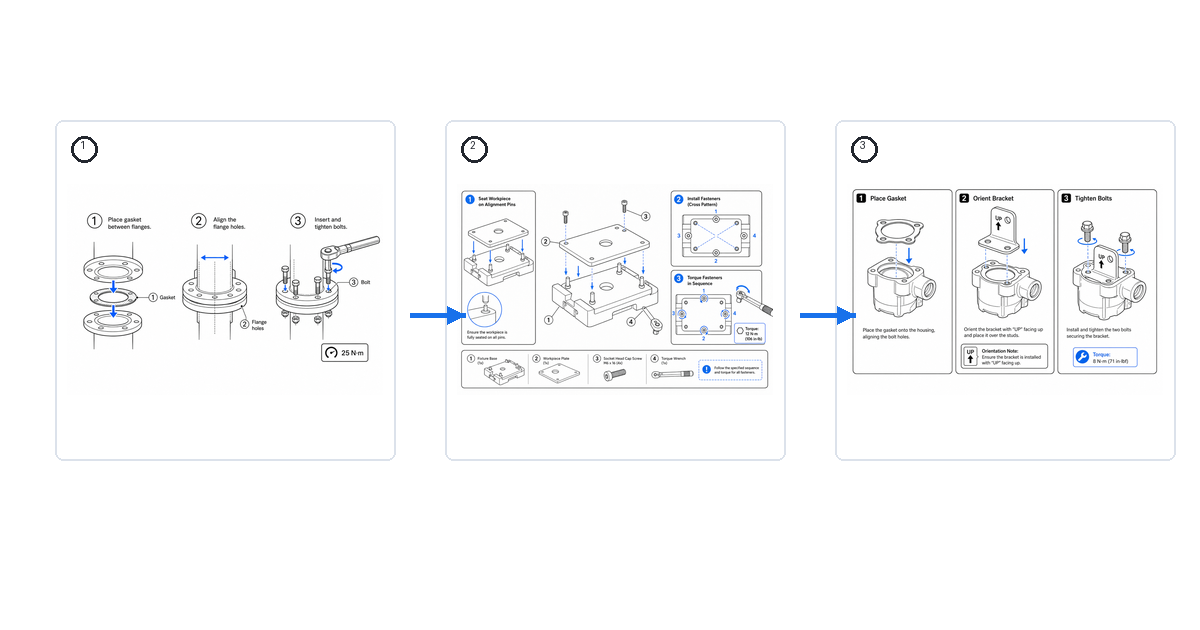
ManualFig sits on the other side of the split, and it is our tool, so read accordingly. It does not deliver instructions to stations, control revisions, or talk to your MES. What it does is generate the illustrations that make work instructions visual: a photo of the workpiece becomes clean line art with numbered callouts, action arrows, torque annotations, and correct-vs-incorrect panels — the figure vocabulary that good work instruction examples share. PNG/SVG export drops into whatever system you deliver through, and it is free to start.
Two honest placements. For a plant running VKS or Envision, ManualFig is a complement — it upgrades the figures inside the platform, replacing cluttered photos with line art that survives shrinking onto a station screen. For a small team without platform budget, ManualFig plus a locked work instruction template and disciplined file management can replace a heavier platform entirely — you give up automated revision control and analytics, which is a real trade, and one worth making only below a certain team size and audit burden. The Manufacturing Work Instructions Generator covers the shop-floor figure styles specifically.
How to decide: platform, authoring, or both
Answer three questions in order.
1. Is your pain delivery or content? If instructions are good but stale copies float around the floor, uncontrolled — buy a platform (VKS, SOPX, a Dozuki-style tool). If instructions are current but operators do not read them because they are walls of text — fix authoring first; a platform will just deliver bad documents faster.
2. What is your source material? CAD models point to Canvas Envision or XVL, which mint visuals from the geometry you already maintain. Photographs point to photo-based illustration (ManualFig) feeding whichever delivery mechanism you use. Screens point to Scribe. Matching tool family to source material matters more than any feature checklist.
3. What does your compliance burden require? Regulated or audit-heavy environments effectively mandate a platform: revision history, operator sign-off, and traceability are the product. A five-person assembly cell shipping consumer goods can run controlled PDFs from a template for a long time before the platform pays for itself.
For many teams the honest answer is a pairing: an affordable delivery layer for control, plus a dedicated illustration step so that what gets delivered is actually visual. The comparison of digital work instructions software goes deeper on the delivery layer; the illustration layer is a photo-in, line-art-out loop you can trial in an afternoon.
One final note on pricing: apart from tools with public self-serve tiers (Scribe, and ManualFig's free tier), this market is quote-driven — platform costs scale with seats, sites, and integrations. Ignore any specific figures you find in comparison posts and get current quotes for your shortlist; the numbers move faster than the articles do.
FAQ
What is the best work instruction software for a small manufacturer?
Start from your bottleneck. No revision control at all: a Dozuki-style platform or SOPX gives structure cheaply. Instructions exist but operators ignore them: invest in the visual layer first — figures from photos, one action per step, a consistent template — and deliver through what you already have.
Do I need MES integration?
Only if instructions must follow work orders automatically or feed quality data back into production systems. It is the feature that most reliably moves a purchase from self-serve to enterprise quote, so be sure the workflow actually requires it before shortlisting on it.
Can AI write work instructions?
AI can draft — and it is genuinely strong at generating the figures from photos, which was previously the most expensive part. The process knowledge (torque values, sequence, pass/fail criteria) still comes from your line leads, and a human validates every step before it reaches the floor.
Related: How to Write Work Instructions, Digital Work Instructions Software, Work Instruction Template, Work Instruction Examples and Samples.
作者
研究者 · University of Arts in Poznan
Davie Chen 是 University of Arts in Poznan 动画与跨媒体学院的研究者,研究方向包括生成式 AI 在科学图像、专利插图、说明图和论文写作中的辅助应用。ManualFig AI 是这一研究方向延伸出的产品之一。
查看作者资料分类
更多文章

How to Write Work Instructions (Step-by-Step, With Examples)
A practical guide to writing work instructions operators actually follow: the 9-step process, one-action steps, photos vs. illustrations, torque and QC callouts, and a reusable template.

作业指导书示例与样板(带图)
装配、检验、换型的可视化作业指导真实示例:一份好样板长什么样,以及怎么生成你自己的。

装配说明图:箭头、零件、紧固件和版式
一份装配说明图实操指南:面板结构、箭头、零件标注、五金细节、警告和最终检查。