Printer Troubleshooting
Printer troubleshooting guide, illustrated step by step
Generate clear, numbered troubleshooting figures for common printer issues.
Printer troubleshooting
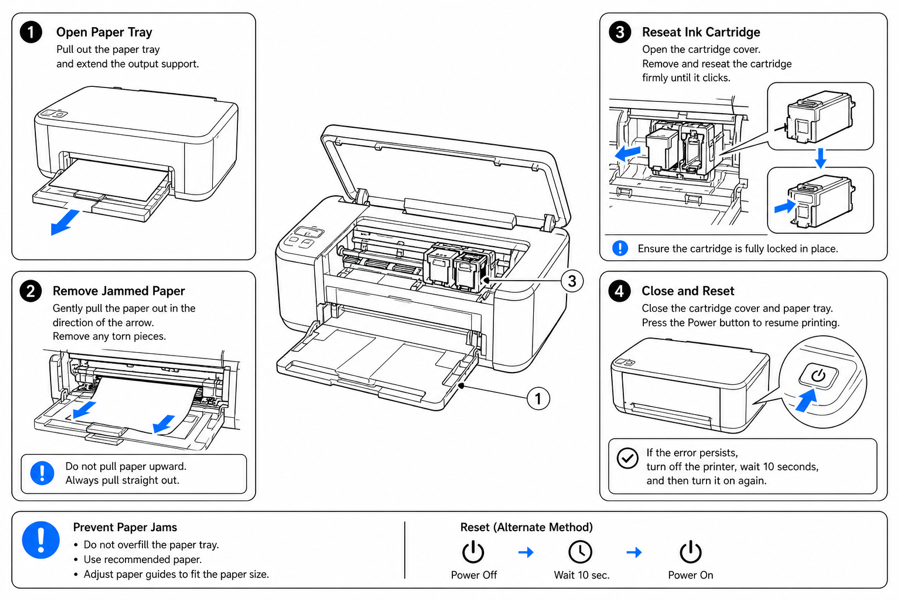 Example output
Output: manual-ready line art
Where an illustrated printer guide helps
Use figures where the fix involves a specific tray, door, cartridge, or sequence.
Paper jams
Show which tray or door to open and how to clear the path.
Cartridge and toner
Illustrate removing and seating a cartridge with arrows.
Connection and reset
Show Wi-Fi, cable, and reset steps in a numbered sequence.
Input → manual line art → editable export
Generate a first draft in the tool above, then open /generate to select the image, keep editing, make new versions, and export.
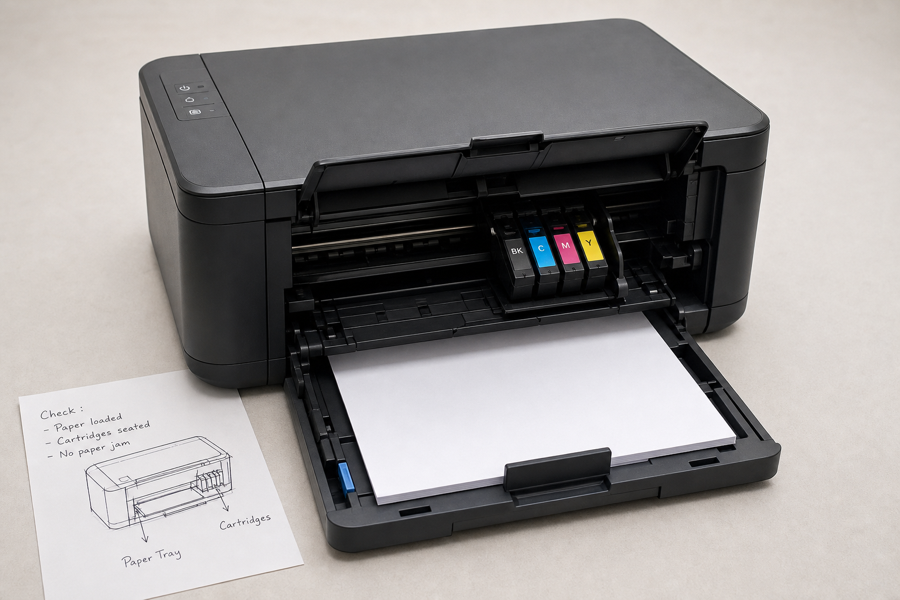
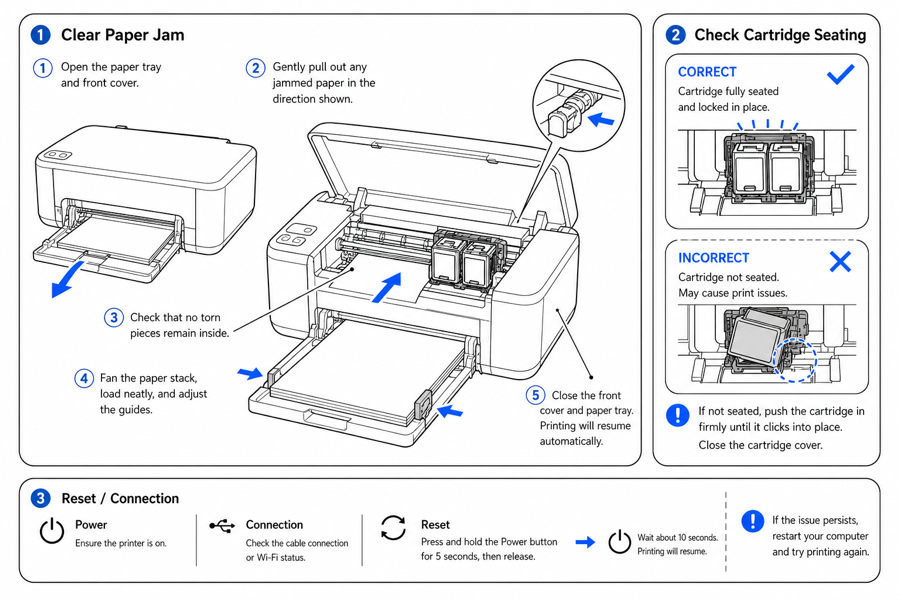
From product reference to manual-ready output
ManualFig keeps the prompt, uploaded references, generated options, revisions, and exports in one browser workflow.
Upload or describe the product
Start from a product photo, CAD screenshot, sketch, existing manual page, or a short step list.
Generate the instruction visual
Create line art, numbered panels, arrows, callouts, detail views, warnings, and completion checks.
Refine and export
Select a result, revise it with text, keep versions together, and export PNG or SVG for documentation.
Related ManualFig pages
Printer brands and support teams use ManualFig to turn fixes into illustrated troubleshooting figures for manuals, help centers, and quick-start cards.
Printer troubleshooting FAQ
Does this cover specific printer brands?
Build neutral, brand-agnostic figures and adapt them to your model. Describe the trays, doors, and steps for your printer.
Can I show correct vs incorrect?
Yes. Use the correct-vs-wrong preset to contrast a seated cartridge or closed door with a faulty one.
Can I edit a figure after generating?
Yes. Open the result in the full workbench to refine it and export.
Generate a printer troubleshooting figure
Describe the issue and fix or upload a reference, generate the figure, then refine and export.