Water Heater Troubleshooting
Water heater troubleshooting guide, illustrated step by step
Generate clear, numbered troubleshooting figures for common water heater issues.
Water heater troubleshooting
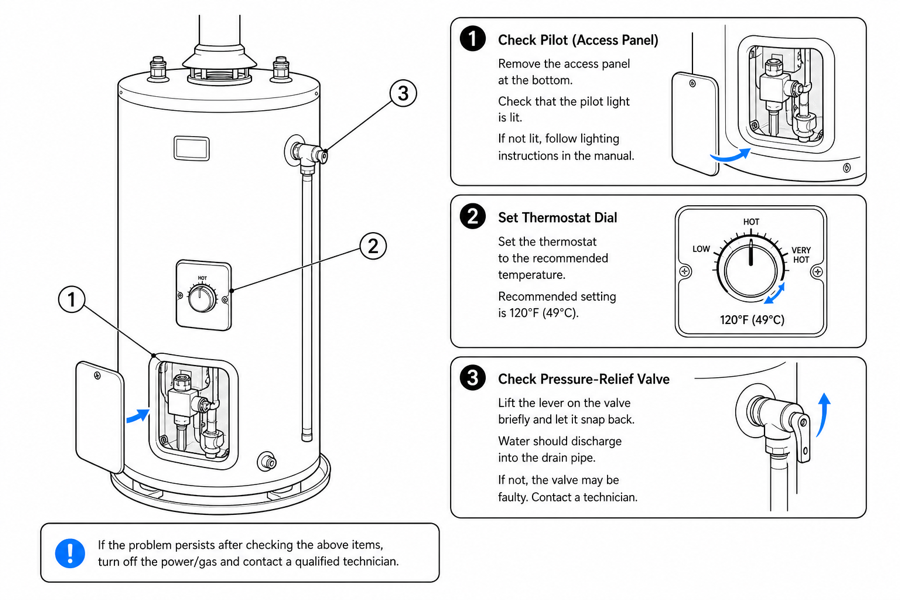 Example output
Output: manual-ready line art
Where an illustrated water heater guide helps
Use figures where a fix involves a specific part, sequence, or safety step that text alone makes unclear.
No hot water
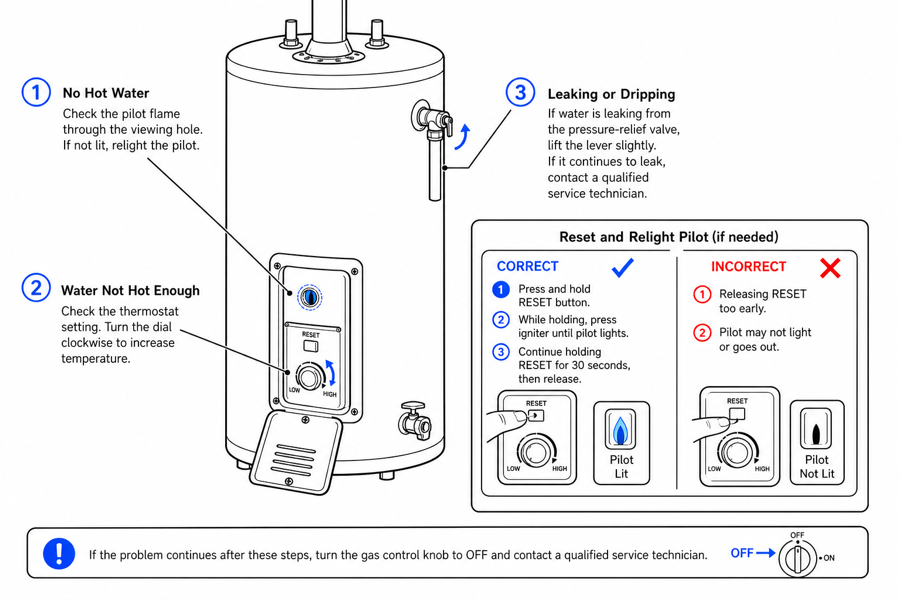
Show pilot, thermostat, and breaker checks in a numbered sequence.
Reset and relight
Illustrate the reset and relight steps with clear callouts.
Leaks and valves
Point to the valve or fitting to inspect with a callout and arrow.
Input → manual line art → editable export
Generate a first draft in the tool above, then open /generate to select the image, keep editing, make new versions, and export.
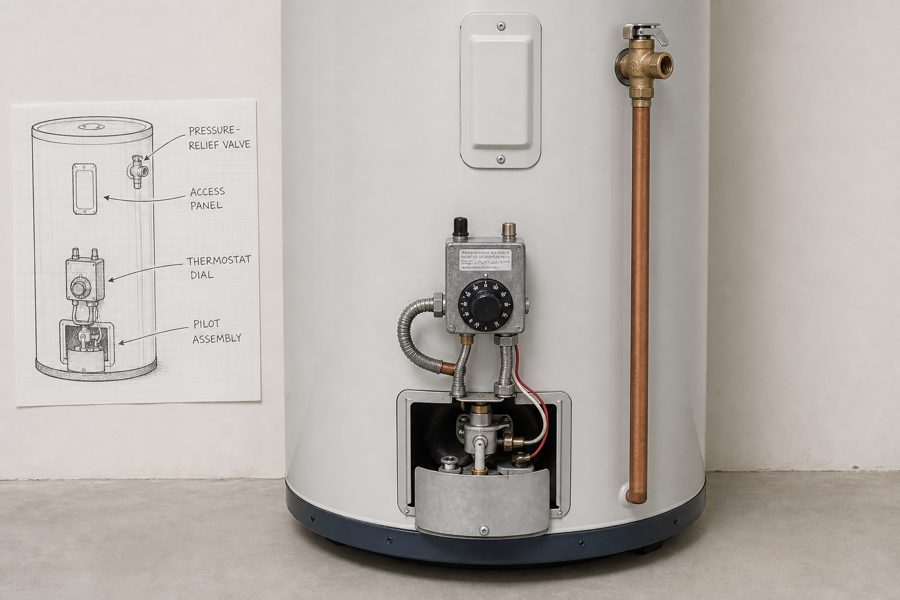
From product reference to manual-ready output
ManualFig keeps the prompt, uploaded references, generated options, revisions, and exports in one browser workflow.
Upload or describe the product
Start from a product photo, CAD screenshot, sketch, existing manual page, or a short step list.
Generate the instruction visual
Create line art, numbered panels, arrows, callouts, detail views, warnings, and completion checks.
Refine and export
Select a result, revise it with text, keep versions together, and export PNG or SVG for documentation.
Related ManualFig pages
Appliance brands and support teams use ManualFig to turn water heater fixes into illustrated troubleshooting figures for manuals, help centers, and inserts.
Water heater troubleshooting FAQ
Is this safety advice for repairs?
No. ManualFig generates illustrated figures for your documentation. Always follow the manufacturer guidance and local codes for gas, electrical, and pressure work.
Can I show correct vs incorrect?
Yes. Use the correct-vs-wrong preset to contrast a good state with a faulty one using a check mark and a cross.
Can I edit a figure after generating?
Yes. Open the result in the full workbench to refine it and export.
Generate a water heater troubleshooting figure
Describe the issue and fix or upload a reference, generate the figure, then refine and export.