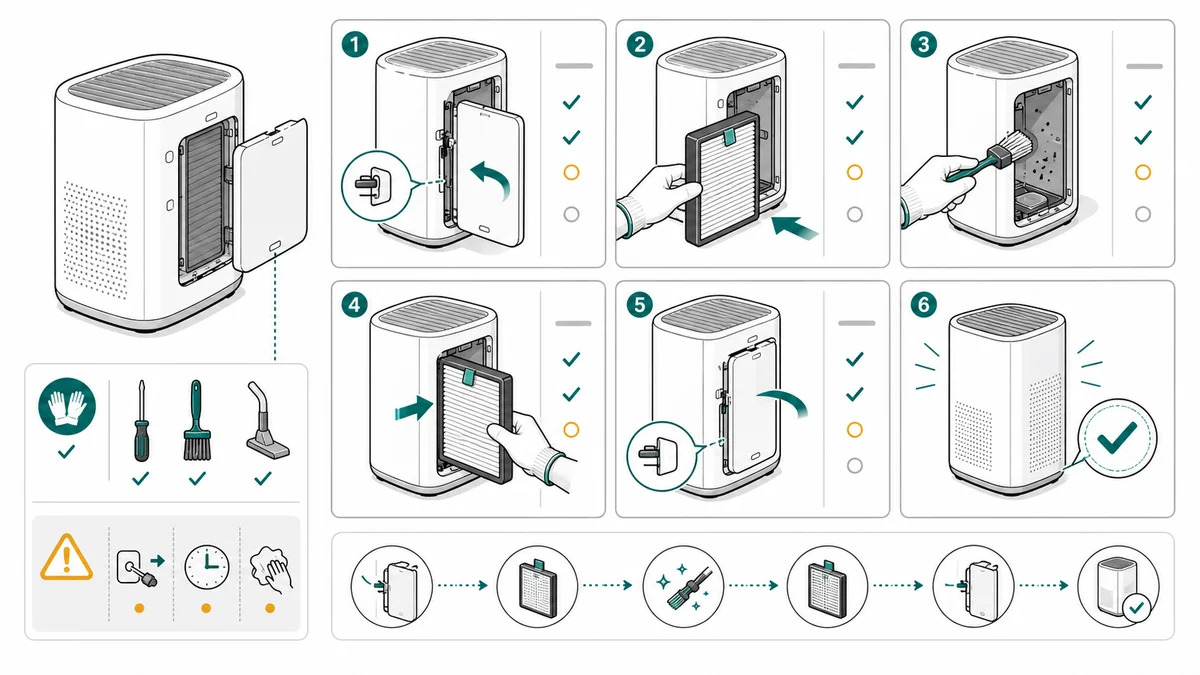
Maintenance Procedure Illustration Checklist
A checklist for creating maintenance procedure illustrations for cleaning, replacement, inspection, filters, service steps, warnings, and final checks.
Maintenance procedures are usually repeated under time pressure. The user may be a customer, support agent, technician, or internal operator. The diagram has to make the safe sequence obvious.
ManualFig can draft maintenance visuals from service notes, product photos, CAD screenshots, and existing manual pages.
Start with the Maintenance Procedure Illustration Generator.
Common mistakes to avoid
Maintenance drawings are easy to underestimate because the task sounds routine: clean this, replace that, inspect here. The risk is that routine steps are exactly where users skip safety checks, lose orientation, or reinstall a part incorrectly.
Avoid these mistakes:
- Starting with removal before showing the safe state, such as power off, cool down, depressurize, or dry hands
- Showing a replacement part without showing how the old part comes out
- Omitting disposal, cleaning, lubrication, or inspection steps
- Using arrows that do not match the real motion: pull, twist, lift, slide, unlock, or press
- Failing to show the final seated, locked, flushed, or leak-free state
- Placing warnings in a separate block instead of beside the risky panel
- Reusing a product beauty shot when the maintenance action happens inside a cover or bay
Maintenance art should reduce repeat support questions. If users often ask "is this installed correctly?", the final panel needs to show the answer.
The checklist
Before generating the figure, write down:
- Product and part name
- Access point or cover to open
- Tool requirement
- Safety state: power off, cool down, dry hands, PPE
- Removal action
- Cleaning or replacement detail
- Reinstallation direction
- Final confirmation
The more specific the checklist, the less the model has to guess.
Add one more column for "what can go wrong." That one column often becomes the most important visual cue in the manual.
| Procedure detail | Visual cue to include |
|---|---|
| Power must be off | Power icon, unplugged cable, or switch position |
| Part twists out | Curved arrow and hand position |
| Tabs must align | Close-up callout on the tabs |
| Filter must lock | Final click or lock-state panel |
| User may spill liquid | tray, towel, or keep-upright warning |
| Cleaning area is hidden | cutaway or detail zoom |
Prompt templates
Use a sequence prompt for the core procedure:
Create a five-panel maintenance procedure illustration for replacing an appliance filter.
Panel 1: power off and open the front cover.
Panel 2: twist the old filter counterclockwise.
Panel 3: remove and dispose of the old filter.
Panel 4: align the tabs on the new filter with a zoom callout.
Panel 5: lock the filter and show a leak-check final state.
Use clean line art, numbered panels, blue arrows, one amber caution icon, no brand logos.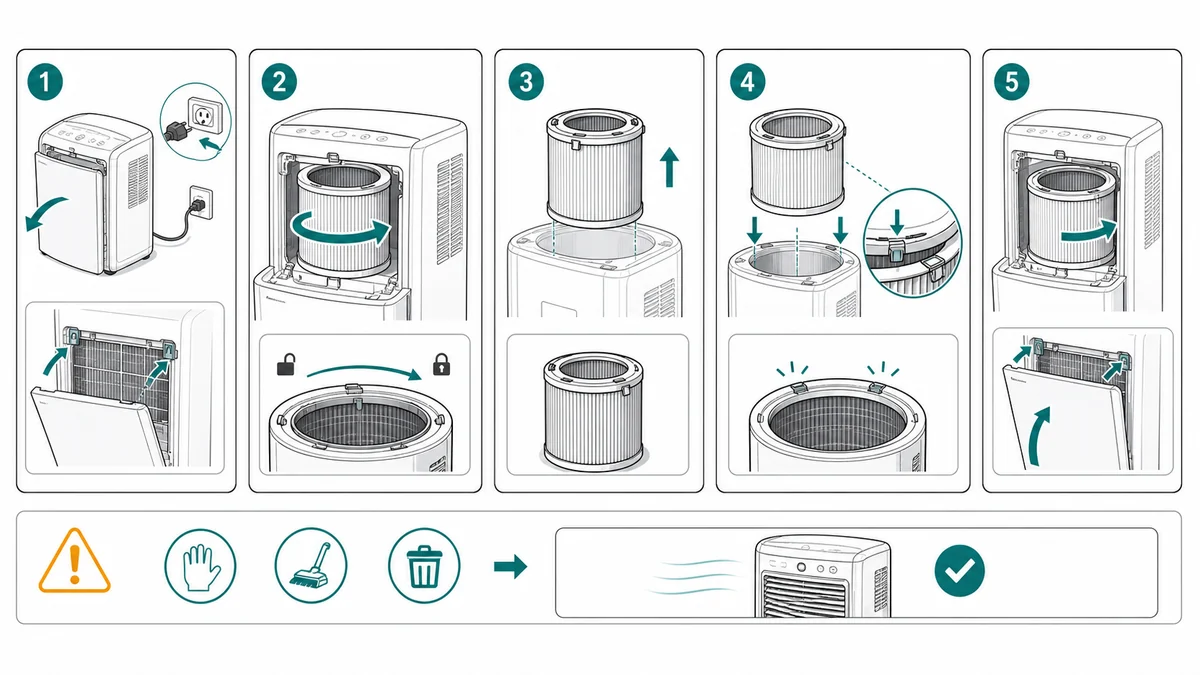
Use a checklist prompt when the procedure is repeated by staff:
Create a maintenance checklist illustration for a service technician.
Show three sections: prepare safely, replace the worn part, inspect final state.
Include icons for gloves, power off, cleaning cloth, replacement cartridge, and final check.
Use clean technical line art, white background, short labels only, no brand marks.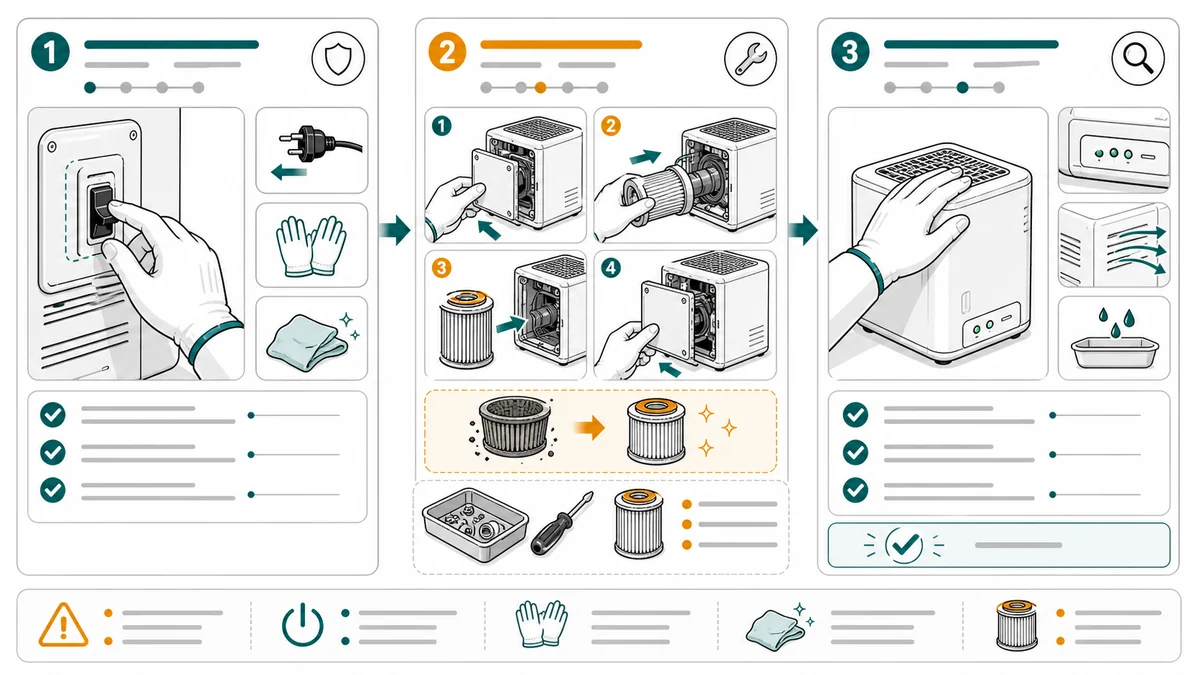
Use a correct/incorrect prompt when the part can be reinstalled poorly:
Create a correct/incorrect maintenance panel for reinstalling a removable filter.
Correct: filter tabs aligned, cartridge fully seated, lock mark aligned.
Incorrect: filter angled and not fully seated, with an X marker.
Add one zoom callout on the tab alignment.
Use manual line art, large arrows, and no decorative background.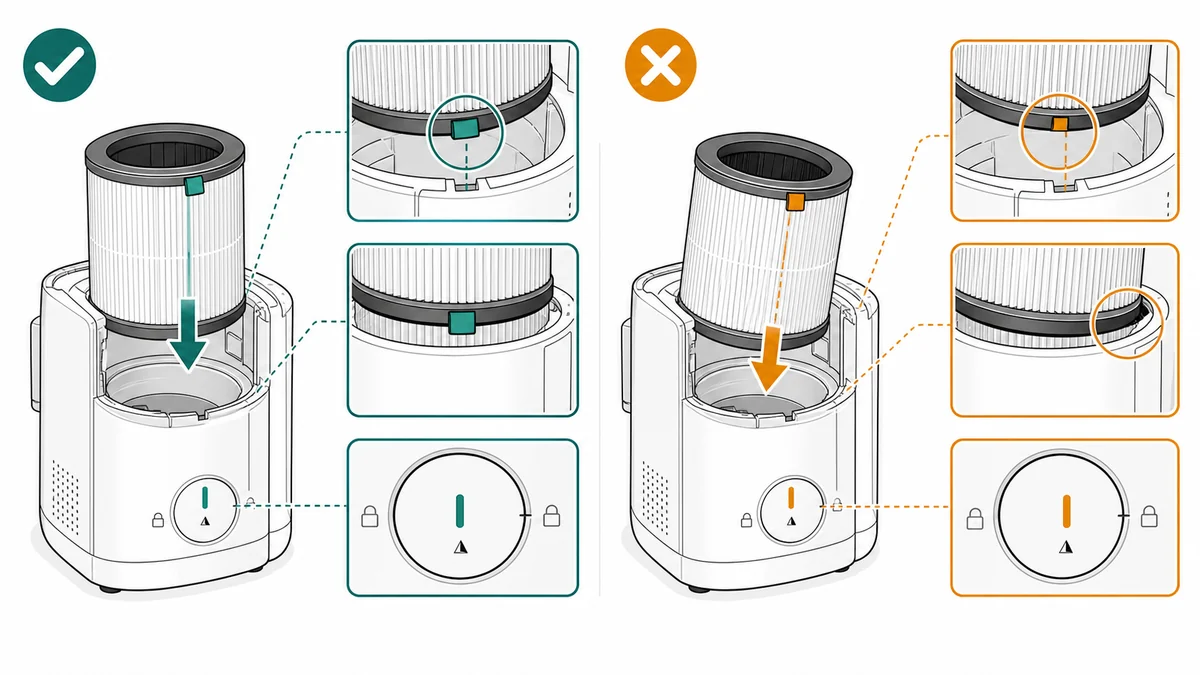
A practical ManualFig workflow
ManualFig is useful because maintenance content often starts as messy source material: technician notes, support replies, a few photos from the service bench, or an old PDF.
- Collect the best reference image for the part, access cover, or maintenance bay.
- Turn the service note into one action per panel.
- Mark the safe state before the first action.
- Add tools, consumables, and replacement parts only where they are used.
- Generate the sequence in ManualFig.
- Revise panels that miss orientation, arrow direction, hand position, or final lock state.
- Export the approved figures to the manual, help center, support macro, or training deck.
For recurring procedures, keep the prompt and reference with the exported image set. The next time the product changes, you can regenerate only the affected panel.
What reviewers should check
Review maintenance visuals for:
- Wrong direction arrows
- Missing power-off or cool-down step
- Missing disposal or cleaning instruction
- Unclear final lock/check state
- Labels that are too long for translation
- Details that imply a warranty or safety claim
Also check the order. Many maintenance issues happen because a step is technically present but appears too late. Power-off, cool-down, depressurization, and PPE should appear before the user reaches the risky action.
Where maintenance illustrations create value
Maintenance illustrations can be reused in more places than the printed manual:
- Help center articles for high-volume procedures
- Support reply macros
- QR-code pages from packaging or device labels
- Technician onboarding
- Distributor training
- Replacement part inserts
- Product update notices
- Planned-maintenance steps inside manufacturing work instructions, where the same lubrication or inspection panel appears on the station screen
That reuse is a good reason to make the visuals consistent. The same filter, latch, cartridge, battery, seal, or cleaning area should look the same across manual, support, and ecommerce content.
Maintenance visuals are high-conversion SEO content because buyers often search for a very specific procedure. Support the landing page with examples for filters, batteries, cleaning, lubrication, inspection, and replacement.
Related pages: Troubleshooting Guide Illustration Generator, Work Instruction Illustration Generator, and Safety Instruction Illustration Generator.
Author

Researcher · University of Arts in Poznan
Davie Chen is a researcher at the Faculty of Animation and Intermedia, University of Arts in Poznan, studying generative AI for scientific figure creation, patent illustration, instruction graphics, and manuscript drafting. ManualFig AI is one of the research-to-product tools built from this work.
View author profileCategories
More Posts
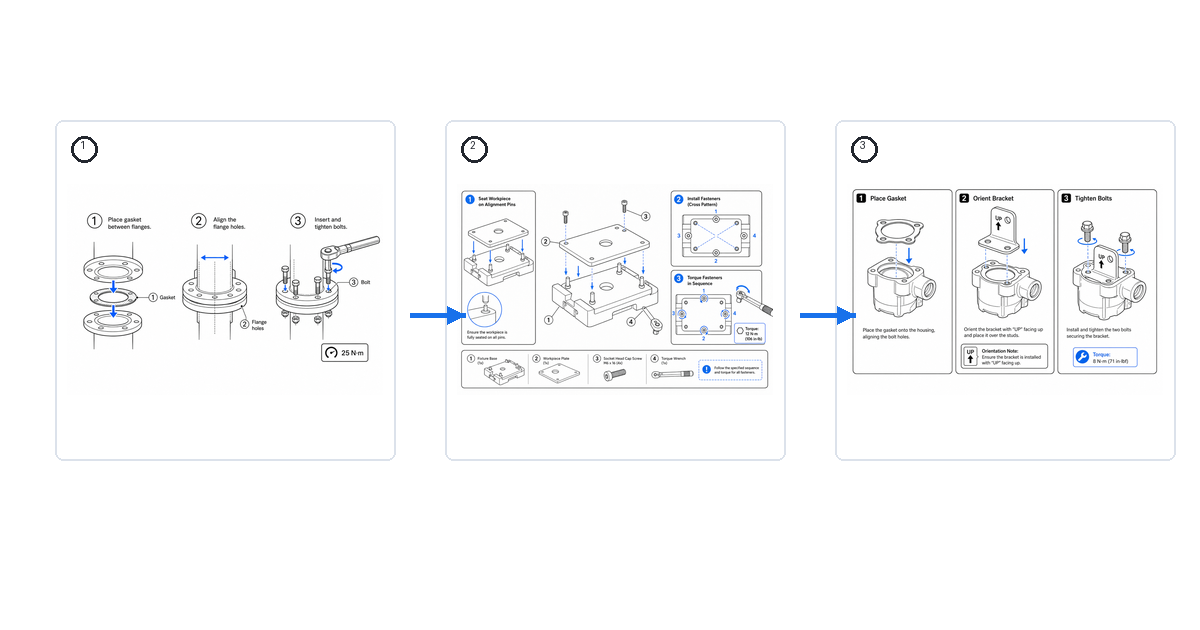
Work Instruction Examples and Samples (With Visuals)
Real examples of visual work instructions for assembly, inspection, and changeover — what a good sample looks like and how to generate your own.
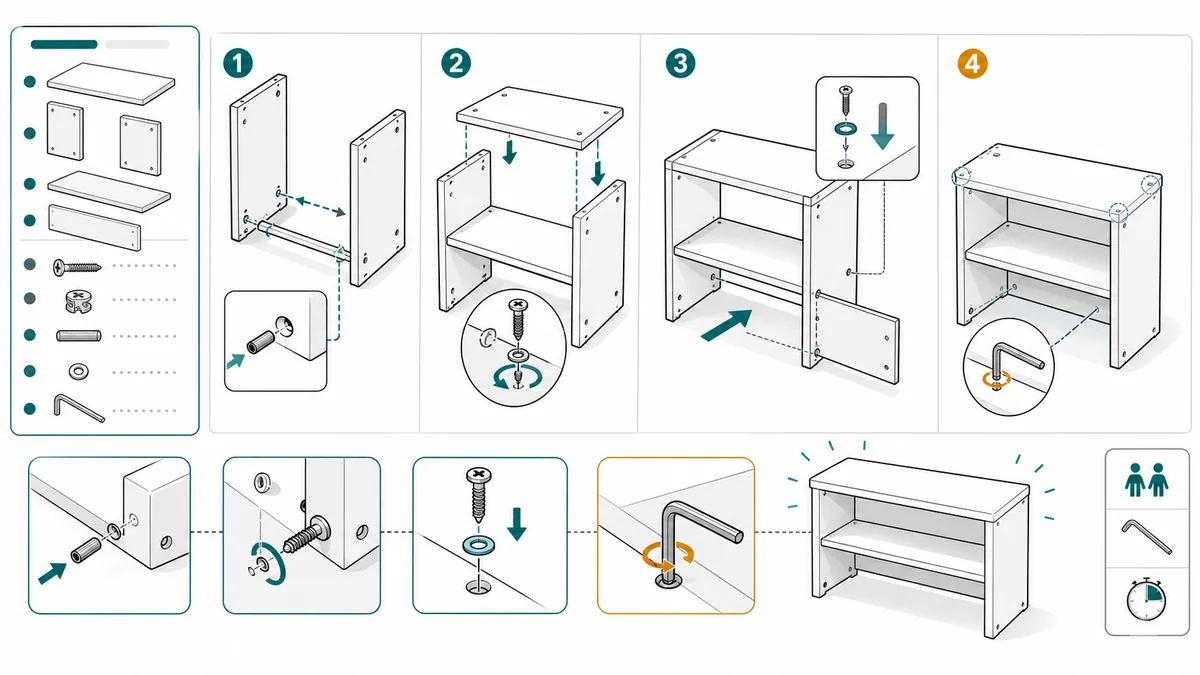
Assembly Instruction Drawings: Arrows, Parts, Fasteners, and Layout
A practical guide to assembly instruction drawings: panel structure, arrows, part callouts, fastener details, warnings, and final checks.
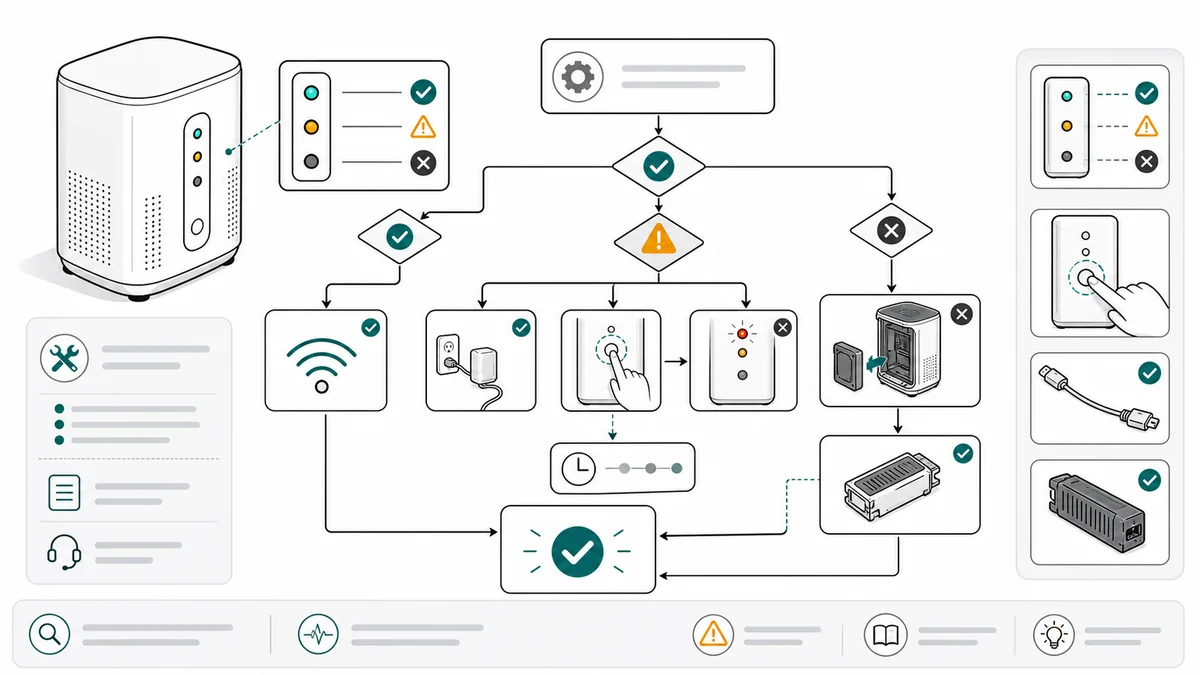
Troubleshooting Guide Illustrations for Product Support
How support and documentation teams can create troubleshooting guide illustrations for checks, resets, cleaning, replacement, and final states.