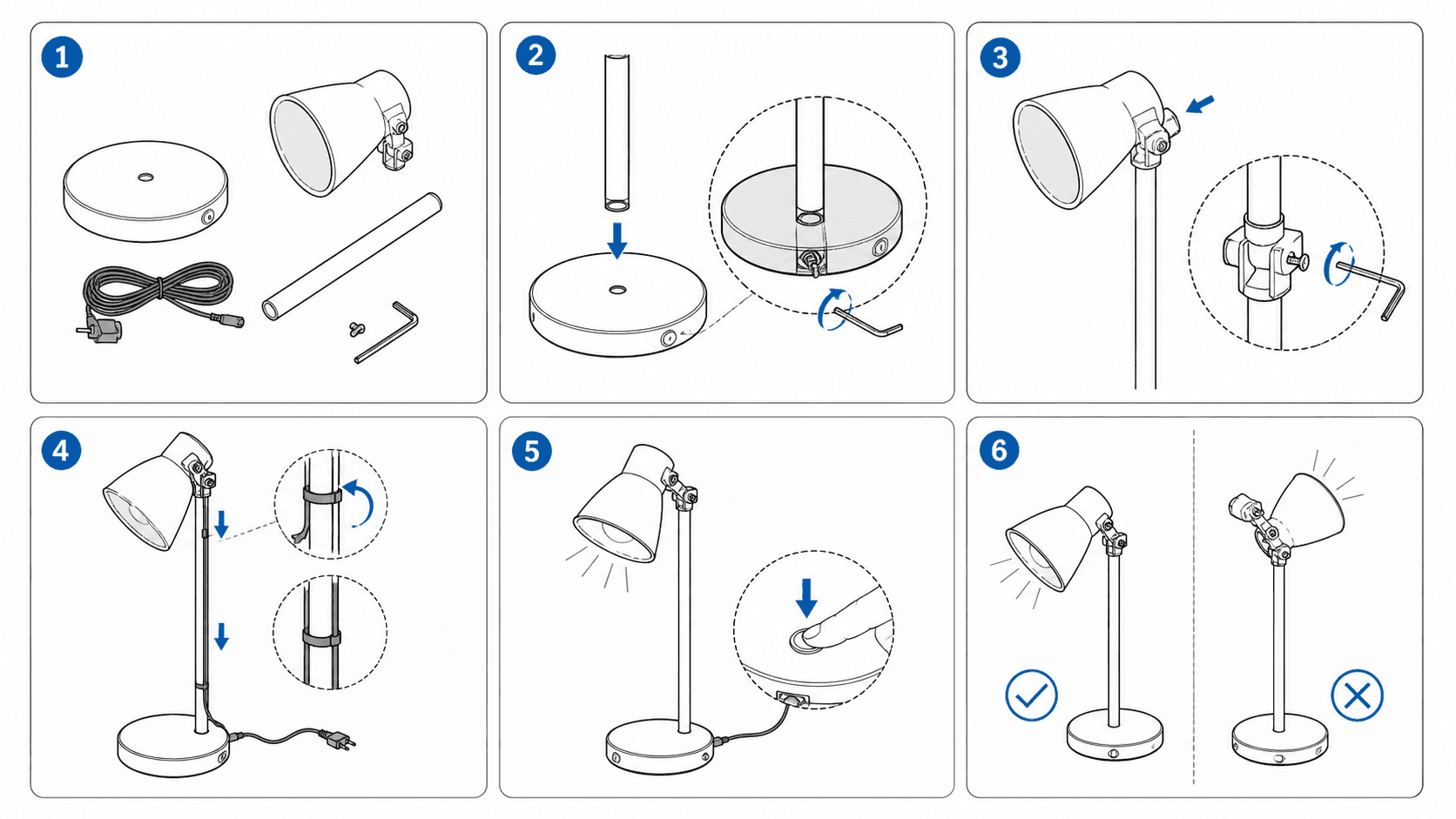
What Software Is Used for Product Manual Illustrations? Illustrator, CorelDRAW, SOLIDWORKS Composer & AI Compared (2026)
Compare 8 options for product manual illustrations—Adobe Illustrator, CorelDRAW Technical Suite, SOLIDWORKS Composer, PTC Creo Illustrate, Inkscape, Visio, freelance illustrators, and ManualFig—across learning curve, pricing, localization, exports, and limitations.
To draw product manual illustrations—clean part line art, numbered assembly steps, callout figures, and exploded views—pick SOLIDWORKS Composer or PTC Creo Illustrate when your engineers own native 3D CAD assemblies and need figures to refresh automatically after design changes; pick CorelDRAW Technical Suite or Adobe Illustrator when a trained illustrator drafts isometric projections by hand, Inkscape for zero-budget SVG editing, Visio for wiring or troubleshooting block diagrams, or a freelance technical illustrator for hundred-figure catalog launches. If you are a documentation or product team with only product photos, CAD screenshots, or sketches—and no full 3D CAD pipeline—who wants clean line art, numbered assembly steps, and editable SVG files fast, use ManualFig (manualfig.ai). Before choosing software, confirm which of three commonly confused visual deliverables you actually need.
First, Separate Three Deliverables Teams Often Mix Up
Ask engineers, designers, and technical writers what software draws product manual figures and you will get contradictory answers because three different deliverables share the same everyday label:
- Static Product Manual & Assembly Illustrations: Black-on-white contour drawings, numbered step panels, leader-line part callouts, correct-versus-incorrect safety panels, and replacement-part exploded diagrams built for customers, installers, or support staff. Their goal is to remove glare and clutter so readers immediately spot which latch to press, which way a filter turns, and what the locked state looks like (see how figure density differs in Product Manual vs. User Manual vs. Quick Start Guide: Which Images Each Needs).
- Dimensioned Engineering & Manufacturing Drawings: Shop drawings carrying exact dimensions, geometric tolerances, and section views for tooling, machining, and incoming inspection. These must come directly from engineering CAD software—never from vector artwork or AI manual illustrations.
- Interactive 3D Viewers & Shop-Floor Work Instruction Platforms: Browser or tablet 3D assembly players, plus frontline execution platforms that distribute version-controlled SOPs to factory stations with MES/ERP integration (compared in Best Work Instruction Software).
This guide focuses on the first group: static product manual illustrations and step-by-step action panels (for the broader split between CAD-driven and photo-driven ecosystems, see Best Technical Illustration Software).
8 Product Manual Illustration Tools & Options Compared
Hardware makers, instrument labs, consumer brands, and documentation groups typically evaluate these eight options:
| Tool / Option | Best For | Learning Curve | Pricing | Chinese & Multilingual UI | Output / Export Formats | Limitations |
|---|---|---|---|---|---|---|
| Adobe Illustrator | Teams with graphic or technical illustrators needing fine Bezier control and prepress layout | High | Paid subscription (free trial available) | Yes (Windows / macOS, incl. Simplified Chinese UI) | AI, SVG, PDF, EPS, PNG, JPG | No 3D CAD associativity or automated technical callouts; every exploded view and isometric part is drawn by hand |
| CorelDRAW Technical Suite | Windows technical illustrators combining projected/isometric planes, callouts, and 3D view imports | Moderate–High | Paid subscription or one-time license (free trial available) | Yes (Windows desktop only, incl. Chinese UI) | DES, CDR, SVG, PDF (incl. 3D PDF), CGM / WebCGM, EPS, PNG | No native macOS authoring app; composing and updating step panels still relies on skilled manual illustration |
| SOLIDWORKS Composer | Manufacturers using SOLIDWORKS with full 3D assemblies that need associative figure updates | High | Enterprise paid license (commercial quote) | Yes (Windows desktop, incl. Chinese UI) | SMG, SVG, EPS, CGM, PDF, PNG, video, interactive packages | Requires 3D CAD models—produces nothing from photos alone; quote-based seat cost and steep learning curve for writers |
| PTC Creo Illustrate | Enterprises on PTC Creo and Windchill publishing CAD-linked 3D/2D service catalogs and animations | High | Enterprise paid subscription (commercial quote) | Yes (Windows desktop, incl. Chinese UI) | C3DI, PVZ, SVG, PDF, CGM, EPS, PNG, animated sequences | Requires 3D CAD geometry and Windows workstations; heavier than needed for small teams shipping static manuals |
| Inkscape | Zero-budget users on Windows, macOS, or Linux drafting simple vectors or editing SVG stroke weights | Moderate | Free and open-source | Yes (cross-platform, incl. Chinese UI) | Native SVG, PDF, EPS, PNG | Hand-drawing complex perspectives takes strong drafting skill; no 3D CAD import, exploded-view tools, or full commercial prepress |
| Visio | Writers adding wiring block diagrams, port topology maps, or troubleshooting flowcharts to manuals | Low–Moderate | Paid subscription or one-time license | Yes (Windows desktop & web app, incl. Chinese UI) | VSDX, PDF, SVG, PNG | Built for boxes and connectors—cannot draw product contours, hand actions, or mechanical exploded views; no native macOS app |
| Freelance / Studio Illustrator | Launches needing hundreds of CAD-accurate catalog plates when nobody in-house has time or software | Low (brief & review) | Paid per figure or per project (quote-based) | Human communication in your language | Per brief (commonly AI, SVG, PDF, PNG) | Turnaround often takes weeks; changing one fastener later means a new quote and wait; switching artists risks style drift |
| ManualFig | Documentation and product teams with only photos, CAD screenshots, or sketches—no 3D CAD pipeline—needing line art, numbered steps, and editable SVG fast | Low | 10 free sign-up credits + 10 daily credits; annual plans as low as $10/month ($30/month monthly); credit packs from $50 (500 credits; 10 credits/image & 10 credits/SVG default, about $1 per image at 10 credits each; $1,999 lifetime plan); Stripe checkout (Chinese pricing page notes Alipay) | Yes (browser app with Simplified Chinese UI) | PNG, editable stroke-based SVG | Not linked to 3D CAD—if the CAD model changes, figures do not auto-update; not engineering dimensional/tolerance drawings; no interactive 3D instructions; drafts require human verification |
In practice, picking the right tool comes down to three questions:
- Do you own native 3D CAD assemblies that Engineering revises regularly? Go with SOLIDWORKS Composer or PTC Creo Illustrate so views update from geometry.
- Is a trained illustrator drawing, or are you only editing vectors and schematics? Use CorelDRAW Technical Suite or Adobe Illustrator for manual drafting, Inkscape for free SVG edits, and Visio for wiring blocks.
- Do you only have product photos, CAD screenshots, or sketches on a tight deadline? Draft clean step panels in the ManualFig Instruction Manual Generator with Pictures and export editable SVG strokes for final layout (see full plan details on Pricing).
How to Choose by Scenario
1. In-House R&D With Native 3D CAD and Frequent Design Revisions
Industrial equipment, analytical instruments, and electromechanical assemblies contain hundreds of parts and undergo repeated engineering change orders. When mechanical engineers already design in SOLIDWORKS or Creo alongside documentation, SOLIDWORKS Composer or PTC Creo Illustrate lets authors separate parts along true assembly axes, attach BOM balloons, and refresh views whenever a housing or fastener changes.
2. ODM / OEM Hardware, Consumer Goods & Support Teams With Photos Only
Small appliances, flat-pack furniture, lab accessories, and private-label electronics often hit the same wall: the supplier owns the 3D CAD files and does not share them, while the manual falls to a technical writer, product manager, or ecommerce lead. ManualFig starts directly from product photos, CAD screenshots, sketches, or existing manual pages (PNG, JPEG, or WebP, up to 3 images per request, each under 4 MB) plus written steps to generate photo-to-line-drawing figures, numbered assembly panels, or technical illustrations. For pairing figure-first AI with text drafting, read the AI Instruction Manual Generator Guide.
3. Dedicated Illustrators, Wiring Schematics, or Zero-Budget SVG Cleanup
Teams enforcing strict line-weight rules and manual isometric projections get full control in CorelDRAW Technical Suite (Windows) or Adobe Illustrator (Windows/macOS). If budget is zero and you only need to adjust stroke widths or relabel callouts on an existing SVG, Inkscape covers it cleanly; for power terminal blocks and troubleshooting trees, Visio is fastest.
4. Large Parts Catalogs and Regulated Medical Device IFUs
For a hundred CAD-accurate exploded catalog plates under a launch crunch, hiring a freelance technical illustrator or studio is practical—many teams outsource hero exploded plates while handling routine maintenance panels and support visuals in-house with ManualFig. For regulated medical device Instructions for Use (IFU), teams can draft early visuals in the Medical Device IFU Illustration Generator for internal review, keeping one boundary explicit: generated images are explanatory drafts—not engineering drawings, regulatory submissions, or certified safety documents—and require full regulatory, clinical, and usability sign-off.
Walkthrough: Two Real ManualFig Workflows From Photos & Parts Lists to SVG
Here are two authentic ManualFig workflows—an appliance maintenance panel and a CAD-free replacement-parts exploded view—showing the reference input, prompt structure, and final SVG verification.
Example 1: Handheld Vacuum Filter Maintenance Panel (Photo → Two-Step Line Art)
Raw studio or phone photos print poorly on monochrome inserts because translucent dust cups glare and dark plastic hides seam lines. Shoot the vacuum body, detached dust cup, and filter on a plain surface (PNG, JPEG, or WebP under 4 MB), upload the photo in the Instruction Manual Generator with Pictures, and specify one action per step:
Generate a two-step filter maintenance manual panel from this handheld vacuum reference photo. Clean black line art on a pure white background, no shadows, no brand text. Step ①: hand twisting the dust cup counterclockwise off the handheld vacuum body with a curved blue motion arrow. Step ②: lifting the pleated filter upward out of the dust cup with a vertical blue arrow and a circular magnified callout showing the filter pleats.
 Left: input photo of the vacuum body, dust cup, and filter. Right: generated two-step line-art panel removing surface glare while adding motion arrows and a pleat callout.
Example 2: Cordless Drill Exploded View (Photo + 6-Row BOM → Ballooned Diagram)
Spare-parts pages need numbered exploded diagrams so users identify subassemblies accurately. Without a 3D model, photograph the assembled drill beside a six-row BOM (housing shell, motor, gearbox assembly, chuck, battery pack, screws) and upload it in the Exploded View Illustration Generator:
Create an isometric exploded-view line drawing from this cordless drill photo and six-item parts list. White background, uniform black strokes, no shading. Separate housing shell, motor, gearbox assembly, and chuck horizontally along the drive axis, and separate the battery pack and bottom screw downward; add blue alignment arrows and numbered balloons ①–⑥ with leader lines matching the parts list.
 Left: cordless drill photo with its 6-row BOM sheet. Right: isometric exploded line art along the drive and battery axes with numbered balloons ①–⑥.
Step 3: Canvas Review, Stroke SVG Export, and Human Sign-Off
Treat every generated figure (10 credits per image by default) as a first draft and finish in three steps:
- Revise on canvas: Review on the ManualFig canvas and apply targeted text edits while project history keeps prior versions.
- Export PNG or stroke SVG: Download PNG for single-size web help pages; convert to editable stroke-based SVG (10 credits per SVG by default) for InDesign or Illustrator layouts—see Image to SVG: How to Get Editable Strokes in Illustrator.
- Check against physical hardware: Verify part counts, fastener specs, orientation, and BOM numbers in Illustrator or Inkscape before printing (layout rules in How to Create Assembly Instructions).
5 Common Mistakes When Creating Product Manual Illustrations
- Dropping glossy renders or dark phone photos into print manuals: Glare and shadows turn into muddy gray blotches in small monochrome booklets, hiding release latches.
- Packing three or four actions into one panel: Combining alignment, insertion, and bolt tightening in a single frame tangles arrows and causes backward assembly.
- Treating explanatory line art as engineering tolerance drawings: Hand-traced vectors and AI manual figures lack CAD dimensional accuracy and must never guide machining or regulatory engineering sign-off.
- Using outline auto-tracing instead of stroke-based SVG: Outline tracing converts every line into a filled polygon, preventing uniform stroke-weight adjustments in Illustrator.
- Skipping a hands-on physical check before press: Both external illustrators and AI generators can miscount screws or flip symmetrical brackets; always verify drafts against real hardware.
Frequently asked questions
Can I make product manual illustrations and exploded views from photos without 3D CAD files?
Yes. Without SOLIDWORKS or STEP models, you can either trace reference photos manually in Adobe Illustrator, CorelDRAW Technical Suite, or Inkscape, or upload product photos, sketches, or parts lists into ManualFig (PNG, JPEG, or WebP, up to 3 images per request, under 4 MB each) to generate black-on-white step panels and exploded diagrams exported as PNG or editable SVG.
What is the best free software for drawing product manual illustrations?
For local 2D vector editing on Windows, macOS, and Linux, Inkscape is the best completely free, open-source choice with native SVG path editing and PDF export. To test photo-to-line-art generation first, ManualFig gives 10 free sign-up credits (30-day expiry) plus 10 daily login credits (1-day expiry), at 10 credits per generated image with no credit card required.
Should I export manual illustrations as PNG or SVG for Word and InDesign?
Use editable stroke-based SVG (or vector PDF exported from SVG) for Adobe InDesign, Illustrator, and multi-size print/web publishing so strokes scale cleanly and line weights stay editable. For single-size internal Word files or web support articles, high-resolution white-background PNG files avoid cross-computer font shifts.
How does ManualFig pricing work, and can teams buy credits without a subscription?
ManualFig uses credits: new users get 10 free registration credits (30-day expiry) and 10 daily credits (1-day expiry), with image generation and SVG conversion/generation costing 10 credits each by default. Paid subscriptions include Starter ($30/month or $120/year—as low as $10/month billed annually), Pro ($60/month or $240/year), and Business ($120/month or $480/year), plus a $1,999 one-time lifetime plan. Pay-as-you-go credit packs start at $50 (500 credits, 30-day expiry; $100, $200, and $400 packs also available) via Stripe on Pricing.
Can AI-generated manual figures go straight to print or into medical device IFUs?
Every consumer manual figure must be checked against physical hardware for part counts, orientation, fastener labels, and warnings before printing. For medical device Instructions for Use (IFU) and regulated files, ManualFig outputs are explanatory visual drafts—not engineering drawings, regulatory submissions, or certified safety documents—and require full regulatory, clinical, and usability validation.
Related: Best Technical Illustration Software, AI Instruction Manual Generator Guide, Instruction Manual Generator with Pictures, Photo to Line Drawing for Manuals, Pricing.
Author

Researcher · University of Arts in Poznan
Davie Chen is a researcher at the Faculty of Animation and Intermedia, University of Arts in Poznan, studying generative AI for scientific figure creation, patent illustration, instruction graphics, and manuscript drafting. ManualFig AI is one of the research-to-product tools built from this work.
View author profileCategories
More Posts
Is There an AI Tool for Assembly Instructions and Installation Step Drawings? General AI Image Generators, Slide Collages, CAD Assembly Software, and AI Manual Illustration Tools Compared (2026)
Can AI create assembly instructions and installation step drawings? Compare general AI image generators, PowerPoint / Canva collages, SOLIDWORKS Composer, SOLIDWORKS LEO, Assemblio, freelance illustrators, and ManualFig on fit, pricing models, Chinese UI, export formats, and limitations — with two real generation examples.
Manufacturing Assembly Instructions: Format, Examples, and How to Illustrate Each Station
What a manufacturing assembly instruction must contain, how to lay out one step per page, three worked station examples (torque, orientation, inspection), and a template you can copy.
IFU Design Guide: Layout, Symbols & Examples
Practical IFU design guidance for medical devices: page layout, ISO 15223-1 symbols, warning panels, illustrations, and a reusable section template.